Fire safety is very important in every building. Fire doors play a big role in keeping people safe during a fire. They stop fire and smoke from spreading quickly. This gives people more time to escape. But fire doors only work well if they are checked often and fixed when needed.
Many building owners and managers find old ways of checking fire doors hard and slow. They use paper forms, take notes by hand, and make reports later. This can lead to mistakes or forgotten fixes. A fire door inspection app changes all that. It makes safety checks simple, fast, and clear. With an app on your phone or tablet, you can do inspections easily and create reports in minutes.
In this article, we will explain what a fire door inspection app is, why it helps, its main features, how to use it, and why it is better than old methods. We will use simple words so everyone can understand.
What Is a Fire Door and Why Does It Need Regular Checks?
A fire door is a special door made to resist fire for a set time, like 30 minutes (FD30) or 60 minutes (FD60). It has parts like strong hinges, self-closing devices, seals that swell in heat (intumescent strips), smoke seals, and latches that lock tight.
These doors are needed in places like offices, hospitals, schools, hotels, apartments, and factories. Rules in many countries say they must be there to save lives.
But fire doors can get damaged over time. People might prop them open, hinges can loosen, seals can break, or paint can cover labels. If not checked, they may fail in a real fire.
That is why regular inspections are a must.
In places like the UK, rules from the Regulatory Reform (Fire Safety) Order and Fire Safety (England) Regulations say communal fire doors need checks every 3 months, and flat entrance doors every 12 months in tall buildings. In the US and many other places, NFPA 80 standard asks for checks at least once a year. Some high-risk buildings need more often.
Skipping checks can lead to fines, legal trouble, or worse – danger to people.
Problems with Old Paper-Based Fire Door Inspections
Many people still use paper checklists. They go to each door, write notes, take photos with a camera, and type everything later on a computer.
This way has many issues:
- It takes a lot of time.
- Papers can get lost or wet.
- Handwriting is hard to read.
- Mistakes happen easily.
- Reports take days to finish.
- Hard to track fixes over time.
- No easy way to share with bosses or fire officers.
These problems make safety weaker and work harder.
How a Fire Door Inspection App Makes Things Easy
A good fire door inspection app is software for mobile phones or tablets. It helps you do checks on site and make professional reports fast.
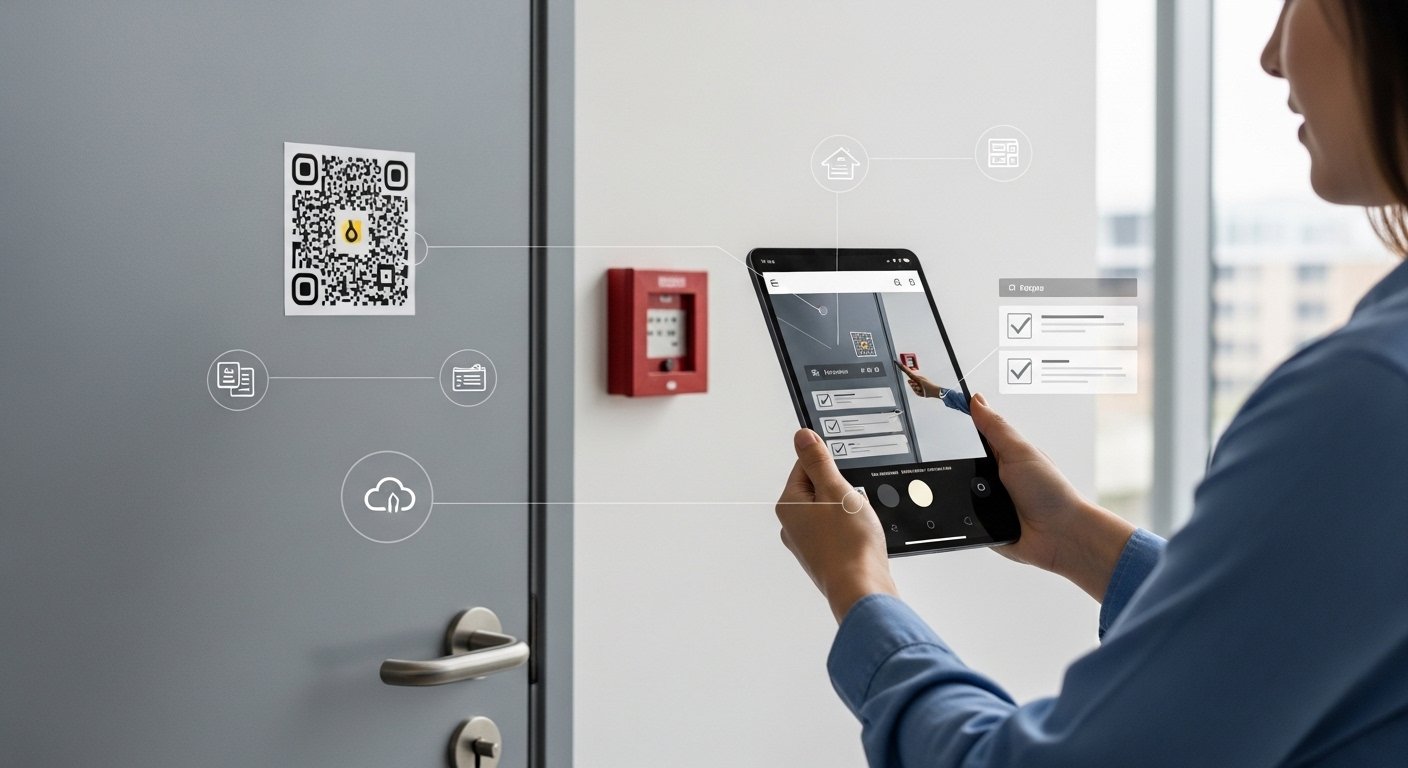
The app guides you step by step. You answer simple questions, take photos, and add notes. Everything saves automatically in the cloud. You can see past checks and spot problems quickly.
This tool helps building managers, safety officers, and inspectors do their job better.
Key Features of a Good Fire Door Inspection App

Modern apps have many helpful tools. Here are the main ones:
Mobile-Friendly Design You use the app on your phone. It works offline too, so no internet needed during checks. Data syncs when you get signal.
Custom Checklists The app has ready checklists based on rules like NFPA 80 or UK standards. You can change them to fit your building. It asks about door label, gaps (no more than 3-4mm), hinges, seals, closers, latches, damage, and more.
Photo and Video Capture Take clear photos of problems right away. Add notes or draw on the picture. This shows exact issues, like a broken seal or loose hinge.
Door Identification with QR Codes or Barcodes Put a QR code or barcode on each door. Scan it to find the door’s history fast. No need to search for names or numbers.
Real-Time Reporting Finish an inspection and the app makes a full report. It includes date, inspector name, door details, pass/fail results, photos, and fix suggestions. Send it by email or PDF in seconds.
Task Management for Fixes If a door fails, the app creates a task. Assign it to a worker with deadline. Track if the fix is done. Get reminders.
Cloud Storage and History All data is safe online. See trends, like doors that fail often. This helps plan better maintenance.
Compliance Proof Reports show you follow rules. Keep records for years. Show them to fire officers or insurance companies easily.
User Roles and Security Different people have different access. A manager sees all reports. An inspector only does checks.
These features make inspections simple and reliable.
Step-by-Step: How to Use a Fire Door Inspection App
Using the app is very easy. Here is a simple guide:
- Download and set up the app on your phone or tablet.
- Add your building details and list all fire doors (or scan QR codes to add them).
- Go to a door and start a new inspection.
- Scan the door’s code if it has one.
- Follow the checklist:
- Check if the label is there and clear.
- Look for damage, holes, or warping on door and frame.
- Measure gaps – top, sides, bottom.
- Test hinges – tight and not loose.
- Check self-closer – does the door close fully from open?
- Look at seals – no breaks or missing parts.
- Test latch – does it catch properly?
- Check glass if any – secure and no cracks.
- Make sure no props or blocks hold it open.
- Take photos of any problems.
- Mark pass or fail for each part.
- Add notes or extra details.
- Finish and sign digitally.
- The app makes the report. Review and send it.
The whole process for one door takes just a few minutes.
For many doors, you can do them one by one or plan routes in the app.
Benefits of Using a Fire Door Inspection App
Switching to an app brings many good things:
- Saves Time – No more writing reports by hand. Do checks faster.
- Fewer Mistakes – Guided questions help you not forget anything.
- Better Proof – Photos and digital records show real conditions.
- Quick Fixes – Find issues fast and fix them before they become big problems.
- Easy Tracking – See which doors need attention often.
- Cost Savings – Less paper, less time wasted, avoid big repairs or fines.
- Safer Buildings – Regular checks mean fire doors work when needed.
- Happy Teams – Inspectors like easy tools. Managers get clear data.
Many companies say they cut inspection time by half or more with apps.
Who Should Use This App?
This app helps different people:
- Building owners and managers
- Fire safety officers
- Facility teams in offices, schools, hospitals
- Apartment block managers
- Maintenance companies that do checks for clients
- Insurance inspectors
Even small buildings benefit from simple digital tools.
Tips for Getting the Most from Your Fire Door Inspection App
To make it work best:
- Train your team well on the app.
- Put QR codes on all doors at the start.
- Do checks on time as per rules.
- Fix problems quickly and record them.
- Review reports every month to see patterns.
- Update the app when new versions come.
- Keep backups of data.
This keeps your building safe and compliant.
Final Thoughts
Fire doors save lives, but only if they are in good shape. Old paper methods make checks hard and slow. A fire door inspection app makes safety easy, fast, and smart.
With simple steps, photos, auto reports, and tracking, you can keep your building safe without stress. It helps you follow rules, avoid problems, and protect people.
If you care about fire safety, think about using a fire door inspection app today. It is a small change that brings big peace of mind.
Disclaimer:
This article is for information only. It is not a promotion, advertisement, or affiliate post. We do not sell or get money from any app mentioned. The information here is meant to help you understand fire door inspection apps. Always follow your local fire safety laws and rules. We are not responsible for any damage, mistakes, or problems that happen if you use an app. Use apps carefully and at your own risk.
Explore More
- AFG Landing Page App – Build Stunning Pages Easily
- SFlix App – Watch Movies & TV Shows Easily for Free
- Table Ordering App – Order Food & Drinks Easily from Your Phone
About the Author








