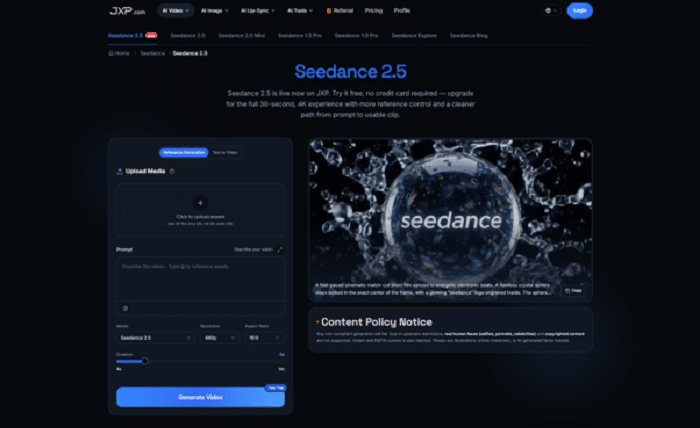
AI presenters can deliver a script, but a useful video news package also needs establishing shots, visual context, transitions, diagrams, and a clear sequence. A reference-led planning process can help small publishing teams explore those elements before editing begins.
Virtual presenters have made news-style video easier to produce. A newsroom can prepare a script, choose a voice, and create an on-screen delivery without booking a studio. Yet the presenter is only one part of the finished piece.
If the presenter is synthetic, the newsroom should also consider clear disclosure, voice and likeness rights, and whether viewers could mistake the avatar for a real reporter or eyewitness. It should not imply firsthand reporting, physical presence or personal endorsement.
Viewers also need to see what the story is about. A technology update may need product context. A business story may benefit from a simple process visual. A local feature might require a sense of place, while an explainer needs images that make an unfamiliar idea easier to follow.
Seedance 2.5 can be considered as a visual planning tool. Rather than treating generated footage as automatic evidence or a replacement for reporting, teams can use it to test how a package might move from the opening line to the final frame.
The Presenter Does Not Carry the Whole Story
A talking presenter gives a video continuity, but leaving the presenter on screen for an entire report can make even a short update feel static. Supporting visuals create changes in pace and help the audience understand details that are difficult to communicate through speech alone.
Consider a short report about a new transport system. The presenter may introduce the change, but the package could also require a city overview, a simplified route concept, an illustration of passenger movement, and a closing frame that summarizes the practical impact.
Those visuals should not be improvised after the voiceover is complete. They work better when the team identifies them while shaping the script.
Start With an Editorial Visual Brief
Before opening a video generator, reduce the story to a brief that separates verified information from illustrative material. A practical brief can answer five questions:
- What has been confirmed through reporting?
- What does the audience need help visualizing?
- Which shots are factual assets, and which are illustrative concepts?
- Where should the presenter return to the screen?
- What must be checked before publication?
This distinction matters. A generated visual may help explain an abstract process, establish tone, or test pacing. It should not be presented as documentary footage of an event that never happened.
Give References Clear Editorial Roles
JXP presents Seedance 2.5 as a reference-driven model that can accept images, video, and audio as part of a generation brief. The page currently describes support for up to 50 combined reference materials and a single-segment duration of up to 30 seconds on the full experience.
For publishers, the useful question is not how many files can be uploaded. It is what each approved reference is meant to control. A brand guide might define color. An original diagram may establish information hierarchy. A licensed location image can guide atmosphere. An audio reference might indicate pace without becoming the final soundtrack.
A small, clearly labeled reference set is usually more useful than a folder of unrelated assets. It also makes review easier because editors can trace important visual choices back to approved material.
Approval for editorial use does not automatically mean approval for external AI processing. Newsrooms should not upload confidential source material, unpublished interviews, embargoed assets or licensed agency media unless contractual, security and platform requirements explicitly permit it.
Plan the Package in Visual Beats
A news video can be divided into short editorial beats before any footage is generated:
- Opening: establish the topic and why it matters now.
- Context: show the setting, process, or background needed to understand the story.
- Explanation: use diagrams, objects, or controlled illustrative scenes to clarify the central point.
- Return: bring the presenter back for attribution, limits, or the next step.
- Closing: finish with a verified takeaway rather than a decorative image.
Describing change across these beats is more helpful than asking for a generic cinematic news video. It gives the model a sequence to explore and gives the editor a structure to accept, reject, or revise.
Use Generated Visual Concepts for Planning, Not Evidence
Generated visual concepts can help teams previsualize abstract subjects such as cybersecurity, data flows, future infrastructure, or a hypothetical customer journey. These topics do not always have obvious footage, and a moving visual can help a team test whether an explanation is understandable.
However, realism increases the risk of confusion. A convincing image of a building, person, product interface, or public event can imply that the scene is real. Publishers need visible labeling where appropriate and should avoid visuals that could misrepresent people, places, actions, or capabilities.
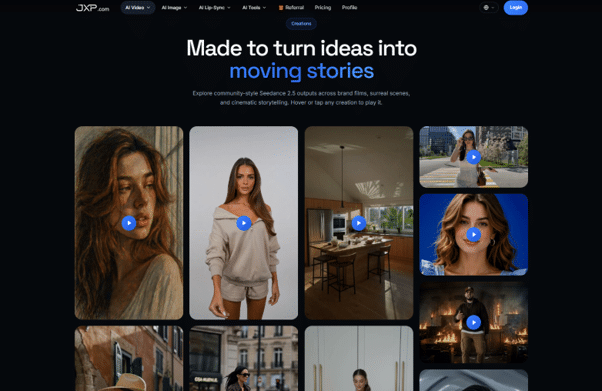
The JXP page also states that real human faces, celebrity content, copyrighted material, violent content, and NSFW material are not supported in this workflow. That makes illustrated subjects, abstract environments, original graphics, and compliant synthetic characters safer starting points for concept development.
Build Transitions Around Meaning
Transitions should do more than make a package look polished. They can show cause and effect, move from a broad issue to a specific example, or connect a presenter statement with a diagram.
For example, a report about online fraud might move from an abstract network view to a close visual explanation of a suspicious message, then return to the presenter for practical guidance. The transition supports the logic of the report instead of functioning as an unrelated effect.
JXP presents Seedance 2.5 with second-by-second prompt direction and targeted refinement controls. These can help teams test the intended timing of a change, although timing may vary and every revised sequence still requires full review.
A Review Pass Protects Editorial Trust
Every generated concept should pass through an editorial review before it enters a publishable timeline. Reviewers should check whether the visual changes the meaning of the script, invents a product feature, resembles a real person, introduces unverified text, or uses an asset without appropriate rights.
The safest workflow keeps source footage, generated concepts, captions, and final exports clearly separated. Editors should know which material documents reality and which material illustrates an idea.
Generated planning drafts should be clearly labeled and stored separately from authenticated newsroom footage so they cannot enter the publishing timeline without a new editorial review.
A useful sequence is:
Verified Script → Visual Brief → Approved References → Generated Concept → Editorial Review → Human Edit → Publication Check
This gives AI a limited and practical role. It helps make options visible earlier while leaving accuracy, context, and publication judgment with the newsroom.
Supporting Visuals Can Make Small Teams More Deliberate
Independent publishers and small communications teams may not have a motion designer available for every update. A generated concept can help them discuss framing, rhythm, and visual needs before spending time on a final edit.
The value is not simply faster output. It is the chance to identify weak visual logic early. If a report cannot be explained clearly in a rough sequence, more polish will not solve the underlying problem.
Teams can begin with one verified script and a small set of approved references. The first result should be judged by whether it clarifies the story, not by whether it looks dramatic.
Beyond the Presenter
AI presenters solve the delivery layer of video news. They do not automatically solve visual explanation, editorial pacing, attribution, or trust.
A reference-guided video planning process offers another piece of that workflow: a way to explore supporting shots, transitions, and explanatory sequences before a human editor assembles the final package.
Used carefully, JXP Seedance 2.5 can help a team see the shape of a story earlier. The newsroom still decides what is factual, what is illustrative, what needs labeling, and what is ready to publish.