In today’s fast world, people want things quick and simple. When you go to a restaurant, cafe, or bar, you do not want to wait long for a menu or a server. A table ordering app changes all that. It lets you order food and drinks right from your phone. No need to wave for waiters or share paper menus. Just scan a code and start ordering!
This guide explains everything about table ordering apps in very easy English. We cover what it is, how it works, why it is great for you as a customer, and how restaurants love it too. By the end, you will see why this tool makes dining out better and more fun.
What Is a Table Ordering App?
A table ordering app is a simple tool that restaurants use. It is often a web page or light app on your phone. You do not always need to download anything big. Most times, it works through your phone’s browser.
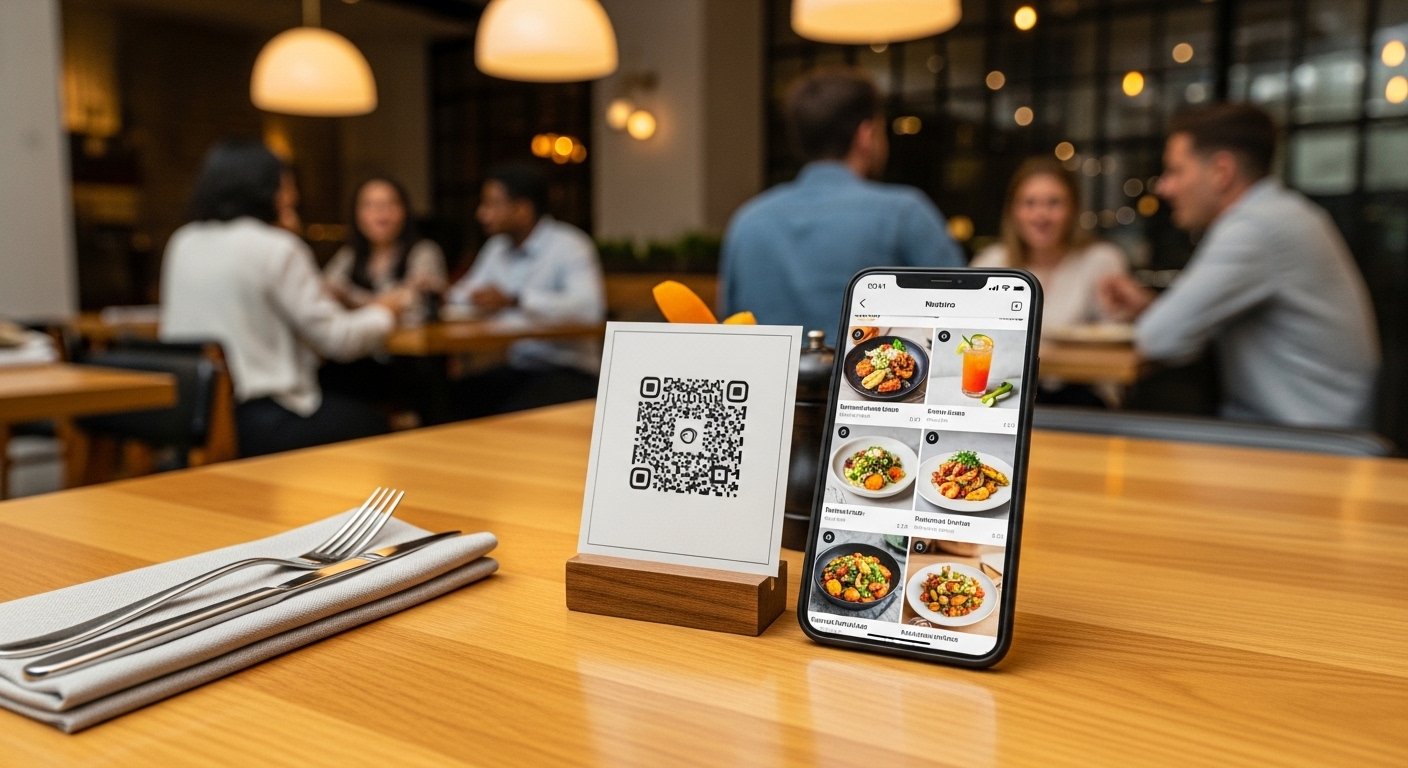
The main way it works is with a QR code. A QR code is a square black-and-white pattern you see on tables. Each table has its own code. When you scan it with your phone camera, it opens the restaurant’s menu on your screen.
From there, you can:
- See all food and drink items with photos and prices.
- Choose what you want.
- Add extras like “no onions” or “extra cheese”.
- Send the order to the kitchen.
- Pay right away if you want.
It is contactless, safe, and very easy. Many people call it “scan to order” or “QR code ordering”. It became very popular after health concerns, but now it stays because it is so convenient.
How Does Table Ordering Work Step by Step?
Let us see the simple steps. It takes less than one minute to start.
- Sit at your table – You see a small card or sticker with a QR code. It may say “Scan to Order” or “Menu Here”.
- Open your phone camera – Most phones scan QR codes without extra apps. Just point the camera at the code.
- Tap the link – Your phone opens a web page with the menu. No login needed in most cases. It may ask for your table number if not auto-detected.
- Browse the menu – You see nice photos of dishes. Categories like Starters, Main Course, Desserts, Drinks. You can search or filter for vegetarian, spicy, etc.
- Add items to cart – Tap what you like. Customize it – change size, add sides, or notes for the chef.
- Place the order – When ready, tap “Order” or “Send to Kitchen”. The order goes straight to the staff and kitchen.
- Wait and enjoy – Food comes to your table. You can order more anytime, like extra drinks.
- Pay when done (if the app allows) – Many let you pay with card, Apple Pay, Google Pay, or other ways. Split the bill with friends easily.
Some apps let you open a tab and pay at the end. Others ask for payment first. It depends on the restaurant.
This whole process is fast and fun. No more waiting 10-15 minutes for a server during busy times.
Why Customers Love Table Ordering Apps
As a customer, this app makes your meal better in many ways.
First, you get full control. You decide when to order and what to add. No need to wait if the server is busy. Hungry kids? Order snacks right away.
Second, it is faster. Orders go direct to kitchen, so food comes quicker. Studies show tables turn over faster, meaning less wait for a seat in popular places.
Third, it feels safe and clean. No touching shared menus. Everything on your own phone.
Fourth, more choices. Menus show real photos, descriptions, allergy info, and calories. You make better choices.
Fifth, easy for groups. Everyone scans the same code or shares the cart. Split bills without hassle.
Sixth, order anytime. Want another drink? Just scan again. No need to call server.
Many people say they spend more because they see everything easily and add extras like desserts or sides. It makes dining relaxed and enjoyable.
How Restaurants Benefit from Table Ordering Apps
Restaurants also win big with this tool.
They save time and money. Servers handle more tables because they focus on bringing food, not taking orders. In busy hours, one server can cover more area.
Orders are more accurate. No mistakes from hearing wrong. Customers type what they want, so fewer wrong dishes.
Menus update easy. Change prices, add specials, or remove sold-out items in seconds. No reprinting paper menus.
Less waste. Better orders mean less returned food.
Higher sales. Customers order more drinks or add-ons because they browse freely. Many restaurants see 20-30% more per table.
Faster table turnover. People finish quicker and leave sooner, so more customers come in a day.
Staff happier. Less stress from running around. They give better service like smiling and chatting.
It helps during staff shortages. Restaurants run smooth even with fewer people.
Key Features to Look for in a Good Table Ordering App
Not all apps are the same. Good ones have these features:
- No app download needed – Works on any phone browser.
- Beautiful menu with high-quality photos.
- Easy customization – Add notes, extras, allergens.
- Multiple languages – Helpful for tourists.
- Contactless payment options – Cards, digital wallets.
- Split bill function.
- Real-time order tracking – See when food is coming.
- Integration with kitchen printers – Orders print auto.
- Analytics for restaurant – See popular items.
- Custom branding – Looks like the restaurant’s style.
Many popular systems in 2025-2026 offer these. They make the experience smooth for everyone.
Is It Safe and Private?
Yes, very safe. Your phone data stays on your device. Payments use secure methods like banks use. Restaurants do not store card info in most cases.
No need to give phone number or email unless you want loyalty points.
It follows modern safety rules.
Who Uses Table Ordering Apps Today?
All types of places use it now:
- Casual restaurants
- Fine dining spots
- Cafes and coffee shops
- Bars and pubs
- Fast food chains
- Hotels and resorts
Even small local eateries use it. Big names and small ones see the value.
In busy cities or tourist areas, it is almost standard.
Tips to Get the Best Experience as a Customer
- Make sure your phone camera works for QR scans.
- Use good internet – WiFi or data.
- Read descriptions and photos to choose well.
- Add notes clearly for special requests.
- Pay tip if happy with service – many apps allow it.
- Try it first time – it gets easier fast.
For restaurants thinking to start: Choose a simple system, train staff a bit, put nice QR stands on tables.
The Future of Ordering Food from Your Phone
Table ordering apps are here to stay. In 2026 and beyond, more places will use them. They may add voice orders, AI suggestions, or AR to see dishes in 3D.
But the basic idea stays: Make ordering easy, fast, and fun from your phone.
Next time you dine out, look for the QR code. Scan it and enjoy a better meal.
This simple tech changes how we eat out. It saves time, reduces stress, and makes everyone happy – customers and restaurant owners.
Disclaimer:
This article is only for information. It is not an ad and we do not get paid for any app. We are not responsible if something goes wrong when using these apps.
Explore More
- Family App Nursery – Easy Care, Fun Learning & Daily Updates for Kids
- Findom App – Explore Financial Domination Safely & Easily
- GlassesOn App – Try, Buy & Explore Glasses Easily
About the Author