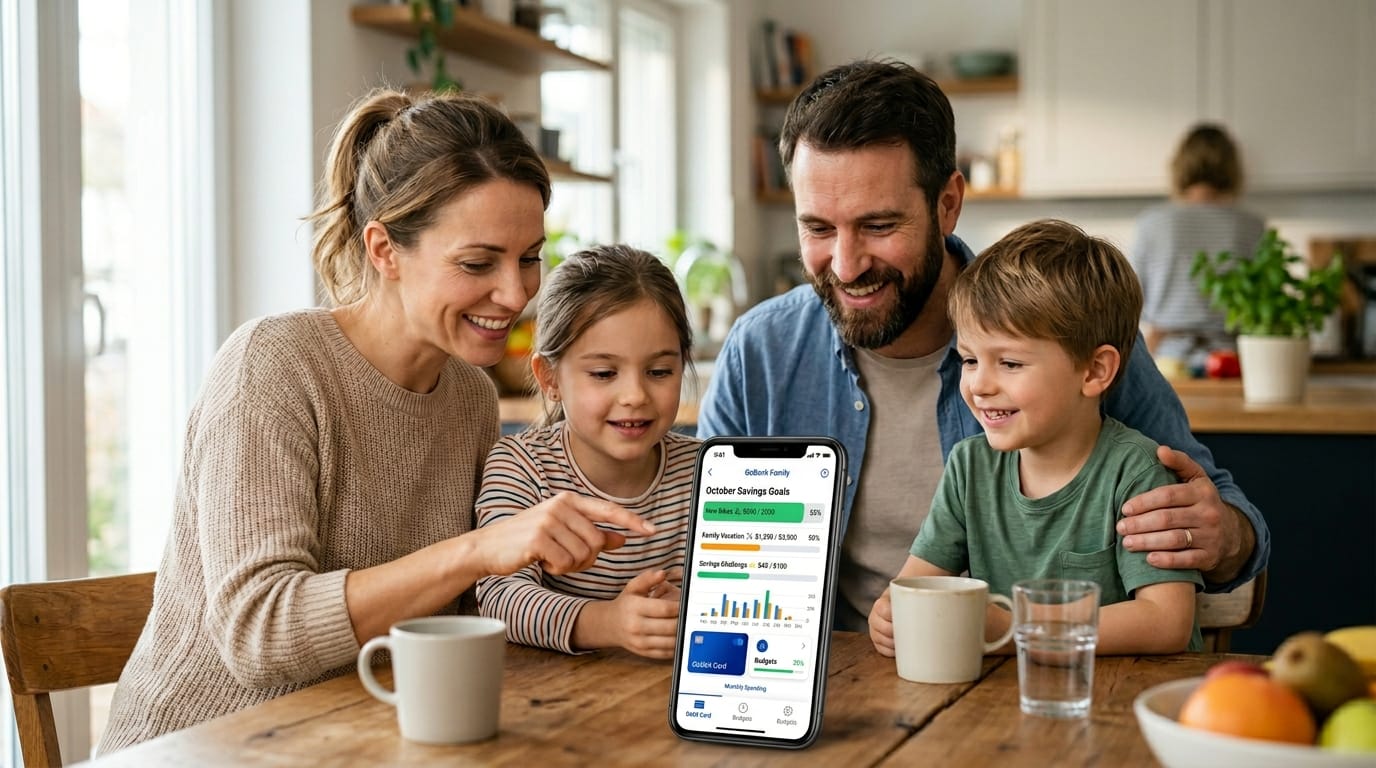
Welcome to this friendly guide about the greenlight app. If you are a parent who wants to help your kids learn about money in a safe and fun way, you have come to the right place. Many families in 2026 choose the greenlight app because it makes teaching money skills simple and joyful. This complete beginner’s guide will walk with you step by step. You will learn what the greenlight app is, how to set it up, and how to use all its helpful tools. By the end, you will feel ready and excited to start your family’s money journey together.
What Is the Greenlight App?
The greenlight app is a special tool that brings together a debit card and a family money platform. It lets parents and kids work with money as a team. Parents get real-time views of what their children spend, save, and earn. Kids enjoy easy tools that turn daily choices into gentle lessons about money.
In 2026, the app offers strong safety features that go far beyond regular banking. Families can set spending rules, see notifications right away, and use educational games inside the app. It feels like having a caring money coach in your pocket that keeps everyone connected and growing together. This means parents stay peaceful while kids build real skills for life.
Greenlight App for Kids
The greenlight app feels just right for children and teenagers of every age. The screens use bright colors and simple pictures that kids love. When children open their side of the app, they see their own debit card from Mastercard. They can spend at stores, save for special dreams, or earn money from chores.
Every purchase becomes a chance to learn. Kids watch their balance change in real time. They set savings goals with fun progress bars that fill up like a game. The app turns everyday moments, such as buying snacks or saving for a toy, into happy lessons that feel exciting instead of hard. Parents love how it gives kids healthy freedom while keeping them safe.
Greenlight App Cost
Families can pick from four helpful plans in 2026. Each plan covers up to five kids, so one price works for the whole family. Here is what each level offers.
The Core plan costs $5.99 each month. It gives basic debit cards, savings goals, chores, allowance tools, and 2% interest on savings. This choice works well for families who want a gentle start.
Next comes the Max plan at $10.98 per month. It adds investing tools for kids, 3% interest on savings, 1% cash back on purchases, and extra protection for phones and purchases.
The Infinity plan is $15.98 monthly. Families here enjoy 5% interest on savings, family location sharing, driving alerts, and crash detection for peace of mind with teen drivers.
The top choice, Family Shield, costs $19.98 each month. It brings 6% interest, strong identity protection up to one million dollars, scam alerts, and safety tools that watch over the whole family, including grandparents.
Take time to think about your family’s needs and budget. Start with Core if you want the basics. Move up when you need more safety or investing features. This way, you only pay for what truly helps your home.
How to Set Up Greenlight App for Child
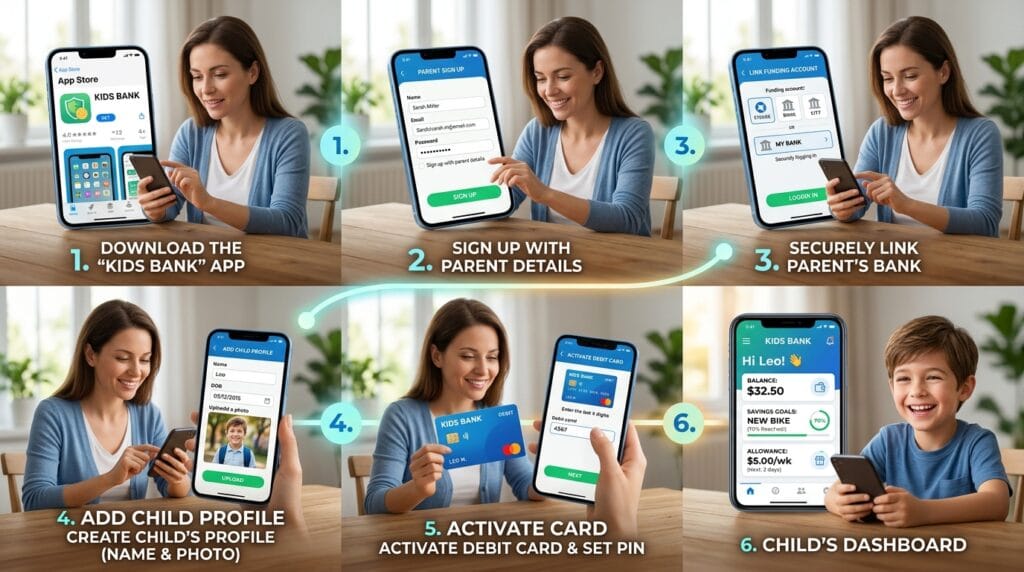
Setting up the greenlight app feels quick and easy. First, download the app from your phone’s store. Open it and create a parent account. You will answer a few simple questions to verify who you are.
After that, link a bank account or card so you can send money safely. Next, add your child by filling in their name, age, and a fun photo if you like. Order the debit card, which usually arrives in the mail soon.
When the card comes, open the app and tap to activate it. Set a PIN number together with your child. In just a few minutes, everything works. Your child can now log into their own part of the app on their device. This smooth start means your family begins learning right away.
Navigating the Greenlight App Interface
Both parent and child sides of the greenlight app feel clear and welcoming. On the home screen, you see balances, recent activity, and quick buttons for common tasks. Parents enjoy a full view that shows every child’s account at once.
The spending tracker lists every purchase with clear details and instant alerts. Savings goals appear with colorful bars that show progress. The chores list lets you assign jobs and pay automatically when they finish. Notification settings help you choose exactly what messages you want to receive.
Over time, moving around the app becomes second nature. Everything stays in one calm place so you never feel lost. This simple design helps families check money matters quickly during busy days.
Setting Allowances, Chores, and Spending Controls
One of the best parts of the greenlight app is how easily you can guide your child’s money habits. You can set a weekly or monthly allowance that arrives on its own. Link chores to payments so kids see the happy connection between work and earnings.
Create spending limits by store type or exact shop. For example, you might allow fun purchases but block certain online stores. Kids can send instant requests for more money when they need it, and you approve with one tap.
This balance gives children independence while you stay gently in control. Many families say these tools create wonderful talks about choices and values at the dinner table.
How to Add Money and Manage Savings in the Greenlight App
Adding money to the greenlight app happens in several friendly ways. You can send instant top-ups from your linked bank account. Set up automatic transfers on certain days. Some families even use direct deposit for older kids who earn from jobs.
Inside the app, kids set savings goals with pictures and names that make dreams feel real. Visual progress bars fill up as money grows. In 2026, automatic round-up features let small leftover cents from purchases move straight to savings. Higher plans give nice interest that helps the money grow faster.
These tools turn saving into a game that kids enjoy playing. Parents watch proudly as their children learn patience and planning.
How to Pay with Greenlight App Without Card
You do not always need the plastic card to pay. The greenlight app works beautifully with digital wallets. Kids who are old enough can add their card to Apple Pay or Google Pay. Then they tap their phone or watch at stores for quick, safe purchases.
For online shopping, use the virtual card number shown safely in the app. This keeps the real card details private. These options make paying simple and modern while parents still see every move in real time.
Many families love this freedom because it feels safe and up-to-date. Kids learn responsible digital money use from an early age.
Greenlight App Reviews
Parents in 2026 share many kind words about the greenlight app. They praise how easy it feels to use and how much their kids learn about money. Many say the chores and allowance tools brought peace to their homes and reduced arguments about spending.
Families also love the educational games and real-time alerts that bring safety and connection. Some reviews mention friendly customer support that helps when questions come up. Overall, most parents feel happy with the value and say it truly helps children grow into smart money managers.
Greenlight App Not Working – Troubleshooting Guide
Sometimes little problems happen with any app. If the greenlight app stops working smoothly, try these easy steps first. Close the app completely and open it again. Make sure your phone has a good internet connection.
Update the app to the newest version in your store. Restart your phone if needed. These quick actions fix most small glitches. The app works on popular phones, so check that your device still matches the requirements.
Why Is My Greenlight App Not Working? Common Fixes
Many times the greenlight app not working comes from simple things like an old app version or full phone storage. Clearing the cache in your phone settings often helps right away. Check that notifications have permission turned on.
For login troubles, double-check your password or use the forgot password link. If the card activation seems stuck, make sure you entered the correct details from the physical card. When nothing else works, reach out to the helpful support team available 24 hours a day. Most families solve their issues quickly with these steps.
Advanced Tips and Best Practices
Once you feel comfortable, try these extra ideas that many families discover over time. Use the app as a reason for weekly family money talks where everyone shares wins and lessons. Track spending patterns together to spot good habits that grow stronger.
Explore the investing tools in higher plans with small amounts and parent approval. Turn on every safety feature to protect kids both online and in the real world. Celebrate savings goals with special family rewards to keep excitement high.
These practices help the greenlight app become a true partner in raising confident, caring money users.
Frequently Asked Questions
How old does my child need to be for the greenlight app?
Kids of many ages can start, even young ones with parent help. Older children enjoy more independence in the app.
Can I add more than one child?
Yes, one family account holds up to five kids on every plan.
Is there a free trial?
Many families begin with a short trial period to test the greenlight app before choosing a plan.
What happens if my child loses the card?
You can turn the card off instantly in the app and order a new one.
Does the greenlight app work in other countries?
It works best in the United States, with plans that fit American families.
How do I cancel if we no longer need it?
You can cancel anytime through the app or website with no long contracts.
Can grandparents help manage the account?
Higher plans like Family Shield let you add older family members safely.
Will my child see all my money details?
No, kids only see their own part of the app for privacy and focus.
Conclusion and Next Steps
You now know so much about using the greenlight app in a kind and practical way. From setting up accounts to teaching savings and spending wisely, this tool helps families grow together. Take your first step today by downloading the app and exploring the parent dashboard.
Here is a short checklist to begin: download the app, add your first child, set one simple allowance, and talk about a savings goal this week. Come back to this guide as your children grow and your needs change. You are doing a wonderful thing by teaching money skills with love and patience. Your family will thank you for years to come.
Disclaimer
This article shares general information for learning purposes only. It is not official advice from Greenlight or any company. Prices, features, and steps can change over time. Always check the latest details inside the greenlight app or on their official website before making decisions. Your family’s experience may differ based on your location and choices.
Explore More
- French Studying App: Learn French Fast
- Auto BPM App – Automatic Beats Per Minute Detector
- Locket App: Share Real-Time Photos with Your Closest People
About the Author







