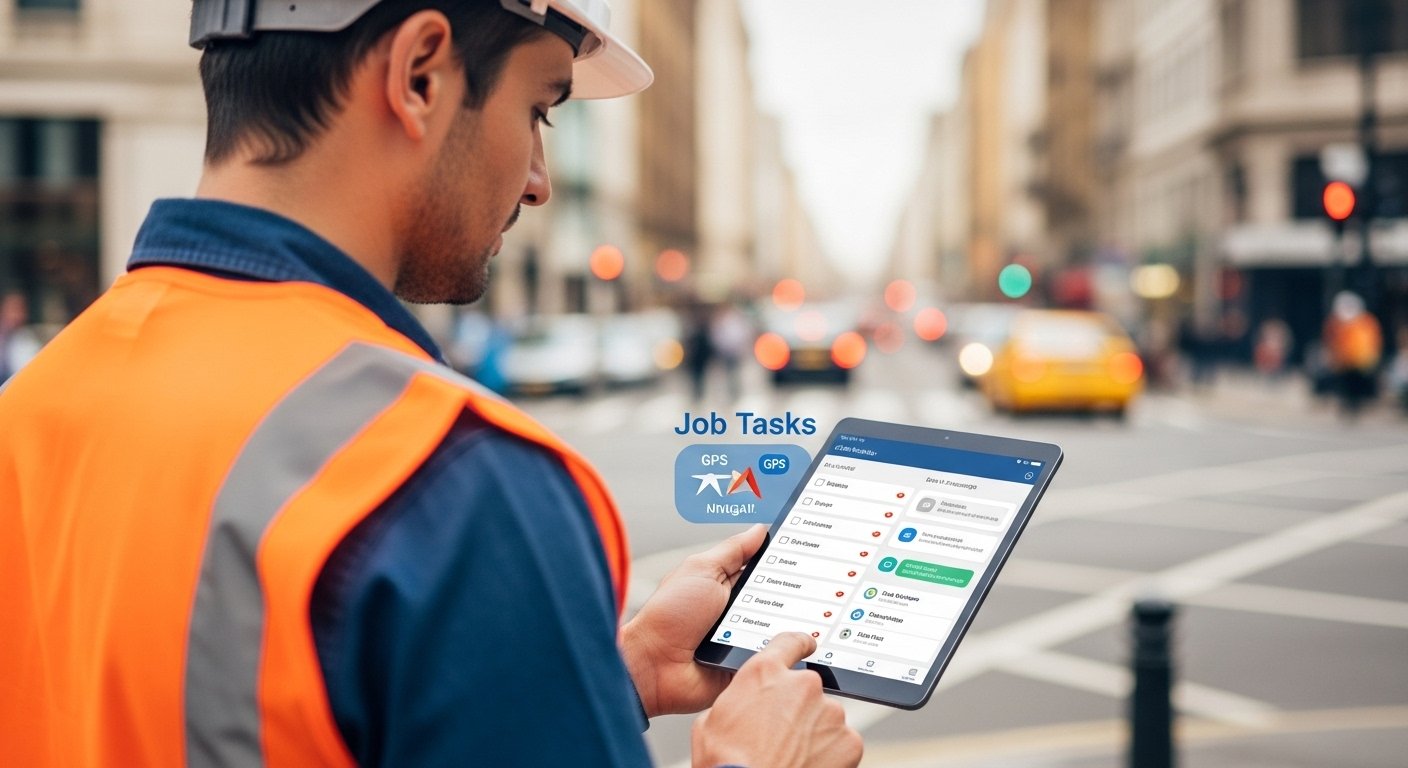
The Mobile Worker App is a simple tool that helps people who work away from the office. These workers are often called mobile workers or field workers. They do jobs like fixing things at homes, building work, delivery, repairs, inspections, or any service at different places.
A mobile worker app is software you put on your phone or tablet. It lets workers get their daily tasks, update job status, track time, find locations, and talk to the office team—all from their mobile device. This makes work faster, easier, and less stressful.
Many companies now use these apps because work has changed. More people work outside offices, and customers want quick service. With a good mobile worker app, businesses save time and money while workers feel more supported.
Why Businesses Need a Mobile Worker App Today
In the past, field workers used paper forms, phone calls, and office visits to get updates. This was slow and caused many mistakes. Now, with smartphones everywhere, a mobile worker app changes everything.
Here are some key reasons companies choose these apps:
- Workers can see jobs in real time and start work faster.
- No more lost papers or wrong information.
- Managers know where workers are and what they are doing (with permission).
- Customers get better and quicker service.
In 2026, tools like these are very common in fields like repair services, construction, utilities, healthcare visits, and more. They help teams work smart, not just hard.
Main Features of a Good Mobile Worker App
A strong mobile worker app has features that make daily work simple. Here are the most important ones:
Job Management Workers get new jobs pushed to their phone. They see details like customer address, what needs to be done, and past job notes. They can accept jobs and see their full day schedule.
GPS and Navigation The app shows the best route to the job. It uses maps to avoid traffic. Some apps even tell managers if the worker is on time.
Offline Mode Many places have weak internet. A good app works without internet. Workers fill forms or take photos, and data syncs when online again.
Time Tracking and Check-In Workers clock in and out with one tap. This helps pay correctly and shows real work hours. Some use GPS to confirm location.
Photo and Document Capture Workers take pictures of completed work, damaged items, or signatures. They upload forms or reports right away. No need to scan later.
Chat and Communication Workers message the office or team for help. Managers send quick updates. This fixes problems fast without calls.
Forms and Reports Digital forms replace paper. Workers fill checklists, add notes, and close jobs. Reports go to office automatically for billing or records.
Safety Tools Some apps have lone worker alerts. If a worker does not check in, it notifies others. This is important for safety.
Integration with Other Tools The app connects to payroll, customer systems, or inventory. This saves double work.
These features help workers finish more jobs each day with less effort.
Big Benefits for Workers and Companies
Using a mobile worker app brings many wins.
For workers:
- Less back-and-forth to office.
- Clear instructions so no confusion.
- Easy to show proof of work with photos.
- Feel safer with location sharing and alerts.
- Better work-life balance with smart schedules.
For companies:
- Higher productivity – workers do more jobs.
- Better first-time fix rates – right info at hand.
- Happier customers – fast and accurate service.
- Lower costs – less fuel, paper, and errors.
- Real data for better decisions – see reports fast.
Studies show companies using these apps improve efficiency a lot. Workers feel more independent, and customers give better reviews.
Popular Types of Mobile Worker Apps

There are many apps out there. Some focus on field service, others on general workforce.
Examples include apps for construction (like time tracking and project logs), utilities (asset checks), or general teams (scheduling and chat). Popular ones often have free trials.
Some top names in 2026 come from reviews: tools good for small teams or big companies with features like GPS, offline work, and easy setup.
How to Choose the Right Mobile Worker App
Picking the best app needs thought. Follow these steps:
- Know your needs – What jobs do your workers do? Do you need strong GPS or simple time tracking?
- Check offline support – Important for areas with bad signal.
- Look at ease of use – Workers must like the app. Simple design wins.
- See integrations – Does it work with your current software?
- Think about security – Data must stay safe with logins and encryption.
- Check cost – Some have free plans for small teams, others charge per user.
- Read reviews – See what real users say about support and updates.
- Try demos – Most offer free tests.
Choose one that fits your team size and work type for the best results.
How to Download and Start Using a Mobile Worker App
Mobile worker app download is easy. Most apps are on Google Play Store for Android or Apple App Store for iPhone.
Steps to get started:
- Open your phone’s app store.
- Search for the app name (like the one your company uses).
- Tap “Install” or “Get”.
- Open the app after download.
- Log in with your company email or code.
- Follow setup – add profile, allow location if needed.
- Start seeing jobs!
Some apps need an invite from your manager first. Download takes just minutes, and most are free to install (company pays if needed).
If your company has a custom app, they give a link or QR code.
Always download from official stores to stay safe.
Tips for Success with Your Mobile Worker App
To get the most from the app:
- Train workers well – Show how to use features.
- Keep data updated – Office team must add correct job info.
- Use feedback – Ask workers what works or needs fix.
- Update the app – New versions bring better tools.
- Focus on safety – Use alerts and sharing features.
With good use, the app becomes a daily helper.
The Future of Mobile Worker Apps
In coming years, these apps will get smarter. They may use AI to suggest best routes or predict job times. More video help from office experts. Better safety with health checks.
As phones improve, apps will handle more tasks easily. This means better work for everyone.
Final Thoughts
A mobile worker app is a game-changer for field teams. It makes hard jobs simpler, saves time, and improves results for businesses and customers.
If your team works in the field, look into a mobile worker app today. Start with mobile worker app download from your app store, try it, and see the difference.
Your workers will thank you, and your business will grow stronger.
Disclaimer:
This article is only for information. We do not own, make, or sell any mobile worker apps. We are not connected to any company, and this is not a promotion or affiliate article. All app names, logos, and trademarks belong to their owners. We are not responsible for any problems you may have using these apps. Always check the official app store or company website for accurate information.
Explore More
- Lift App – Easy Elevator & Fitness App for Smart Control and Tracking
- Educake App – Download the Best Science App for Students
- Microsoft Lists Desktop App – Download, Install & Use on Your PC
About the Author








