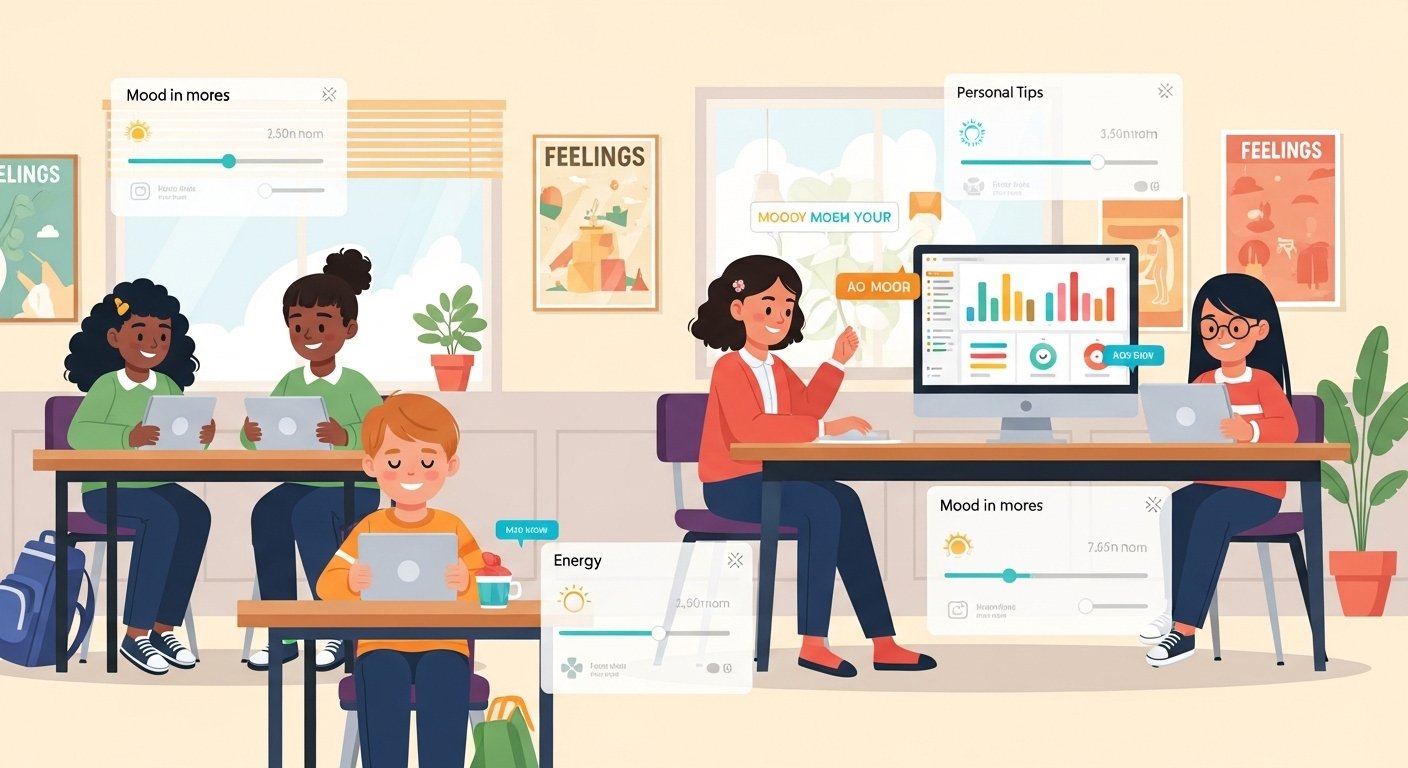
Class Catalyst is a simple and helpful web-based tool made for schools and teachers. It works like a daily check-in for students’ feelings and well-being. The main goal is to help students feel connected, know their own emotions better, and learn how to manage them. This tool focuses on Social Emotional Learning (SEL), which means teaching kids skills for life like understanding feelings, staying calm, and building good relationships.
Many schools now use Class Catalyst because student mental health is very important. After tough times like the pandemic, teachers saw that kids need more support for emotions. Class Catalyst makes it easy for teachers to see how students are feeling each day without long talks. Students just answer quick questions, and teachers get clear information to help them.
This platform is not a full learning app for subjects like math or science. Instead, it is a special tool for emotional health and classroom connection. It is used in many schools in the United States and other places. Teachers love it because it is easy, works on many devices, and really helps students feel seen and supported.
Main Features of Class Catalyst
Class Catalyst has many useful features that make it stand out for schools. Here are the key ones explained in simple words:
- Daily Mood and Energy Check-In Every day, students answer quick questions about how they feel. They pick their mood (like happy, sad, tired, or angry) and their energy level (high or low). This takes only a minute or two.
- Personalized Mindfulness Strategies After the check-in, each student gets a custom suggestion to help them feel better. For example, if a student feels stressed, they might get a short breathing exercise or a calming tip. These are based on what the student shares.
- Private Chat with Teacher Students can write a short message to their teacher if they want to talk more. The teacher sees these messages privately. This helps shy students share problems without speaking in class.
- Teacher Dashboard Teachers see a clear view of the whole class. They can see who is feeling great, who needs help, and any patterns over time. This helps teachers know which students to check on first.
- Kiosk Mode for Easy Use In class, students can use a shared device like an iPad or Chromebook in “kiosk mode.” This means they just tap to check in without logging in each time. It is very fast for big classes.
- Works on Many Devices It is web-based, so it runs on phones, tablets, Chromebooks, laptops, iPads, and computers. No need to download a big app. It even works with Google Classroom for easy login.
- Multilingual Support Students can use it in different languages. This is great for schools with kids from many countries.
- SEL Lessons and Activities The platform has ready lessons and tools to teach Social Emotional Learning skills. Teachers can use these to build lessons on self-awareness, self-regulation, and more.
- Data Over Time Teachers get reports on how the class mood changes over weeks or months. This shows if the tool is helping everyone feel better.
These features are built to be simple so teachers and students do not get confused. Everything is clean and easy to understand.
Benefits of Using Class Catalyst
Using Class Catalyst brings many good things for students, teachers, and schools. Here are the main benefits:
Students feel more connected because teachers know how they feel every day. This makes them feel cared for and not alone. When students share feelings, they learn self-awareness – they start to understand their own emotions better. This is a big skill for life.
The personalized tips help students calm down and focus. For example, a quick breathing exercise can help a worried student before a test. Over time, students get better at self-regulation, which means controlling feelings and behavior.
Teachers save time because they do not have to ask each student “How are you?” one by one. The dashboard shows important information fast. Teachers can help students who need it most right away. This builds stronger teacher-student relationships. Many teachers say students open up more and trust them better.
In the classroom, when students feel good emotionally, they learn better. Classes become calmer and more positive. Schools see fewer behavior problems because issues are caught early.
Parents like it too because it shows the school cares about mental health. Some versions even let parents see general updates (with privacy rules followed).
Studies and teacher stories show that tools like this improve student well-being. Teachers report happier classes and better attendance in some cases. It also helps meet SEL goals that many schools now have to follow.
Overall, Class Catalyst is not just a check-in tool. It is a way to make school a kinder and more supportive place for everyone.
How to Use Class Catalyst – Step by Step Guide

Using Class Catalyst is very easy for both teachers and students. Here is a simple guide.
For Teachers – Getting Started
- Sign Up and Set Up Go to the official website classcatalyst.com. Teachers or school leaders sign up for an account. Schools usually get a plan for the whole class or school.
- Add Your Class Create your class list. Add student names and maybe emails or IDs. This is quick.
- Set Check-In Time Decide when students do the check-in – like morning arrival or start of class.
- Share the Link or Use Kiosk Give students the class link or set up kiosk mode on a device in the room.
- Watch the Dashboard Log in each day to see student responses. Look at moods, read private messages, and see who needs help.
- Talk to Students Use the info to have short talks. For example, “I saw you felt low today – want to talk?”
- Use Lessons Pick SEL activities from the platform to teach skills during class time.
For Students – How to Check In
- Open the Tool Use the link from your teacher or go to the website on any device.
- Log In (if needed) Some schools use Google login or simple codes.
- Answer Quick Questions Pick your mood face or word. Choose energy level (like a slider or buttons).
- Get Your Tip Read the personal suggestion. Try it if you can – like take deep breaths.
- Write a Message (optional) If you want, type a note to your teacher. It is private.
- Done! It takes less than 2 minutes. Do it every day to help yourself and your teacher.
Tips for Best Use
- Do check-ins at the same time every day for good habits.
- Teachers should reply to messages quickly to build trust.
- Keep it positive – celebrate when the class feels good.
- Use it with other SEL programs for even better results.
Why Class Catalyst Stands Out
Many check-in tools exist, but Class Catalyst is special because it combines quick check-ins with real help. It gives personalized tips right away, not just collects data. The focus on connection makes it different from cold surveys. Teachers get useful info without extra work.
It is also safe and private. Student messages are only for their teacher. Schools follow rules for child data protection.
Many teachers share success stories. For example, one teacher said it helped spot a student who was struggling quietly. Another said the class became more kind after using it for months.
Final Thoughts
Class Catalyst is a powerful yet simple tool that helps schools put student feelings first. With easy features like daily check-ins, personal tips, and private chats, it builds better connections and emotional skills.
If you are a teacher looking for a way to support your students’ well-being, or a school wanting to improve mental health, Class Catalyst is worth trying. It is user-friendly, works on any device, and really makes a difference in classrooms.
Start small – try it in one class and see the changes. Students will feel heard, teachers will feel more prepared, and the whole school can become a happier place.
Disclaimer:
This article is for general information only. It is not a promotion, advertisement, or affiliate content. We do not get paid for mentioning Class Catalyst App. The information here is meant to help you understand the app and how it works. We do not guarantee results or make any promises. Always check the official website or contact your school before using any tool.
Explore More
- Ghost Mannequin App – Best Free Ghost Mannequin App for iPhone & Android
- CB Driver App – Complete Guide for Drivers (Features, Benefits & Download Info)
- ShiftLab App Download for iPhone & iOS – Get ShiftLab App Now
About the Author