
Construction work is not easy. Every day, teams face new problems. Plans keep changing. Workers need clear instructions. Money can run out fast if no one watches it. A good mobile app helps fix these issues. It makes the job smoother for everyone.
Right now, in 2026, one app stands out a lot. It is called Fieldwire. People often call it the best construction manager app. It works great as a construction project manager app. It also helps control costs and expenses very well. Many teams in different countries use it every day.
This article explains Fieldwire in very simple words. We talk about what it does, how it saves money, the prices, and why so many people choose it over other apps. Everything here is true and easy to understand.
Why Construction Teams Really Need a Good App
Most construction happens outside. Workers use phones and tablets more than computers. The office team and the site team must stay connected. Old ways like paper plans, phone calls, and emails cause mistakes. They waste time.
A really good app must do a few important things. First, it shows the newest plans to everyone right away. Second, it lets you give tasks quickly and see if they are finished. Third, it helps find problems and fix them fast. Fourth, it keeps photos, files, and reports in one safe place. Fifth, it works even when there is no internet. Sixth, it helps everyone talk without leaving the app.
Fieldwire does all these things very well. That is why many people say it is the top choice for field work.
What Fieldwire Does – Simple and Strong Features
Fieldwire feels easy from the first day. Most workers learn it in just a few hours. You do not need long training classes.
You can upload all your blueprints and drawings into the app. On your phone or tablet, you see them very clear and big. You can draw on them. You can add notes, circles, arrows, or text. When the engineer sends a new version of the plan, Fieldwire updates it by itself. Everyone sees the latest plan. No more confusion from old papers.
Task management is one of the best parts. You open the app and make a new task in seconds. You write what needs to be done. You choose who must do it. You pick a due date. You can say if it is urgent or normal. The person gets a notification on their phone. When the work is finished, they take a photo or write a comment. You see the update right away. You can make your own task categories too. This keeps everything organized and stops arguments.
If you see a problem on site, like a wrong installation or damage, you fix it fast. Take a photo in the app. Pin the photo exactly on the plan where the issue is. Write a short note. Assign the task to the right person. Later, when the job is almost done, you use punch lists. These are simple checklists of small fixes. This way, you catch mistakes early and finish with high quality.
Photos and files are very important in construction. Fieldwire lets you take photos straight in the app. You can upload any document or checklist. In higher plans, you can even take 360-degree photos. After that, you make clean reports. You can send these reports to the client or the boss as PDF. Everything stays safe in one place.
Many job sites have weak or no internet. Fieldwire still works perfectly. You can view plans, add tasks, mark issues, and take photos offline. As soon as you get signal again, the app sends all your work automatically. This is a huge help on big or far-away sites.
Inside the app, you can chat with your team. You mention someone’s name and they get a notice. You share updates, photos, or questions fast. No need to switch to WhatsApp, email, or text messages all the time.
In the paid plans, you get even more helpful tools. You can view 3D models (called BIM). You can create your own special forms. You can connect Fieldwire to other software your company uses. You can handle change orders, RFIs (requests for information), and submittals. These extra tools make big projects much easier.
Because of all these features, Fieldwire really feels like a full construction project manager app made for real site work.
How Fieldwire Helps You Watch Costs and Expenses
In construction, money problems come very often. Material prices go up. Extra work appears. If you do not track spending, you lose profit fast.
Fieldwire helps you stay in control of costs. In the Business plan and Business Plus plan, there are special budget tools. You connect costs to tasks or issues. You see real-time spending reports from the field. You know right away if you are going over budget.
When the client asks for changes, you make a change order inside the app. You write what extra work is needed. You add the extra cost. You send it for approval. Everything is recorded clearly. This stops arguments later about who pays what.
You can make reports that show exactly where the money went. You can export this information to your accounting software like QuickBooks. Fieldwire is not a full accounting program, but it brings all the site information to your money decisions. This is very useful.
Many teams say Fieldwire saves them real money. It finds small problems before they become big and expensive. Teams talk better, so less waste happens. Less rework means less extra cost. That is why people call it a strong construction expense manager app.
Fieldwire Prices in 2026 – Simple and Good Value
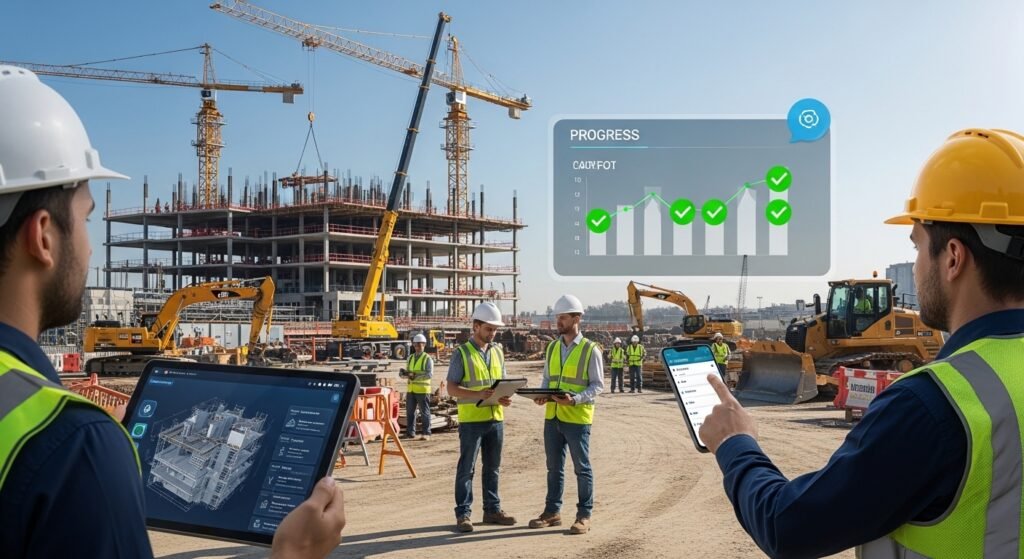
Fieldwire keeps pricing very clear. You pay only for each person who uses it. There is a free plan to try first.
Here are the plans right now in 2026:
The Basic plan is free forever. It is good to test the app. You get plan viewing, tasks, photos, files, and checklists. But there are limits: maximum 5 users, 3 projects, and 100 drawing sheets in total.
The Pro plan costs $39 per user per month if you pay for the whole year. If you pay month by month, it is about $54. In Pro, you get unlimited projects and unlimited sheets. You also get reports, data export, plan comparison, and custom task types.
The Business plan costs $64 per user per month with annual payment. Monthly payment is a bit higher, around $74 to $79. This plan adds custom forms you design yourself, 360 photos, 3D BIM viewer, connections to other software, and better support.
The Business Plus plan costs $89 per user per month with annual payment. Monthly is around $104. This top plan adds RFIs, submittals, change orders, and budget tracking tools.
There are no hidden fees. You do not pay extra for storage or for how many projects you have. You only pay for people who are active on projects. You can start free, use it, and upgrade when you need more features.
When you compare prices with other apps, Fieldwire looks very fair. Procore is much more expensive and harder for small or medium teams. Some other apps are good only for house building. Fieldwire works for many kinds of construction. Most users say they get their money back quickly because of less mistakes and faster work.
Why So Many Teams Choose Fieldwire Over Others
In 2026, reviews give Fieldwire high scores, usually 4.6 or 4.7 out of 5. People love how simple and fast it is.
Procore is powerful for very large companies that need heavy finance tools. But it takes weeks or months to learn. It costs a lot more. Fieldwire is much quicker to start and perfect for daily site work.
Old PlanGrid (now part of Autodesk) was good for plans, but Fieldwire has stronger task tools and better prices for many teams.
Users say nice things again and again. They learn it fast, even people who are not good with phones. It works great offline. Support answers questions quickly. Every day, it saves time.
Fieldwire is used on small jobs with 10 people and on huge projects with thousands. It fits many different companies.
Who Should Use Fieldwire Right Now?
Fieldwire is perfect if you are a subcontractor and want simple tools for your part of the job. It is great for general contractors who spend most time on site. Small and medium companies like the fair prices. Teams who are tired of paper plans or five different apps love it.
If your company is very big and needs super advanced money software, you might look at Procore. But for most teams who want good project control plus expense watching, Fieldwire is one of the best choices.
Final Words – Why Fieldwire Is a Top Pick
Fieldwire makes construction work easier and less stressful. Plans stay up to date for everyone. Tasks are clear. Problems get fixed fast. Costs stay under control.
You can start with the free plan today. The prices are honest and grow with your team. It works best on phones, works offline, and keeps communication simple.
If you are looking for an easy construction project manager app that also acts as a construction expense manager app, try Fieldwire. Many contractors now say it is their favorite tool. It helps them finish jobs on time, stay on budget, and win more work.
Give it a try. You will see the difference very soon.
Disclaimer:
This article is only for information. It is not a promotion or advertisement. We do not get paid if you use Fieldwire. The information here may change over time. We are not responsible for any mistakes, costs, or results from using the app. Always check the official Fieldwire website before making decisions.
Explore More
- Drone Detection App – Free Drone Detection Radar App for Android
- Everything AA App – Free Download for Android, PC & iPhone
- Colchester Taxi App – Book Your Ride Fast & Easy in 2026
About the Author