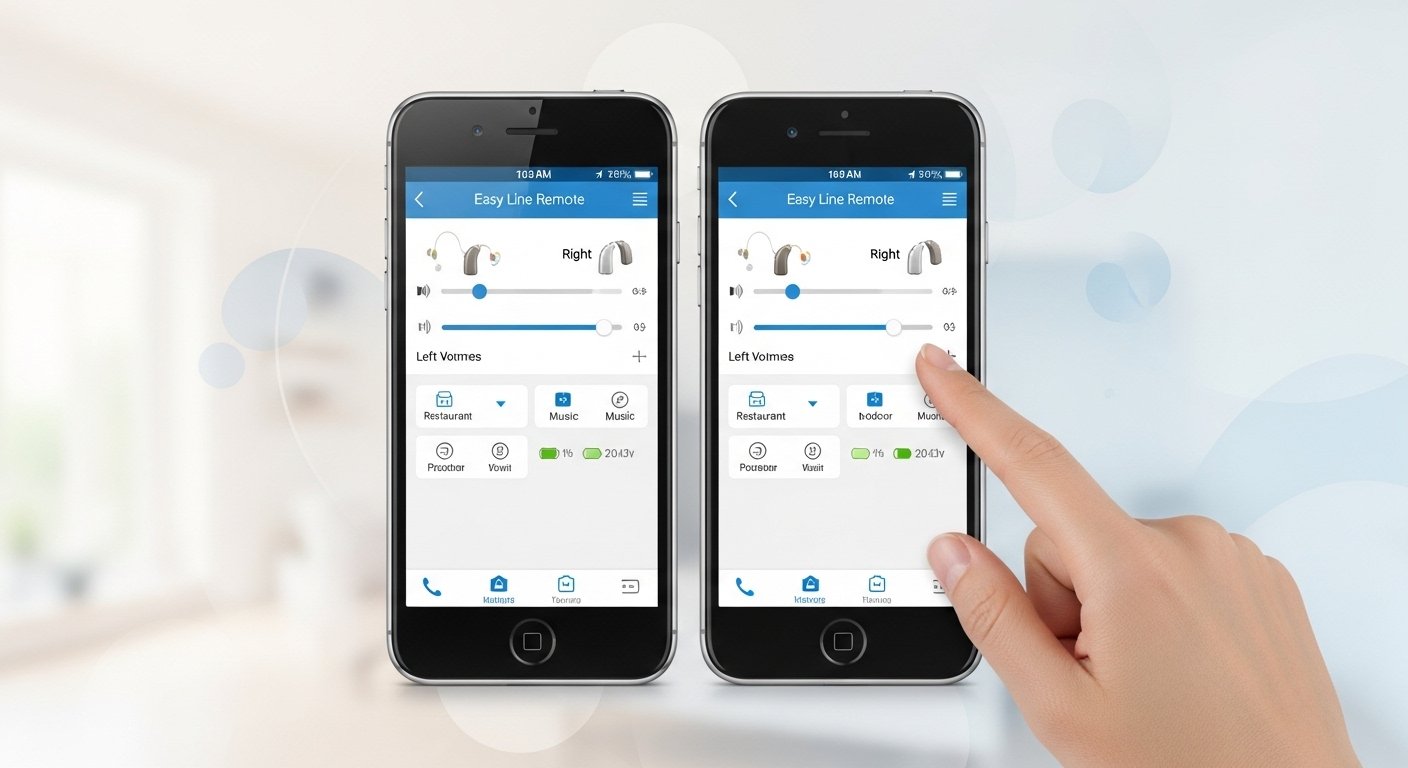
The Easy Line Remote app is a free and very helpful tool for people who use certain hearing aids. It lets you control your hearing aids from your smartphone. The app works like a simple remote control. You can change the volume, switch sound programs, balance sound between your two ears, and sometimes see useful information like how long you wear your hearing aids or how many steps you take. This app is made by Sonova AG. This is the same trusted company that makes Phonak hearing aids and the Kirkland Signature hearing aids that many people buy from Costco.
Lots of users really like this app because it makes life easier every day. You can quickly make voices clearer in a busy place, enjoy music more, or hear the TV better without touching your hearing aids. The app has a clean look with big buttons and easy words, so it is simple to use even if you are not very good with phones.
Very important note: This app only works with some special hearing aids that have Bluetooth inside. Examples are Kirkland Signature 10.0 (also called KS 10.0), KS 9.0, some Phonak Brio models, and a few other Sonova hearing aids. If your hearing aids are different, the app will not connect at all. Please always check with your hearing doctor or the people at Costco hearing center before you try to use it.
What You Can Do with the Easy Line Remote App
This app gives you nice and easy control over your hearing aids. You can do many things from your phone screen. You can make the sound louder or softer for both ears or just one ear. You can change between different sound programs very fast. Common programs are Automatic (which changes by itself), Speech in Noise (good for talking in loud places), Music (better for songs), TV (good for watching television), and Car (helpful when driving). You can also balance the sound if one ear feels too loud or too quiet. The app shows you the battery level of your hearing aids. In some cases, it shows how many hours you wore your aids or even your daily step count. All these changes happen right away, so you can hear the difference immediately. The app is safe, keeps your private information secure, and is completely free.
Easy Line Remote App for Android Phones
If you have an Android phone, you can get the Easy Line Remote app for Android very easily. It is available in the Google Play Store.
Your phone should have Android 8.0 or a newer version so it works best. Some older phones with Android 7.0 can still use it sometimes. You also need Bluetooth 4.2 or higher. During the first connection, you need to turn on location services so the phone can find your hearing aids.
To download the easy line remote app for android free, open the Google Play Store. Type “Easy Line Remote” in the search bar at the top. Find the app made by Sonova AG. If you have Kirkland hearing aids from Costco, it may show “Kirkland” in the name too. Tap the Install button. It is free with no hidden costs. The download usually takes one or two minutes. After it finishes, tap Open. The app will ask for permission to use Bluetooth, location, and nearby devices. Please allow everything so the app can work properly.
Easy Line Remote App for iPhone
If you use an iPhone, the Easy Line Remote app for iPhone works very smoothly. You can find it in the Apple App Store.
You need an iPhone 6s or a newer model. Your iPhone should run iOS 15.0 or higher. It is better to keep your phone updated to the latest version to avoid small problems.
To download it, open the App Store on your iPhone. Search for “Easy Line Remote”. Choose the app by Sonova AG. It is usually listed in the health or medical category. Tap the Get button (or the small cloud icon if you downloaded it earlier). Confirm with Face ID, Touch ID, or your Apple password. The app is free. After it downloads and installs, open it. Accept the welcome screens and the privacy notice to start using it.
How to Install and Connect the App Step by Step
Connecting the app is almost the same for Android phones and iPhones.
First, charge your hearing aids completely and turn them on. If they are rechargeable, take them out of the charger. If they have a battery door, open it and close it again to turn them on. Next, go to your phone settings and turn on Bluetooth.
Now open the Easy Line Remote app. You can skip the welcome tour if you want to go faster. The app will start searching for your hearing aids. When it finds them, you will see the names of your left and right aids (for example “KS10 L” and “KS10 R”). Tap on them to connect. You may hear small beeps in your ears. This means the connection is done. You only need to do this pairing one time. After that, the app connects by itself every time you open it — just make sure Bluetooth is on and your hearing aids are close to your phone (about 10 to 20 feet away is good).
How to Use the Easy Line Remote App Every Day
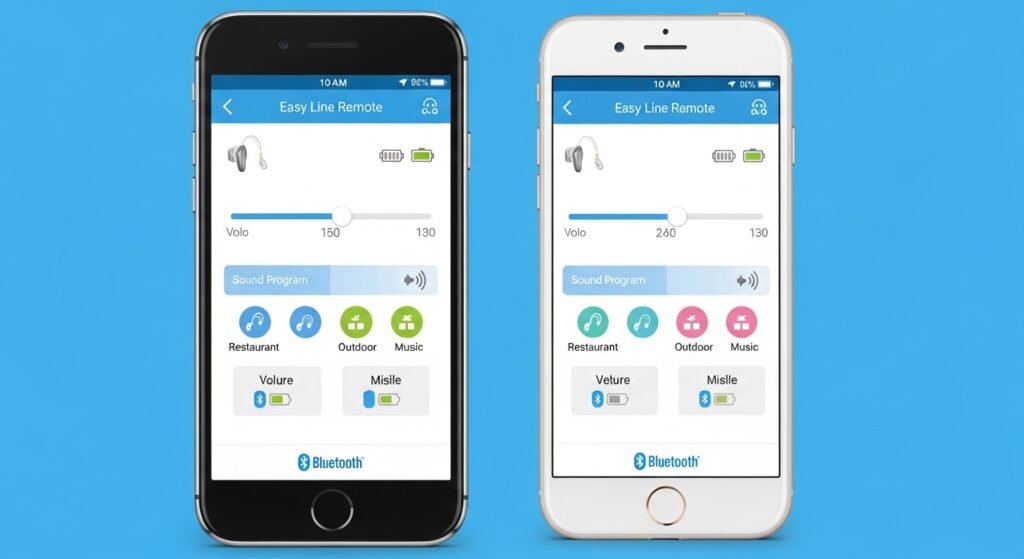
Using the app is very easy and simple. When you open it, you see a clear main screen with big controls.
The volume slider is easy to see. Slide it up to make the sound louder or down to make it softer. You can change both ears together or adjust one ear at a time. Below the volume, you see a list of sound programs. Just tap the program you want — for example, tap “Music” when you listen to songs or “Speech in Noise” when you are in a crowded place. The sound changes right away. There is also a balance control. You can move it to make one ear louder or softer if it feels wrong. In the health part of the app, you can see how long you wore your hearing aids or your step count if your aids support it. Go to the settings section to check battery level or find more help.
It is good to try the app first in a quiet room. This way you can learn the buttons without any rush. After two or three days, most people say it feels very natural. You can show the app to your family too, so they can help you change the settings when you need it.
Easy Line Remote App Not Working – Simple Fixes
Sometimes the app does not connect or it stops working. This is normal and happens to many people. Most problems have easy fixes.
Start with these quick steps. Restart your phone. Turn Bluetooth off for ten seconds and then turn it back on. Make sure your hearing aids have enough battery and are turned on. Close the app fully (swipe it away from your recent apps) and open it again. Check that your phone is not in airplane mode.
If the problem is still there, try this stronger fix. Go to your phone’s Bluetooth settings. Find your hearing aids in the list of devices. Tap the small “i” or gear icon next to them and choose “Forget this device” or “Unpair”. Then uninstall the Easy Line Remote app from your phone. Restart your phone one more time. Now download and install the app again from the Play Store or App Store. Open the app and connect your hearing aids from the beginning. This clean start fixes most connection problems.
For Android phones, you can also clear the app cache. Go to Settings > Apps > Easy Line Remote > Storage > Clear Cache. Keep location turned on only when you first connect.
For iPhones, if problems continue, you can reset network settings. Go to Settings > General > Transfer or Reset iPhone > Reset > Reset Network Settings. Please remember this will remove your saved WiFi names and passwords, so write them down first.
Other common problems include the connection dropping often. In this case, keep your phone closer to you and stay away from microwaves or very thick walls. If the sound does not change when you move the sliders, restart your hearing aids by opening and closing the battery door or putting rechargeable ones in the charger for ten seconds. Always check if there is a new update for the app in the store. New versions fix bugs and make it work better.
If none of these fixes work, please contact your hearing care professional or the Costco hearing center (especially if you have Kirkland aids). They can test your hearing aids or tell you about other apps like myPhonak that some people find more stable.
Final Tips to Get the Best Results
Update the app every time a new version comes out. Charge your hearing aids every night so they are always ready. Keep your phone near you so the Bluetooth connection stays strong. Start using the app in quiet places to feel comfortable with it.
The Easy Line Remote app is a wonderful helper. It makes your hearing aids easier to use and helps you hear clearly in every situation — at home, with friends, at work, or anywhere you go. Download it today, follow these simple steps, connect your hearing aids, and enjoy better hearing right now.
Discalimer
This article is only for general information. It is not medical advice. Please talk to your hearing doctor before you change any hearing aid settings. We are not connected with Sonova AG, Phonak, Kirkland Signature, or Costco. This is not a sponsored or affiliate article, and we do not earn any money from it. App features and phone requirements can change at any time. Please check the official app store or ask a professional for the latest information. We are not responsible for any problems or damage that may happen.
Explore More
- Homie App: What Is Homie App, How to Add Friends, and Easy Download Guide
- ESS Mobile App: Download Free for Android & iPhone, Login, Fix Location Issues & Compass Group Access
- MFF App: Download, Features, Reviews & How to Use in 2026
About the Author