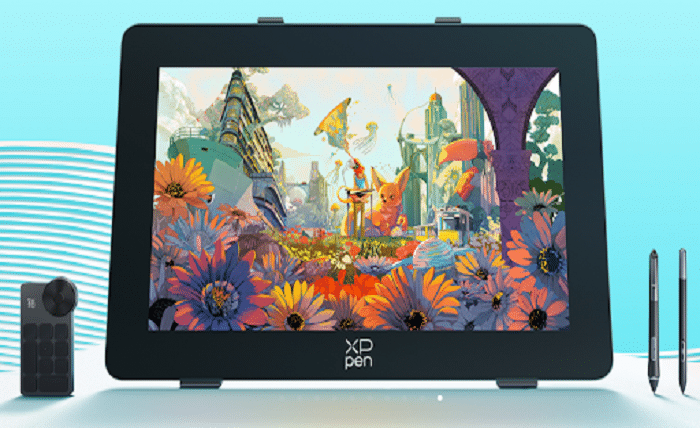
The introduction of digital art is now the way artists can produce, modify, and distribute their artistic works. Digital technologies offer greater convenience and flexibility for illustration, animation, graphic design, photo editing, and other creative processes.
When compared to a standard mouse, a drawing tablet offers a more realistic and efficient drawing process by recording hand motion, pressure changes, and pen orientation. But how does this device operate?
This paper examines the operating principle of an xppen graphics tablet, factors contributing to its popularity amongst digital artists, and aspects to be considered when choosing the right tablet.
1. What Is an xppen drawing tablet?
XPPEN drawing tablets are special devices that enable people to use their computers in the same way as they use a traditional pencil or brush. In other words, they can use their computer stylus to sketch something rather than a regular mouse.
Three key components of the system are involved in the operation principle::
- Drawing tablet: Detects the movement and position of the stylus.
- Digital pen (stylus): Simulates the feeling of traditional drawing tools.
- Driver software: Transfers data between the tablet and creative applications.
While the user draws something with a pen, the tablet catches the movements, speed, and force of the pen and converts it into something digital in software like Photoshop, Clip Studio Paint, Krita, etc. The main difference between a tablet and a mouse is that a tablet can only move the cursor with a mouse, while a stylus can make a line due to the speed and pressure of your hand.
2. How Does an xppen drawing tablet Work?
The operation principle of the xppen graphics tablet lies in the interaction between the digital pen and the tablet sensors.
As soon as the pen starts moving, the tablet starts tracking its location and transmits this data to the computer. After that, the graphic program translates this data into lines, brush strokes, etc.
How Does the Stylus Capture Drawing Movements?
The stylus is one of the most important components of a digital drawing system.
Unlike a mouse, a drawing pen can recognize multiple types of input, including:
- Pen movement direction
- Drawing speed
- Pressure changes
- Tilt angle
For example, when creating a character illustration, an artist can lightly press the pen to create thin lines and apply more pressure for stronger strokes. This allows creators to control details naturally without constantly changing brush settings.
This type of direct interaction helps artists focus more on creativity rather than technical operation.
How Does Pressure Sensitivity Improve Digital Drawing?
Pressure sensitivity is one of the key features that separates professional drawing tablets from basic input devices.
The technology allows the tablet to detect how hard the user presses the stylus. Various pressures generate various effects, just like when pencils, brushes, or markers are used in classical art.
The following aspects make pressure sensitivity technology helpful for digital artists:
- Character illustration
- Concept design
- Manga creation
- Digital painting
Higher pressure recognition can provide smoother transitions between light and heavy strokes, giving artwork more depth and natural expression.
Why Are Tilt Recognition and Response Speed Important?
Pressure is not the only factor affecting drawing quality. The feature of tilt recognition is also essential.
There are some styluses that can recognize a 60°tilt and help users adjust the effect of the brush through the angle of the pen. This feature can simulate techniques such as pencil shading or brush edge painting.
Response speed is another important consideration. Lower input delay means the digital stroke appears closer to the actual pen movement, creating a more realistic drawing experience.
3. What Can You Create With an xppen drawing tablet?
An xppen drawing tablet is used across many creative industries. It is not limited to simple sketching but supports various professional workflows.
Digital Illustration and Character Design
Illustrators often use drawing tablets to create:
- Character concepts
- Game artwork
- Story illustrations
- Commercial designs
Precise pen control makes it easier to handle details such as facial expressions, textures, and complex line work.
Graphic Design and Image Editing
Graphic designers also benefit from drawing tablets when working on:
- Image retouching
- Poster design
- Logo creation
- Visual branding
Compared with mouse-based editing, a stylus provides better control for detailed adjustments.
Animation and 3D Creative Work
Many animation professionals use digital tablets for:
- Frame-by-frame drawing
- Concept development
- Texture painting
- 3D model adjustments
Accurate pen input helps artists complete detailed tasks more efficiently.
4. Why Do Artists Choose an xppen drawing tablet?
Digital artists opt for drawing tablets because of greater control, comfort, and a more natural experience when creating digital artwork.
More Natural Drawing
One of the great benefits that can be experienced by an xppen drawing tablet is the fact that artists can keep their sketching habits even with digital sketching.
It is unnatural to use a mouse when making precise artworks because there will be no correlation between the movement of the hand and the screen. The stylus is much more correlated to both.
Better Precision for Detailed Artwork
Digital artwork often requires thousands of small adjustments. Hair details, shadows, textures, and fine lines all depend on accurate input.Modern drawing tablets improve precision through advanced sensor technology and responsive styluses.
For example, XPPen Magic Drawing Pad features the X3 Pro Slim Stylus, which uses X3 Pro Smart Chip technology and EMR (Electro-Magnetic Resonance) technology. The stylus supports 16K pressure levels, 60° tilt recognition, and weighs approximately 10g. These features help creators achieve smoother strokes and more detailed control without needing battery charging.
This kind of technology shows how digital pens evolve in terms of precision and comfort for creative work.
Improved Workflow Efficiency
For artists who create several hours each day, workflow efficiency is extremely important.
A well-designed tablet can reduce unnecessary actions through:
- Custom shortcut keys
- Comfortable pen design
- Stable driver performance
- Flexible working areas
These features allow artists to spend more time creating and less time adjusting tools.
Suitable for Different Types of Artists
Different users have different requirements.
Beginners may focus on ease of use and affordability, while professional illustrators may prioritize pressure accuracy and responsiveness.
Animation artists often need reliable performance for long projects, and designers may pay more attention to software compatibility.
Therefore, the best xppen drawing tablet depends on the user’s creative goals and working habits.
5. Factors to Consider When Choosing an xppen drawing tablet
Choosing a suitable drawing tablet requires considering several practical factors.
Pressure Levels
Pressure sensitivity affects how naturally the tablet responds to hand movements.
For beginners, standard pressure performance may already be enough for learning and basic artwork. Professional creators working on detailed illustrations may prefer higher pressure recognition for more precise control.
Drawing Area Size
The active drawing area influences comfort and workflow.
Smaller tablets are suitable for:
- Students
- Beginners
- Portable setups
Larger tablets are often preferred by:
- Professional illustrators
- Animation artists
- Designers who need more working space
The right size depends on personal preference and available workspace.
Software Compatibility
Before purchasing an xppen drawing tablet, users should check whether it works smoothly with their preferred creative software.
Commonly used programs include:
- Adobe Photoshop
- Illustrator
- Clip Studio Paint
- Krita
- Blender
Good compatibility ensures a smoother creative process.
Long-Term Comfort
Since many artists use tablets for several hours daily, comfort should not be overlooked.
Important factors include:
- Stylus weight
- Button placement
- Driver stability
- Connection method
A comfortable device can reduce fatigue and improve productivity during long projects.
Conclusion
An xppen drawing tablet is one that relies on state-of-the-art sensor technology, pen input, and software integration to allow users a more intuitive means of creating digital art.
The features such as pressure sensitivity, tilt functionality, and precision tracking that come with drawing tablets allow artists an easier method of expression in their various forms of art.
Should you have any queries regarding xppen drawing tablets, features, or how to choose the appropriate tablet for yourself, do not hesitate to reach out to XPPen.