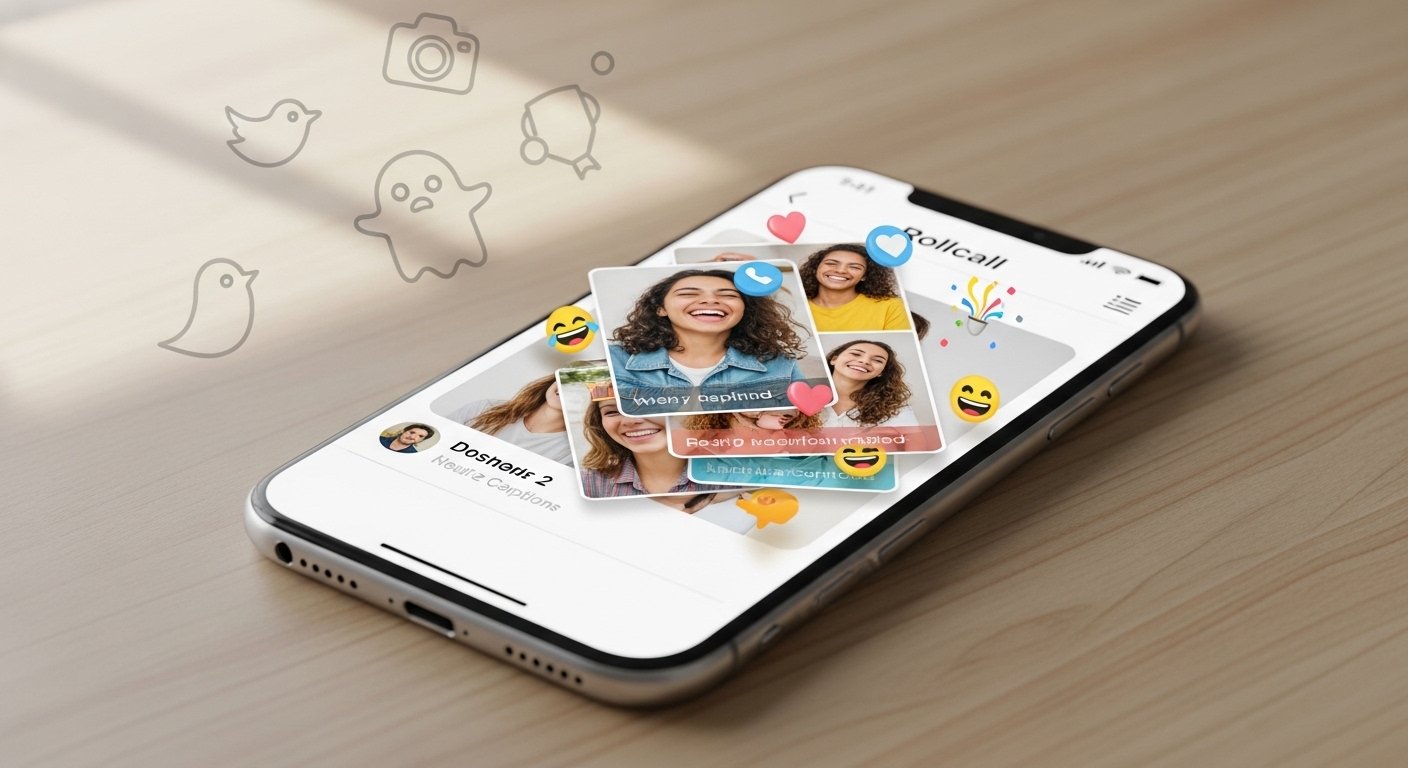
In today’s world, many people want simple ways to stay close with friends without the noise of big social media sites. The Rollcall app (often called Rollcall in Locket) gives exactly that. It is a fun, private tool made for sharing photos with your closest friends. No ads, no strangers, just real moments from your life.
This guide explains everything about the Rollcall app in easy words. We cover what it is, how it works as a social media tool, its photo features, and why so many young people love it. If you are tired of endless scrolling on Instagram or TikTok, Rollcall might feel fresh and nice.
What Is the Rollcall App?
Rollcall is a special feature inside the Locket app. Locket started in 2022 as a simple photo-sharing tool for close friends. It lets you add photos that show up on your friends’ phone home screens through widgets. This makes sharing quick and personal.
In 2025, Locket added Rollcall to make things even better. Rollcall is like a weekly “photo dump” session. Every Sunday, the app reminds you to pick and share your favorite photos from the past week with your small group of friends.
The main idea is simple: share real, unfiltered moments once a week. Photos stay for only seven days and then disappear. This keeps things low-pressure and fun. You do not feel forced to post every day like on other apps.
Many call it the Rollcall app because it feels like its own thing, but it lives inside Locket. You download Locket from the App Store (for iPhone users mainly, with Android coming later). Then, Rollcall becomes part of your experience.
It targets young users, especially Gen Alpha and Gen Z, who want private spaces away from big platforms. News from TechCrunch and Business Insider shows how Rollcall grew fast because it feels real and safe.
How Does Rollcall Work Step by Step?
Using Rollcall is very easy. Here is how it goes:
- Get the Sunday Reminder Every Sunday, you get a push notification from Locket. It says something like “Time for Rollcall – share your week!”
- Pick Your Photos Tap the notification. The app helps you choose photos from your camera roll. It often picks top ones from the last seven days. You can add a few favorites – think selfies, food pics, fun outings, or random silly shots.
- Share Your Dump Upload them as a “photo dump.” This is a collection of images shown together, like a collage or stack. Once you post, your friends can see it right away.
- See Friends’ Posts After you share, you unlock everyone else’s Rollcall. Scroll through their weeks, react with emojis, or leave quick comments.
- It Disappears After one week, the posts go away. No old stuff stays forever, so it feels fresh each time.
This weekly rhythm makes Rollcall different from daily apps. It turns Sunday into a fun catch-up day. You feel excited to see what your friends did, and it builds stronger bonds without constant checking.
Locket uses smart iPhone features like Live Activities. This puts gentle reminders on your lock screen or Dynamic Island. It nudges you to join without being annoying.
Social Media Features in Rollcall
Rollcall acts like a tiny, private social media app. Here are the key social parts:
- Close Friends Only You add only people you really know – best friends, family, or long-distance pals. No public profiles or followers.
- Private Sharing Everything stays inside your group. No one else sees it. This makes it safe for real talks and silly moments.
- Reactions and Comments You can tap hearts, laugh emojis, or write short notes like “Love this!” or “Miss you!” It feels like chatting but with pictures.
- Group Feel When everyone posts on the same day, it becomes a shared event. You see who posted first, and it pushes others to join. Some users say it feels like a group chat but better because of photos.
- No Ads or Spam Locket has no ads in basic use. Some features might need a paid upgrade (like Locket Gold), but Rollcall works free for core fun.
Compared to big apps:
- Instagram has likes, stories, and reels for everyone.
- Snapchat is fast but can feel pressured.
- Rollcall is slow and thoughtful – one post per week keeps it calm.
This makes it great for people who want connection without stress. It helps with long-distance friendships too, as photos show daily life better than text.
Rollcall App Photos: All About the Sharing
Photos are the heart of Rollcall. The app focuses on real, everyday pictures – not perfect ones.
What Kind of Photos Work Best?
- Candid shots from your week (school, hangouts, food, pets).
- Funny memes or screenshots mixed in.
- Group pics with friends.
- Nature, sunsets, or random things that made you smile.
How Photos Look When you share, they appear as a nice layout. Sometimes stacked, sometimes in a collage. Friends tap through them like a story. You can react to each photo one by one.
Why Photos Feel Special Here
- They expire after 7 days, so no worry about old posts.
- Shared only with close ones, so you post without filters if you want.
- Weekly limit means you pick the best moments, not everything.
Many users love the “photo dump” style, like Instagram but private and timed. TikTok and Instagram posts show people excited about Sunday dumps in Rollcall. It becomes a habit – “What did you post this week?”
Parents sometimes check it too, as it feels safer than open apps. But remember, even private shares can get screenshotted, so talk to friends about respect.
Why People Love Rollcall in 2025-2026
Rollcall grew a lot because it fits what young users want now:
- Less pressure than daily posting.
- Real connections with small groups.
- Fun weekly ritual.
- Uses phone features smartly (widgets, lock screen prompts).
Reports say it got over a million shares in early weeks. Many Gen Alpha kids use it for friend circles. It stands out as a “cute” app for besties.
If you have long-distance friends or want a break from big social media, Rollcall helps you stay close in a simple way.
How to Get Started with Rollcall
- Download Locket from the App Store (search “Locket Widget”).
- Set up your account and add close friends.
- Wait for Sunday – or check if Rollcall is active.
- Add friends who use it, and start sharing!
It works best on iPhone now, with more platforms coming.
Final Thoughts
The Rollcall app (inside Locket) brings back simple joy to sharing photos. It is not about going viral or getting likes from thousands. It is about showing your real week to the people who matter most.
With easy Sunday prompts, private groups, disappearing posts, and fun reactions, it feels fresh in a crowded social media world. If you want a low-key way to connect, try Rollcall. Your friends might thank you for the weekly smiles.
Disclaimer:
This article is only for information and educational purposes. We are not promoting, advertising, or earning money from the Rollcall app. This is not an affiliate or sponsored post. We do not guarantee that all details are always correct. Use the app at your own risk.
Explore More
- Camera Lucida App: Free Download, Android & Windows Guide, Reviews, Instructions & Best Tips
- Best Japanese Language App for Travel – Reddit Users’ Top Picks
- Lorex Desktop App: Easy Download Guide for Windows & Mac (Latest Version)
About the Author







