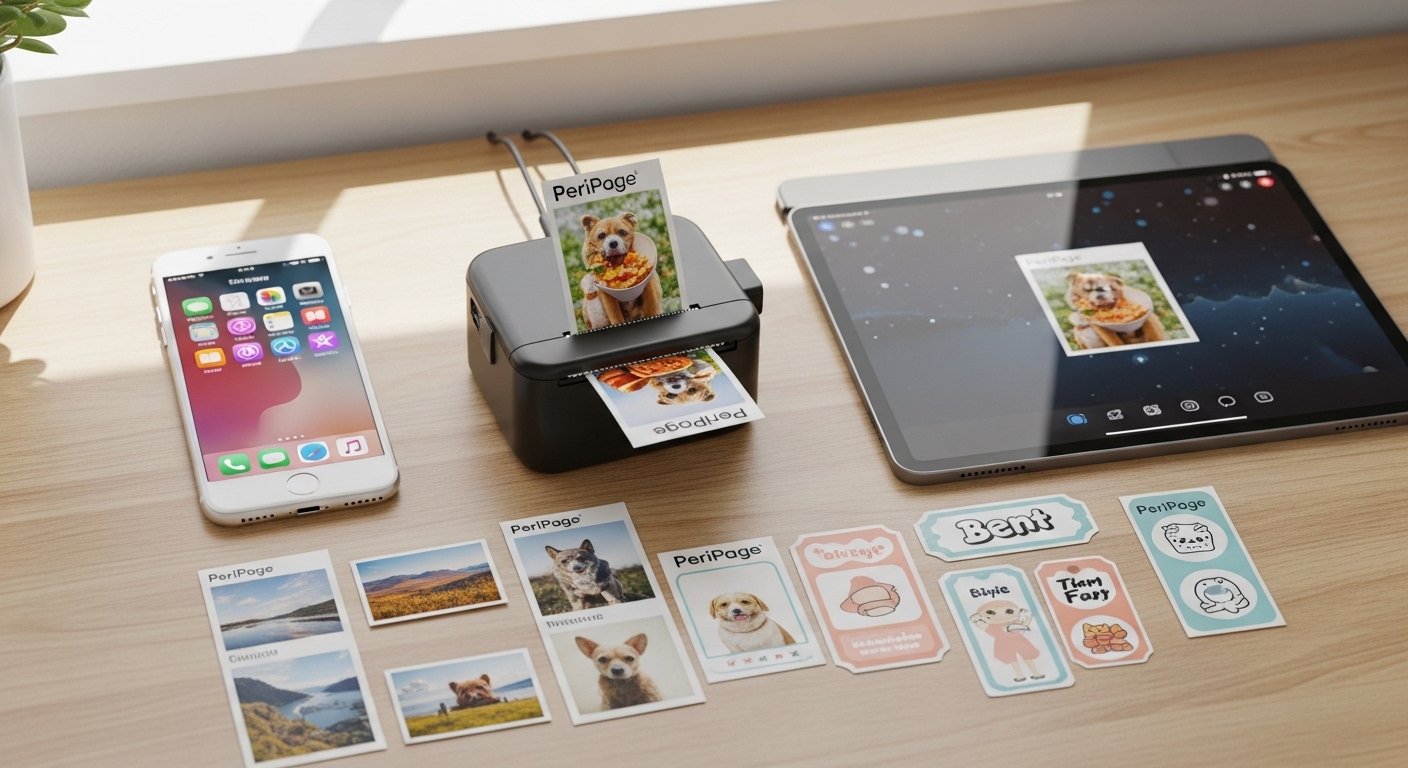
The PeriPage App Download: Android, iOS, PC & Mac Guide | Google Play is a complete and simple guide to help you get the PeriPage app on all your devices. This app works with PeriPage mini portable thermal printers (also called pocket printers or inkless printers). These small printers are fun and useful for printing photos, notes, lists, labels, web pages, and more without ink.
Many people love PeriPage printers because they are small, easy to carry, and print quickly from phones or computers. The PeriPage app is the main tool to control the printer. It is free and safe when you download from official places.
This guide uses very easy English. It explains every step clearly so anyone can follow. We cover PeriPage app Android, PeriPage app for PC, PeriPage app iOS, PeriPage app for Mac, PeriPage app Google Play, and PeriPage app download. All information comes from official sources like the PeriPage website, Google Play, and Apple App Store to keep it accurate and trustworthy.
What is the PeriPage App?
The PeriPage app is a free mobile application made for PeriPage mini printers. It connects your phone or tablet to the printer using Bluetooth. Once connected, you can print many things right away.
The app is made by Xiamen Ileadtek Co., Ltd., the company behind PeriPage printers. It has good reviews (around 4.7 stars on App Store) and gets regular updates for better performance.
Key Features of the PeriPage App
The app makes printing simple and fun. Here are some main things you can do:
- Print photos from your phone gallery. You can add filters or make them stylish.
- Print notes, memos, and to-do lists quickly. Great for office or school work.
- Print labels and stickers (if you use special thermal paper).
- Print web pages or parts of websites.
- Use OCR to scan and print text from images.
- Print AR fun effects or material moments.
- Choose from over 90 fonts and 1000 icons to customize your prints.
- Make banners with large text for signs or announcements.
- Record voice memos and print them as text.
- Print documents, QR codes, and more.
The app works offline after setup. No need for internet to print. It supports many PeriPage models like pocket printers (P21, A40, etc.).
Why Download the PeriPage App from Official Sources?
Always download from trusted places to avoid fake apps or viruses. Official downloads are safe and get updates.
- For Android: Google Play Store (search “PeriPage”).
- For iOS: Apple App Store (search “PeriPage”).
- For PC/Mac: Use official drivers from the PeriPage website or run the app with emulators.
Avoid third-party sites for APK files unless you know they are safe.
How to Download PeriPage App on Android (PeriPage App Android / PeriPage App Google Play)
The PeriPage app is easy to get on Android phones or tablets.
Step-by-step guide:
- Open the Google Play Store on your Android device.
- In the search bar, type “PeriPage”.
- Look for the app by “厦门爱立得科技有限公司” or with the icon that matches PeriPage printers.
- Tap “Install”. The app is free.
- Wait for download and installation (size is around 60-70 MB).
- Open the app after install.
- Turn on Bluetooth on your phone.
- Turn on your PeriPage printer (press power button until light shows).
- In the app, follow prompts to connect. You can scan a QR code from the printer or search for the device.
- Once connected, start printing!
PeriPage app Google Play is the best place because it checks for safety and gives auto-updates. If you see many similar apps, choose the official one with good downloads and reviews.
Requirements: Android 8.0 or higher.
How to Download PeriPage App on iOS (PeriPage App iOS)
For iPhone or iPad users, the process is simple.
Step-by-step guide:
- Open the App Store on your iPhone or iPad.
- Search for “PeriPage”.
- Find the app named “PeriPage” by the developer xiamen ileadtek Co.,Ltd.
- Tap “Get” (or cloud icon if you downloaded before). It may ask for your Apple ID password or Face ID.
- The app downloads (size about 479 MB).
- Open the app.
- Enable Bluetooth in Settings if not already on.
- Power on your PeriPage printer.
- In the app, connect via Bluetooth or scan the QR code printed by double-clicking the printer button.
- You are ready to print photos, notes, or anything!
It works on iOS 11.0 or later. The app is also designed for iPad.
PeriPage app iOS gets regular bug fixes and new features from the developer.
How to Use PeriPage App on PC (PeriPage App for PC)

There is no native PeriPage app for Windows PC like on phones. But you can use the printer on PC with a driver.
Official way:
- Go to the official PeriPage website (like www.myperipage.com or www.peripageglobal.com or www.ileadtek.com).
- Find the “Download” or “APP & PC DRIVER” section.
- Download the PeriPage Mini Printer Driver for Windows.
- Run the setup file and install it (follow on-screen steps).
- Connect your PeriPage printer to PC with USB cable (some models support USB) or Bluetooth if your PC has it.
- After install, the printer shows up in your Devices and Printers.
- You can print from any program (Word, browser, photos) like a normal printer.
For full app features on PC:
Many users run the Android app on PC using emulators like BlueStacks.
Steps for emulator:
- Download BlueStacks (free from official site bluestacks.com).
- Install and open BlueStacks.
- In BlueStacks, open Google Play Store.
- Search and install PeriPage app.
- Connect your printer via Bluetooth (pair PC Bluetooth with printer).
- Use the app inside BlueStacks for mobile features.
This gives PeriPage app for PC with all phone functions on a big screen.
Requirements: Windows 7 or higher.
How to Use PeriPage App on Mac (PeriPage App for Mac)
For Mac computers, use the driver or emulator.
Official driver way:
- Visit official PeriPage sites (myperipage.com, peripageglobal.com, or ileadtek.com).
- Download Mac driver (some models have it; check for your printer model like A40).
- Install the driver package.
- Connect printer via USB or Bluetooth.
- Print from Mac apps as usual.
Note: Some PeriPage apps run on Mac with Apple M1/M2 chips (since iOS apps work on newer Macs).
For full experience:
Use an Android emulator like BlueStacks on Mac.
- Download BlueStacks for Mac.
- Install PeriPage from Google Play inside it.
- Connect printer.
This makes PeriPage app for Mac possible with mobile features.
Requirements: macOS 11.0 or later for some options.
Tips for Best Experience with PeriPage App
- Always update the app from Google Play or App Store for new features and fixes.
- Use good thermal paper (plain, adhesive, or colored) for best prints.
- Charge the printer fully before use.
- If connection fails, restart Bluetooth and printer.
- For help, check official FAQ on peripageglobal.com or contact support at service@peripageglobal.com.
- The printer uses thermal tech, so prints may fade over time if in heat or sun.
Common Questions About PeriPage App Download
Is the app free? Yes, completely free.
Does it work without internet? Yes, after setup.
Can I print from computer without app? Yes, with driver, but app gives more fun options.
Is it safe? Yes, from official stores.
What if I have a different brand printer? Some printers use PeriPage app, but best with official PeriPage.
Final Thoughts
The PeriPage app makes your mini printer very useful every day. Whether you want PeriPage app Android from Google Play, PeriPage app iOS from App Store, or PeriPage app for PC and PeriPage app for Mac using drivers or emulators, this guide helps you start fast.
Download today and enjoy printing photos, notes, lists, and creative things anywhere. It is simple, fun, and makes life easier for students, office workers, or anyone who loves cute prints.
Disclaimer:
This guide is only for information. It is not an ad. I do not earn money if you use the PeriPage app. I am not responsible if the app or printer has any problems. Always download apps from official stores only.
Explore More
- ACMS Crossing Guard App for iPhone – Free Download & Guide 2026
- The StarFit App Review 2026: Free Download, Features, and How the StarFit Scale Works
- Ling App Review 2026: Master Ling App, Reddit Opinions & Language Learning Insights
About the Author







