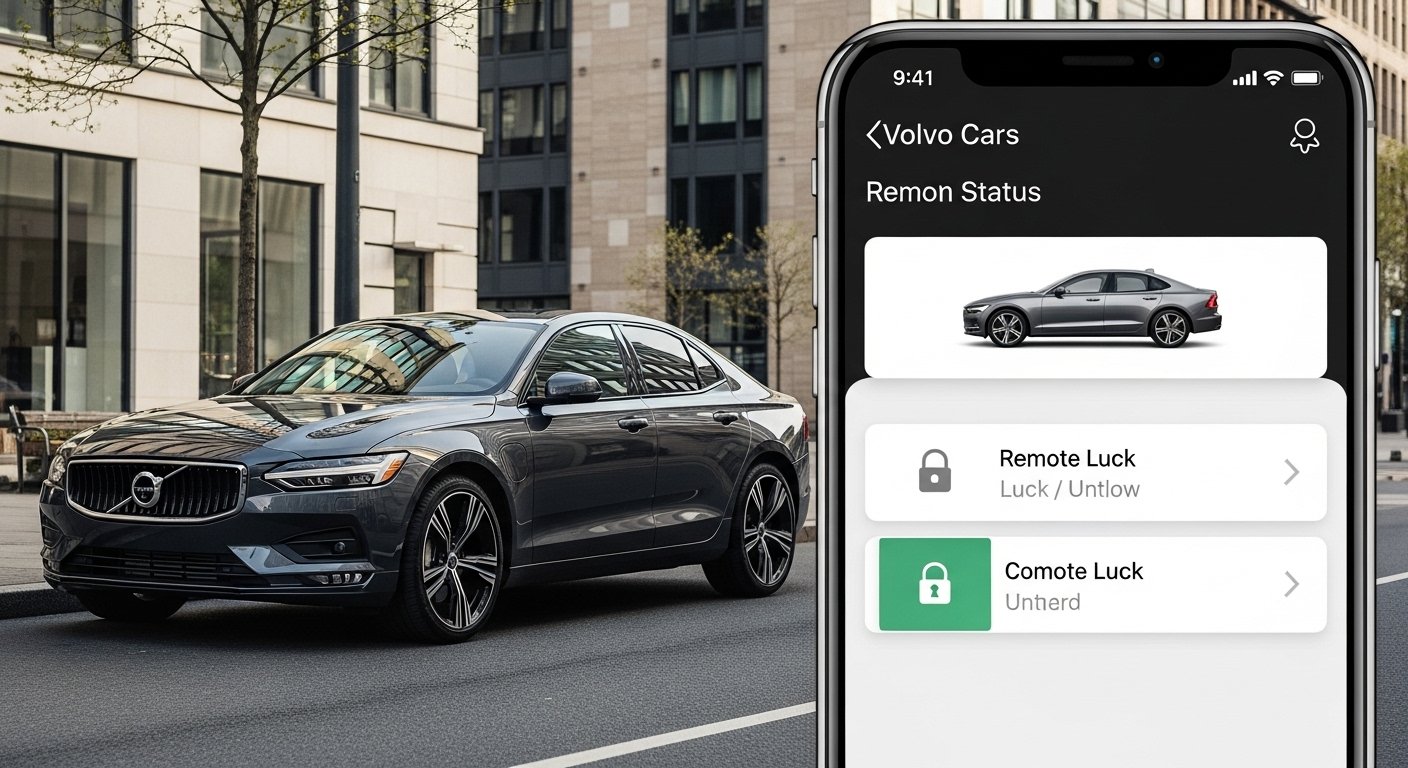
The Volvo Cars app is a smart tool that lets you control and check your Volvo car right from your phone. It makes driving and owning a Volvo easier, safer, and more fun. Volvo makes safe and good cars, and this app adds smart features to match that quality. Many people love how simple and useful it is.
In this article, we explain everything about the Volvo app in very easy words. We cover what it does, how to use it, and why it helps you every day. All facts come from official Volvo information and real user experiences up to 2026.
What Is the Volvo Cars App?
The Volvo Cars app is the official mobile app from Volvo Cars. You can download it free on your iPhone or Android phone. It connects your phone to your Volvo car using the internet. This way, you can do many things from far away without being inside the car.
The app works with most new Volvo models, like the XC40, XC60, XC90, S60, S90, and electric ones like EX30, EX40, EX90, and plug-in hybrids. Some features work best on newer cars with Google built-in or the latest software.
Volvo keeps making the app better with updates. In late 2025, they made a big upgrade. The home screen now looks nicer and shows important things faster, like climate control, charging info, and car location. New things like easier digital keys and one-click temperature settings came in 2025 and 2026 updates.
How to Get Started with the Volvo Cars App
First, go to the App Store (for iPhone) or Google Play Store (for Android) and search for “Volvo Cars app”. Download and install it.
You need a Volvo ID to sign in. If you do not have one, the app helps you make it. Use your email and make a strong password.
Next, connect the app to your car. This is called pairing. Open the app, follow the steps, and use your car’s screen or key to link them. It takes just a few minutes. Make sure your car has internet connection (most new Volvos do).
After setup, the app knows your car model and shows only the features that work for you. Features can change by country, car year, and model, but most people get the main ones.
Main Smart Control Features

The app gives you real power over your car from your phone. Here are the top ones:
Remote Lock and Unlock You can lock or unlock your doors with one tap. This is great if you forget to lock the car after parking. The app shows if the car is locked right now. You get alerts if someone tries to open it or if doors stay unlocked too long.
Find Your Car Lost in a big parking lot? The app shows your car’s location on a map (Google Maps on Android, Apple Maps on iPhone). You can make the lights flash or the horn sound to find it fast. This saves time and stress.
Check Car Status See important info anytime:
- Is the car running?
- How much fuel or battery is left?
- What is the driving range?
- Mileage and more.
This helps you plan trips and know when to refuel or charge.
Remote Climate Control (Preconditioning) One of the best features! Make your car warm in winter or cool in summer before you get in. Just open the app and tap to set the temperature. The car starts the heater or AC using battery power (not engine for electric cars). You step into a comfy car every time. In 2025 updates, it became faster with one-click presets on the home screen.
For electric and plug-in hybrid Volvos, you can also start air cleaning remotely to make the air fresh.
Digital Keys and Sharing Share access without giving physical keys. Family or friends can unlock and drive using their phone. This is safe and easy. New updates in 2025 made digital keys simpler.
Safe Deliveries Order online shopping? Unlock the car remotely for the delivery person to put packages inside, then lock it again. No more packages left outside.
Special Features for Electric and Plug-in Hybrid Volvos
If your Volvo is electric (like EX30, EX90) or plug-in hybrid (Recharge models), the app has extra smart tools for charging.
Charging Status and Control See battery level, how much charge is left, and estimated range clearly on the home screen. Track electricity use.
Schedule Charging Set times to charge when power is cheap (like at night). This saves money.
Find Public Chargers The app helps find charging stations, plan trips, and sometimes pay. For some models, it shows Tesla Supercharger access.
Precondition Battery When going to a fast charger, the app can warm or cool the battery for faster charging.
These make owning an electric Volvo simple and cheap to run.
Other Helpful Features
Service and Maintenance Book service appointments easily. Get reminders for oil changes or checks. See service history.
Roadside Assistance Need help? Call Volvo roadside from the app. They come fast.
Driving Journal and Stats See your trips, how you drive, and stats like distance and fuel use. Good for tracking costs or eco driving.
Car Manual in App The full car manual is inside the app. Search for anything fast, like “how to change wipers”.
Notifications Get push alerts for software updates, low battery, unlocked doors, or news from Volvo.
Support Contact Volvo help right in the app if you have questions.
Why the Volvo Cars App Is So Good
Volvo focuses on safety, comfort, and the environment. The app matches this by giving you control to stay safe (like checking locks) and comfortable (pre-heat or cool). For electric cars, it helps save energy and money.
The app is easy to use. The new 2025-2026 design puts key things on the home screen so you find them fast. Volvo adds new features over time with free updates—no need to buy a new car.
Many owners say it makes life better. Imagine cold mornings: your car is warm when you go out. Or big mall parking: find your car in seconds. It feels modern and helpful.
Tips for Best Use
- Keep the app updated for new features.
- Use strong Volvo ID password and turn on two-step login.
- Make sure your phone and car have good internet.
- For electric cars, schedule charging to save on bills.
- Try preconditioning 10-15 minutes before leaving for best comfort.
Final Thoughts
The Volvo Cars app turns your phone into a smart remote for your Volvo. It gives safety, comfort, and control in a simple way. Whether you have a gas, hybrid, or full electric Volvo, the app makes ownership better.
Download it today if you have a Volvo. Set it up and enjoy the smart features. Volvo builds cars for real life, and this app helps you live that life easier.
Disclaimer:
This article is for information only. It is not a promotion, advertisement, or affiliate post. We do not get paid if you download or use the Volvo Cars app. The content is based on official Volvo information and user experiences up to 2026. We are not responsible for any problems you may have with the app, car, or services. Always follow official Volvo instructions and safety rules.
Explore More
- Labour Doorstep App – Hire Plumbers, Electricians & More Online
- Torch App – Turn Your Phone into a Powerful Flashlight
- Why Is instapv not working? Troubleshooting Tips
About the Author








