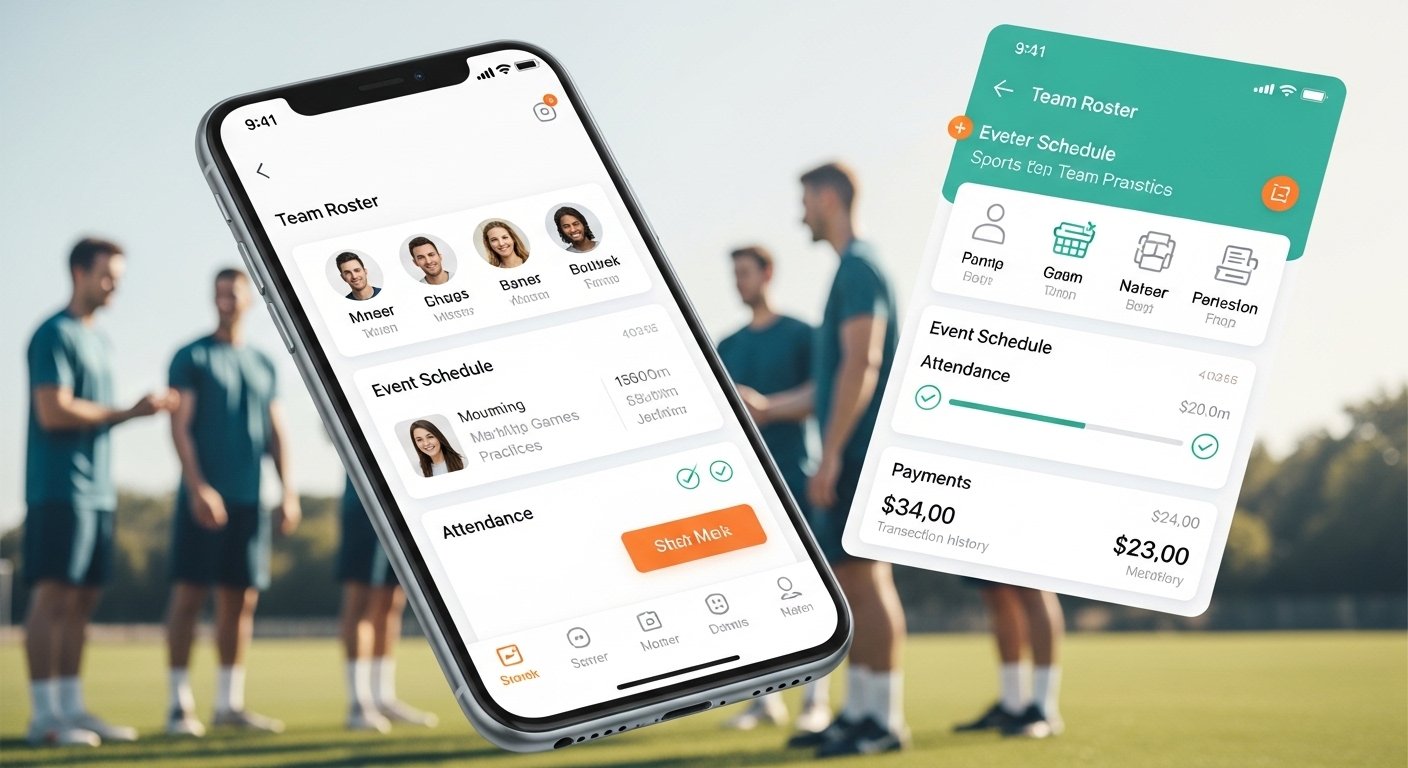
The Teamer App is a popular tool made to help people manage sports teams in a simple way. It is a free mobile app (with some small fees only for payments) that works on both Android and iPhone. Many coaches, team captains, and managers use it to organize training, matches, events, and even collect money from players.
This guide will explain everything about the Teamer app in very easy English. We will cover what it is, its main features, how to download it, a honest review, help tips, and a step-by-step guide for the Android app. All facts come from the official website (teamer.net) and real user feedback.
What Is the Teamer App?
Teamer is a sports team management app. It started as a way to make life easier for anyone who runs a sports team, like football (soccer), rugby, cricket, basketball, or even non-sports groups sometimes. The app helps you do many things in one place instead of using WhatsApp, emails, or paper lists.
The main idea is simple: stop wasting time on group chats or chasing people for money. With Teamer, you create a “Teampage” (like a private team page). Then, you add players, parents, or members. Everyone gets the app and sees updates right away.
Teamer is free to download and most features are free forever. You only pay a small fee (starting from about 2.9% + a tiny amount like 20p) when you collect payments through the app, like match fees or kit money.
Over 1 million people have downloaded it, and it has been around for many years. It has apps on Google Play Store for Android and App Store for iOS.
Key Features of Teamer App
Teamer has many useful tools to run a team smoothly. Here are the main ones:
- Manage Team Members Add players easily by inviting them with email or phone. See who is in the team. You can add photos, contact details, and notes (like medical info or shirt size). Parents can join too for youth teams.
- Organize Events and Schedule Create events like training sessions, matches, tournaments, or social meetups. Add date, time, place, and notes. Share maps or directions. Send invites to all members.
- Track Attendance Players reply “Yes”, “No”, or “Maybe” to events. You see real-time who is coming. This helps pick teams or know how many will show up. No more guessing!
- Send Messages and Notifications Chat with the whole team or private messages. Push notifications come to phones so no one misses important news, like last-minute changes.
- Collect Payments Online Ask for fees (match fees, subs, trips). Players pay with card, Apple Pay, or Google Pay. Money goes straight to your bank. Very safe and quick. No cash hassle.
- Share Files and Photos Upload documents like rules, forms, waivers, or fixture lists. Share game photos or videos. Everyone can download what they need.
- Team Selection and Availability See who is available and pick your starting team. Some users say this is very helpful for coaches.
- Other Extras Calendar view, reminders, and easy access on phone. Works offline for some parts too.
All these features are in one app, so no need for many different tools.
How to Download Teamer App
Downloading Teamer is very easy and free.
For Android (Teamer Android app): Go to Google Play Store on your phone. Search “Teamer – Sports Team App”. Or visit the official site teamer.net and click the Android download link. It will take you to Play Store. Tap “Install”. It is safe and from the real developer.
For iPhone/iPad: Go to App Store. Search “Teamer – Sports Team App”. Install it free.
After download, open the app. Sign up with email and password, or use Google/Apple login. Then create your first Teampage or join one if invited.
Always download from official sources: teamer.net, Google Play, or App Store. Do not use unknown sites to avoid fake apps.
Teamer App Review: Pros and Cons

Many users like Teamer because it saves time and makes team life organized. Here is a balanced review based on real feedback from sites like Capterra, App Store, and Trustpilot.
Good Points (Pros):
- Very easy to use, even for people not good with tech.
- All free features work well – no paywall for basic use.
- Great for attendance and payments – users say it reduces chasing money.
- Good notifications – players get alerts on phone.
- Works for many sports and group sizes.
- Mobile app is fast and simple.
- Helps a lot with youth teams (parents love it).
- Over 1 million downloads show it is trusted.
Some reviews give it 4.4 out of 5 on sites like GetApp and Capterra. Users call it “best in class” for simple team management.
Not So Good Points (Cons):
- Customer support can be slow sometimes (some users wait for replies).
- Payment fees are there (but normal for online payments).
- A few older reviews mention pricing changes or app updates needed.
- Not as many extra fancy features as some newer apps (like advanced chat or bookings).
- Some say the web version is basic compared to app.
Overall, most people recommend it for small to medium sports teams. If you want something free and simple, Teamer is a top choice. It is better than using just WhatsApp for many coaches.
Teamer App Help and Support
If you need help with Teamer, here are easy ways:
- In-App Help – Open the app, go to menu, look for help or FAQ section.
- Official Website – Visit teamer.net. There is a support area with guides.
- Contact Team – Email support from the site or app. They answer questions about accounts, payments, or features.
- Common Problems:
- Forgot password? Use reset link on login.
- Payment not working? Check card details or internet.
- Player not getting notifications? Ask them to allow push notifications in phone settings.
- Community – Some users share tips on Reddit or Facebook groups for sports apps.
Teamer team is based in the UK, so support is good for English speakers.
Step-by-Step Guide for Teamer Android App
Here is a simple guide to use the Teamer Android app:
- Download and Install Open Google Play Store. Search “Teamer”. Install the app by Teamer (look for sports team icon).
- Sign Up or Log In Open app. Tap “Sign Up” if new. Enter email, name, password. Or log in if you have account.
- Create Your Teampage (Team) After login, tap “Create Teampage”. Give team name (like “Karachi Tigers FC”). Add sport type, logo if you want. Set if it is public or private.
- Add Members Tap “Members”. Invite by email or phone number. Or share join link. Players download app and join.
- Make an Event Go to “Events”. Tap “New Event”. Add name (Training), date/time, location. Add notes or map. Send invites.
- Check Attendance After invites, see responses in event page. Players reply in app.
- Collect Money In event or team page, tap “Payments”. Set amount and reason. Send request. Players pay in app.
- Send Message Go to chat or announcements. Type message. Everyone sees it.
- Upload Files In team page, add documents or photos.
- Settings Change notifications, profile, or team info anytime.
Use the app daily for updates. It gets better with use!
Why Choose Teamer in 2026?
In 2026, many apps exist for teams, but Teamer stays popular because it is simple, free for core use, and focused only on sports teams. No extra complicated stuff. It helps save hours each week for busy coaches.
If you run a local club, school team, or weekend group, try Teamer. Many teams say it changed how they organize.
Final words: Teamer is not perfect, but for most users, it does the job very well. Download it today and see for yourself!
Disclaimer:
This article is for information only. It is not promotional and we do not get paid if you download or use the Teamer app. We are not affiliated with Teamer or its developers. We share facts and opinions based on the official website (teamer.net) and real user feedback. Use the app at your own risk.
Explore More
- The Laxihub Camera App for Android & iPhone – Complete Setup & Features Guide
- TrueCoach App – Download, Review, Cost & Complete Guide for Clients
- Buzz App – Connect, Chat & Stay Updated Easily
About the Author








