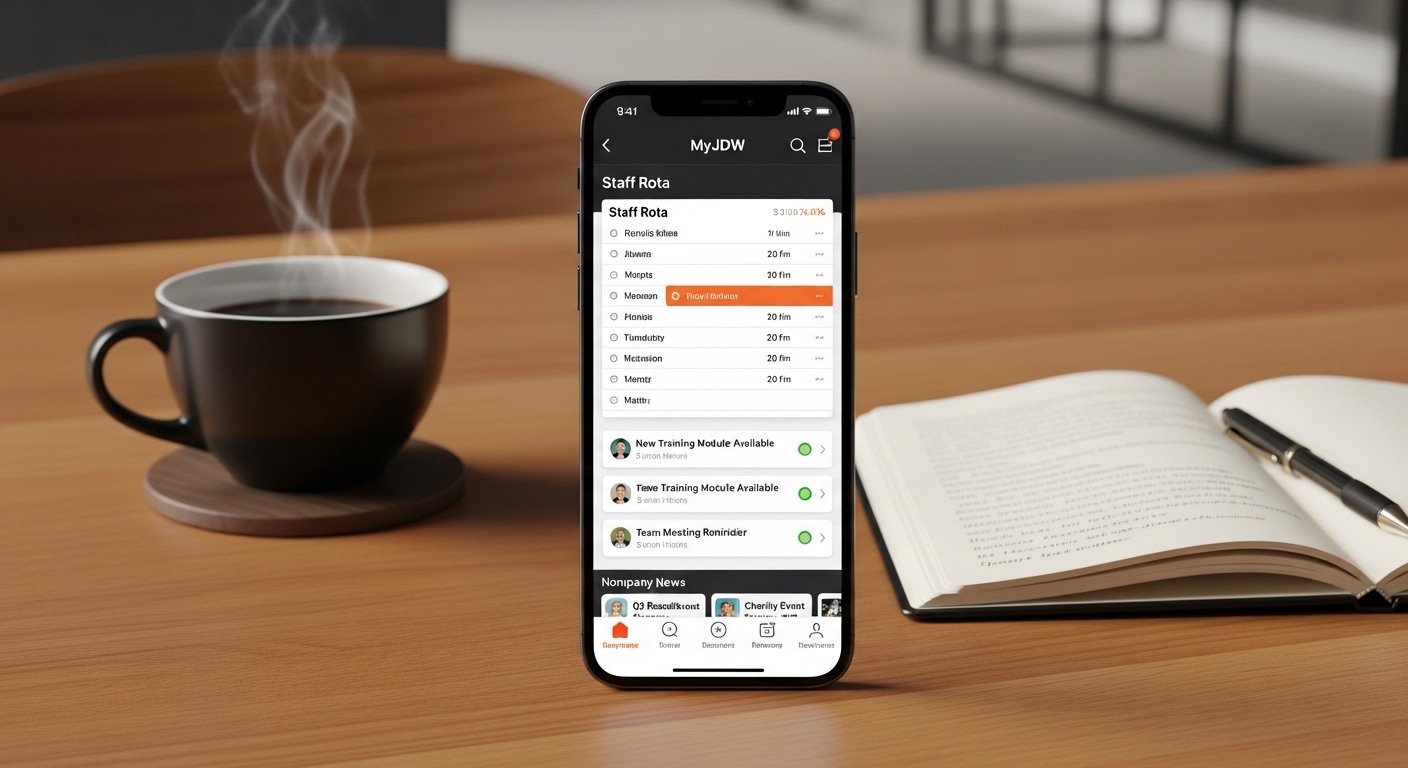
JD Wetherspoon (often called Wetherspoons) is one of the most popular pub chains in the UK and Ireland. They have hundreds of pubs and hotels where people go for good food, drinks, and friendly service. For their staff, the company made a special app called MyJDW. This app helps employees manage their work easily from their phones.
If you work at Wetherspoons, the MyJDW app is very useful. You can use it on your iPhone to check your shifts, see company news, and more – anytime and anywhere. In this article, we explain everything in simple words. We cover what the app is, its features, why it is good for iPhone users, and the safe way to do myjdw app download.
What Is the MyJDW App?
The MyJDW app is an official tool created by JD Wetherspoon just for their employees. It is not for customers. (Customers use a different app called the Wetherspoon app to order food and drinks at tables.)
This staff app connects to the MyJDW website (www.myjdw.co.uk). On the website, you check work details on a computer. The app brings the same information to your mobile phone. It makes life easier because you always have your work info in your pocket.
The app is free. It works on both Android and iPhone. Many Wetherspoon workers use it every day to stay organized and informed.
JD Wetherspoon is a trusted company. They started many years ago and now run a large number of pubs. They care about their staff and give tools like this app to help them.
Why the MyJDW App Is So Helpful for Staff
Working in a pub can be busy. Shifts change, news comes often, and you need to know rules or training details. The MyJDW app solves these problems.
Here are the main benefits:
- You see your work schedule (called rota) right away.
- Get fast alerts if anything changes.
- Read important company updates and news.
- Look at documents, policies, or training info.
- Feel more in control of your work days.
Many staff say the app reduces stress. You do not have to wait until you are at the pub to check your next shift. You can plan your life better – like family time, holidays, or rest days.
For managers, the app has extra options. They can create and share rotas quickly. This helps the whole team stay on the same page.
Top Features of the MyJDW App

The app has simple and useful features. Let us look at them one by one.
1. Real-Time Rota View Your rota shows your work days, start times, finish times, and breaks. When the manager updates it, you see the change immediately. No more old paper rotas or waiting for emails.
2. Notifications and Alerts The app sends push notifications to your phone. You get a message if your shift changes, a new shift is added, or there is important news. Turn on notifications so you never miss anything.
3. Company News and Updates Read the latest from Wetherspoons. Learn about new menus, events, special deals for staff, or changes in rules. Everything is in one place.
4. Access to Documents Find staff handbook, health and safety rules, policies, or other important papers. You can read them anytime – even on your break or at home.
5. Pay and Benefits Info Some details about your pay, hours worked, and rewards are linked or shown. (Full details are often on the website too.)
6. Easy for Managers Managers can publish rotas, manage team schedules, and communicate fast.
The app design is clean and easy. Big text, simple buttons – even if you are not great with phones, you can use it quickly.
Special Advantages for iPhone Users
Many people in the UK use iPhones. The myjdw app iphone version works very well on iOS devices.
Why iPhone users like it:
- Smooth and fast performance on iPhone and iPad.
- Push notifications work reliably.
- Easy to trust the app profile (a one-time step for company apps).
- You can use it with Siri shortcuts or other iPhone features if you want.
- The screen looks clear and nice on Retina displays.
Whether you are at home, on the train, or traveling, the app gives you easy access anywhere. As long as you have internet (Wi-Fi or mobile data), it works.
How to Do MyJDW App Download for iPhone – Step by Step
The myjdw app download is safe and official, but it is not always in the normal App Store search. It is a company app, so you get it through the MyJDW portal. This keeps it private for staff only.
Follow these simple steps carefully:
- Be a Wetherspoon employee You need your employee number (and password). If you do not have login details, ask your manager or pub team leader.
- Open your iPhone browser Use Safari (or any browser). Go to the official site: www.myjdw.co.uk.
- Log in Enter your employee number and password. If it is your first time, register or verify your email as asked.
- Find the app download section On the homepage or menu, look for “Download the App Today” or a similar button/link. (Some staff guides mention searching for code ‘OF0104’ – this is a help document called “Accessing MyJDW” that explains the steps.)
- Choose iPhone/iOS Click the option for Apple/iPhone. It starts the install process.
- Trust the developer profile iPhone shows a message about an untrusted profile. Go to: Settings > General > VPN & Device Management (or Profiles & Device Management). Find the JD Wetherspoon profile. Tap it and choose “Trust”.
- Finish installation Go back to the home screen. The app icon appears. Open it.
- Log in again Use your employee number and password inside the app.
Now you have the MyJDW app ready on your iPhone!
Important safety tips:
- Only use www.myjdw.co.uk – never download from unknown websites or links. Fake apps can steal your details.
- If you see problems, ask your manager or check the help section on the site.
- Keep your iPhone updated for best performance.
MyJDW App vs. the Customer Wetherspoon App
Do not mix them up!
- MyJDW app → For staff only. Rotas, news, work tools.
- Wetherspoon app → For customers. Order food/drinks at the table, see menus, pay by phone. Available directly in App Store.
If you download the customer app by mistake, it will not show staff features. Always use the official staff method for myjdw app iphone.
Common Questions Answered
Is the app really free? Yes – no cost to download or use.
What if I forget my password? Use the “Forgot Password” option on www.myjdw.co.uk. Or ask your manager.
Does it work outside the UK? Yes – anywhere with internet. Good for holidays or travel.
Is it safe and private? Yes. JD Wetherspoon follows strict data rules. Your info is protected. Check their privacy policy on the main company website.
What if the app crashes or will not open? Restart your phone. Check for updates. Clear app cache if needed. Reinstall if nothing works.
Can managers use special features? Yes – they can create rotas and send updates from the app.
Tips to Use the App Better Every Day
- Open the app each morning to see your day.
- Turn on notifications in your iPhone settings.
- Use Wi-Fi at home to save mobile data.
- Check news section weekly for updates.
- Talk to coworkers – many share tips about the app.
- Update the app when a new version comes out.
These small habits make the app work even better for you.
Why JD Wetherspoon Created This App
The company wants happy and organized staff. Pub work can be fast-paced. With phones everywhere, a mobile app makes sense. It helps staff feel supported.
Wetherspoons updates the app regularly. They fix issues and add improvements based on feedback. This shows they listen to employees.
Final Words
The MyJDW app is a smart, easy tool for every Wetherspoon worker. With the myjdw app iphone version, you get your rota, alerts, news, and documents right on your phone – anywhere you go.
If you work at a Wetherspoons pub, do the myjdw app download today using the official steps. It will save you time, reduce worry, and help you enjoy your job more.
Stay connected to your work in a simple way. Have a great day at Wetherspoons!
Disclaimer:
This article is for information only. It is not a promotion, advertisement, or affiliate post. We do not sell or earn anything from the MyJDW app. Always use the official website (www.myjdw.co.uk) to download the app. We are not responsible for any problems, mistakes, or issues that happen while using the app. Follow the official instructions and your company rules carefully.
Explore More
- Teamer App: Review, Download, Help & Android App Guide
- The Laxihub Camera App for Android & iPhone – Complete Setup & Features Guide
- TrueCoach App – Download, Review, Cost & Complete Guide for Clients
About the Author








