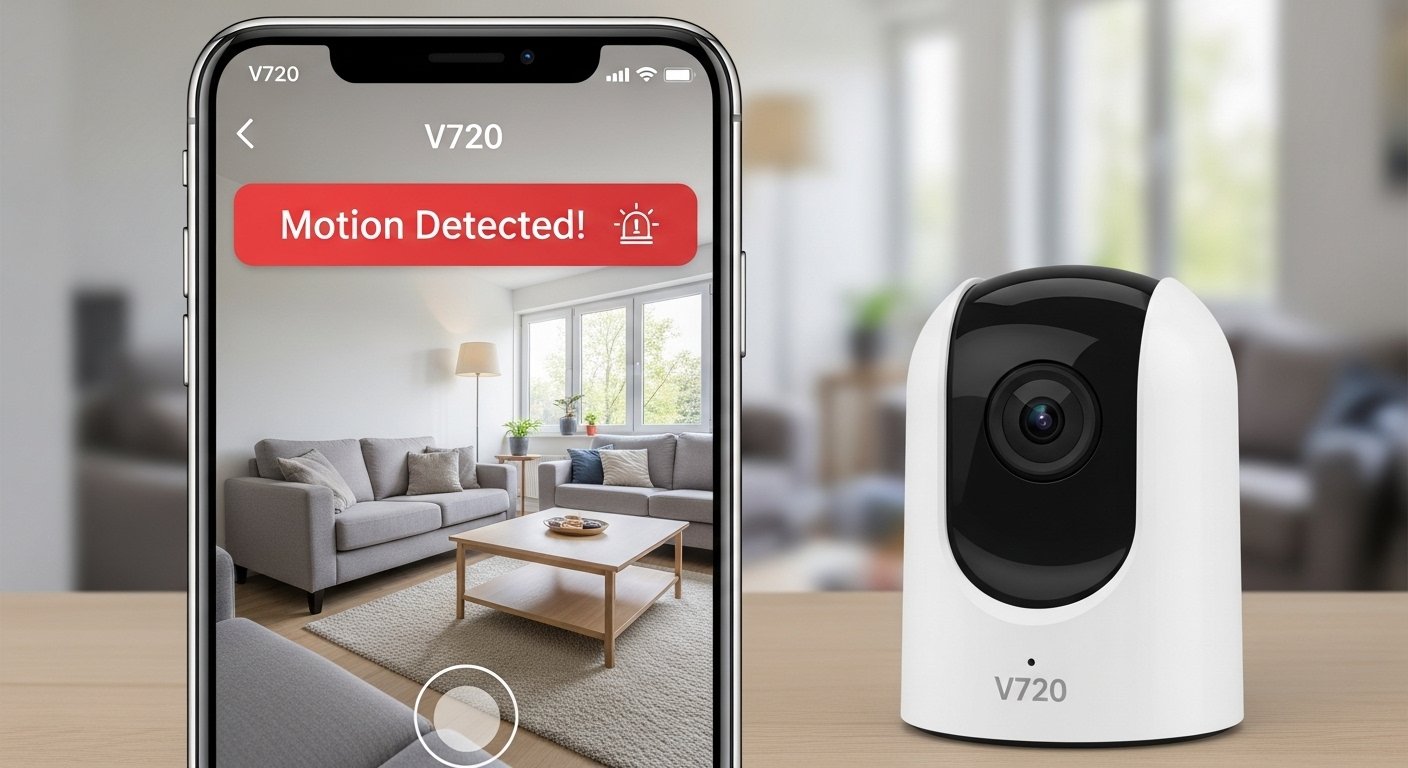
The V720 App is a popular free mobile application designed for users who own compatible WiFi security cameras, especially mini or small wireless cameras like the A9, X3, or similar models often sold online. It works as a surveillance tool that lets you watch live video from your camera, check recorded videos from the past, get instant alerts if something happens, and share access with family or friends.
This app is made by Guangzhou Qiangui IoT Technology Co., Ltd. (also listed as 广州钱柜物联科技有限公司 in some places). It helps turn your phone into a remote viewing screen for home security cameras. Many people use it for monitoring homes, apartments, villas, small shops, offices, pets, babies, or even packages left at the door.
The app is completely free to download and use for basic features. Some extra options, like cloud storage for videos, may need a paid subscription, but you can start without paying anything.
Why People Search for V720 Camera App Download Many users look for “v720 camera app download” or “v720 app free download” because their mini WiFi camera comes with instructions saying to use the V720 app. These cameras are small, easy to hide or place anywhere, and connect over WiFi (usually only 2.4GHz networks). The app makes setup simple and lets you see everything from far away using your phone’s internet.
Main Features of the V720 App
The V720 app gives you powerful tools to keep an eye on things safely and easily. Here are the key things it offers:
- Live Video Streaming — Watch real-time video from your camera right on your phone. You can see what is happening now, whether you are at home or away.
- Playback of Recorded Videos — Look back at old videos. If your camera has an SD card or uses cloud storage, you can play what happened earlier.
- Motion Detection Alerts — The camera can detect movement and send push notifications to your phone. This helps you know right away if someone or something is there.
- Two-Way Audio — Talk and listen through the camera. You can speak to people (or pets) and hear them back.
- Device Sharing — Share access to the camera with family members or friends so they can also watch.
- Cloud Storage Option — Pay for cloud service to save videos safely online, even if the camera loses power or the SD card is full.
- Screenshots and Video Recording — Take pictures or record clips from the live view directly in the app.
- Easy Setup — Connect your camera to WiFi quickly using QR code scanning or simple steps.
These features make the V720 app a good choice for simple home security without needing complex systems.
How to Download the V720 App Safely (For Android and iPhone)
Always download from official stores to avoid fake or unsafe versions. Here is how to get it:
For Android Phones:
- Open the Google Play Store on your phone.
- In the search bar, type “V720”.
- Look for the app by Guangzhou Qiangui IoT Technology Co., Ltd. (or similar name).
- Tap “Install”. It is free.
- Wait for it to download and install.
- Open the app and create an account if asked (use email or phone number).
You can also find it on trusted sites like Uptodown or APKPure, but the Play Store is safest for updates and security.
For iPhone (iOS):
- Open the App Store.
- Search for “V720”.
- Find the one from the same developer.
- Tap “Get” or the download button.
- It may ask for your Apple ID password or Face ID.
- Once installed, open it.
The app needs iOS 13.0 or later. It is about 150 MB in size, so make sure you have space and a good internet connection.
Important Safety Tip: Never download from unknown websites or links in emails. Fake apps can steal your data. Stick to Google Play or App Store.
Step-by-Step Guide to Set Up Your V720 Camera with the App

Setting up is easy and takes only a few minutes. Most mini cameras (like A9 or X3 models) use the same steps.
- Get Your Camera Ready Plug in the camera or charge it if it has a battery. Turn it on. Press and hold the reset or mode button (usually on the side or bottom) until the light flashes fast (often blue or red light blinking quickly). This puts it in pairing mode.
- Open the V720 App Launch the app on your phone. Sign up or log in if you have an account.
- Add a New Device Tap the “+” button or “Add Device” in the app. Choose the connection type. Most users pick “Smart Add” or “Scan QR Code”. If your camera has a QR code on it or in the box, scan it with the app.
- Connect to WiFi The app will ask for your home WiFi name and password. Important: Use only 2.4GHz WiFi (not 5GHz). Many routers have both; choose the 2.4 one. The camera will connect to your WiFi. This may take 30-60 seconds. The light on the camera may change when connected.
- Name Your Camera Give it a name like “Living Room Cam” or “Front Door”. Finish the setup.
- Test It Go to the live view. You should see the video. Test motion alerts by walking in front. Check two-way talk by speaking into the phone.
Troubleshooting Tips:
- If it says “offline”, check WiFi signal, restart camera and app.
- Make sure phone and camera are on the same WiFi during setup.
- If QR code does not work, choose “AP Mode” or manual add in the app.
- Update the app if you have connection problems.
Benefits of Using V720 for Home Security
Using the V720 app with a small WiFi camera gives you peace of mind. Here is why many people like it:
- Affordable — Cameras are cheap, and the app is free.
- Easy to Use — No need for wires or professional help.
- Remote Access — Watch from anywhere with internet.
- Alerts Keep You Safe — Get notified about movement.
- Good for Many Places — Use for home, baby room, pet area, office, or shop.
- Share with Family — Everyone can check in.
It is great for people who want simple security without big costs.
Things to Know Before Using V720
- The app works best with 2.4GHz WiFi only.
- Some users say there are ads in the app. They can be annoying but do not affect basic use.
- Video quality depends on your camera (often 1080P HD).
- For best results, use a strong WiFi signal near the camera.
- Cloud storage is optional but useful if you want videos saved even without an SD card.
- Always keep your app updated for better performance and security fixes.
- Respect privacy laws when using cameras.
Final Thoughts on V720 App
The V720 app is a helpful tool for anyone with a compatible mini WiFi security camera. It is free, simple, and gives you live views, alerts, and recordings right on your Android or iPhone. Whether you want to watch your home, check on pets, or keep your shop safe, this app makes it easy.
If you have a V720 camera (or similar like A9, X3), download the app from the official store today. Follow the setup steps, and you will have your security system running in minutes.
V720 Camera App Download — Search “V720” in Google Play or App Store for the free version. V720 App Free Download — It is 100% free for core features.
Disclaimer:
This is only for information. We are not promoting the V720 app and not getting any money from it. We are not responsible if something goes wrong. Always download from official stores and be safe.
Explore More
- Woodoku App – Play Woodoku App Free & Enjoy Fun Puzzle Games
- Loyal Fans App – Download the Official Loyal Fans App Easily
- Kaldi App Review 2026: Is Kaldi App Legit? Trustpilot Ratings & Complete Guide
About the Author








