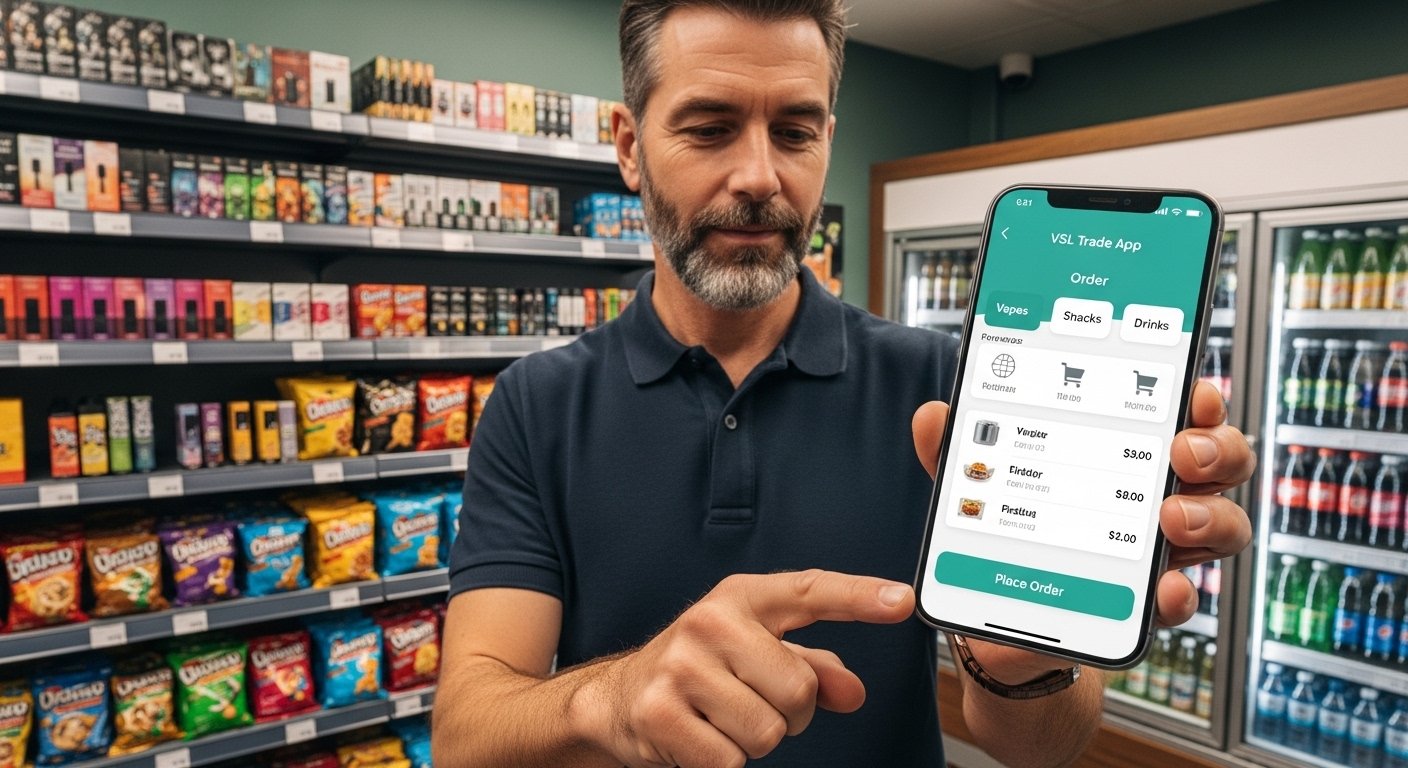
The VSL Trade App is a mobile application created by Vape Supplier Limited (VSL), a UK-based company that supplies vape products and other convenience store items to retailers. It helps shop owners and convenience store managers order stock easily from their phones. The app is popular in the UK, serving thousands of stores nationwide, including big chains and small independent shops. It focuses on fast, simple ordering of vapes, snacks, drinks, and other fast-moving goods at prices often better than traditional cash-and-carry stores. The official website is https://vsltrade.app/, where you can learn more, register interest, or find app details.
This guide explains everything about the VSL Trade App download and VSL Trade App login in very simple English. It covers what the app does, how to get it safely, how to sign in, its main features, benefits, and tips for new users. All information comes from official sources to keep things accurate and helpful.
What Is the VSL Trade App?
The VSL Trade App is a business tool made just for retailers. It lets convenience store owners order products without going to a warehouse or using a computer every time. You can do everything from your mobile phone.
Vape Supplier (the company behind the app) started as a vape wholesaler but now offers many more items. This makes it a full marketplace for convenience essentials. Retailers love it because orders often get next-day delivery, and prices are competitive.
The app is not for regular customers who buy vapes to use. It is only for business owners or store managers who sell these products in their shops. You need a verified retail business to join.
Why Do Retailers Use VSL Trade App?
Many store owners choose this app for good reasons:
- It saves time – order in minutes from your phone while in the shop.
- Wide product range – top UK vape brands plus snacks, drinks, sexual health items, and more.
- Better prices – often lower than cash-and-carry options.
- Fast delivery – guaranteed next-day service in many areas.
- Extra help – credit rewards, payment options like Barclaycard, free POS systems, custom shop displays (gantries), and even vape recycling bins.
- Easy to use – simple design made for busy retailers.
- Trusted – used by thousands of stores across the UK, from big names to small independents.
These features help shop owners focus more on selling to customers and less on stock problems.
How to Download VSL Trade App (VSL Trade App Download Guide)
Downloading the app is safe and easy, but you must do it the right way to avoid fake versions. The VSL Trade App is not always on Google Play or Apple App Store like normal apps. It often works as a web-based app (progressive web app) or through a direct install link from the official site.
Step-by-Step Guide to Download VSL Trade App
- Go to the official website Open your phone’s browser (Chrome on Android or Safari on iPhone) and visit: https://vsltrade.app/ This is the real VSL Trade site. Do not use random links from search or ads.
- Find the download or install option On the homepage or in the menu, look for “Download the App” or “Install” button. Some pages say “Why not install Vape Supplier as an app?!” with an Install link.
- Follow the install steps for your phone
- For Android phones The site may ask to “Add to Home Screen” or install as a PWA. Tap the menu in your browser (three dots), then “Add to Home screen” or “Install app”. Confirm, and it adds an icon to your phone like a normal app.
- For iPhone (iOS) Open the site in Safari. Tap the Share button (square with arrow up). Choose “Add to Home Screen”. Name it “VSL Trade” and add. There are also video guides online (like on YouTube) showing this for iPhones.
- Open the app After install, open it from your home screen. It looks and works like a real app.
- Important safety tips
- Only download from https://vsltrade.app/ or linked official pages.
- Never download APK files from unknown sites – they can have viruses.
- If the site asks for business details first, that is normal (see registration below).
- Check your phone settings allow installs from browser if needed (Android only).
Once downloaded, the app is ready for registration and login.
How to Register for VSL Trade App
You cannot use the app without approval because it is for verified retailers only.
Simple Registration Steps
- Visit https://vsltrade.app/pages/register or find “Register” on the main site.
- Fill in your store details:
- Company name
- Invoice address (shop address)
- Phone number
- Other basic info about your business
- Submit the form.
- Wait for review – the VSL team checks your application (usually quick).
- They contact you by email or phone with next steps.
- After approval, you get access to log in.
This step makes sure only real shop owners use the app. It keeps prices low and service good for everyone.
VSL Trade App Login – Step by Step

After approval and install, logging in is very easy.
How to Login to VSL Trade App
- Open the VSL Trade App on your phone.
- You see a login screen with fields for:
- Email Address
- Password
- Enter the email and password given or set during approval.
- Tap “Login”.
- If you forget your password: Look for “Forgot Password” link. Follow steps to reset via email.
- Sometimes the portal at https://trade.vapesupplier.co.uk/ is used for login too – same details work.
Tips for safe login:
- Use a strong password.
- Do not share login details.
- Log out if using a shared phone.
- If trouble, call support at 0121 663 1339 (UK number) or email them.
After login, you can browse products, place orders, check prices, and use other features.
Key Features of VSL Trade App
The app has many helpful tools:
- Easy ordering – Search products, add to cart, checkout fast.
- Top brands – Many popular vape brands and new ones added often.
- Other categories – Snacks, drinks, sexual wellness (like Skins brand), and more.
- Rewards – Get credit for orders to use as discount next time.
- Services – Order custom shop gantries, POS systems, recycling bins for vapes.
- News and updates – See new products, deals, and tips in the app.
- Mobile first – Works great on phone, no need for computer.
These make running a convenience store simpler and cheaper.
Benefits for Your Business
Using the VSL Trade App can help your shop in big ways:
- Save money on stock with lower prices.
- Get products faster – no waiting at cash-and-carry.
- Offer more choices to customers with top brands.
- Get free or low-cost extras like displays and recycling.
- Stay updated with new items and industry news.
- Run your business better with less stress.
Many retailers say it changed how they order stock for the better.
Common Questions About VSL Trade App
Here are answers to questions many people ask:
Is the app free to use? Yes, downloading and using the app is free. You only pay for the products you order.
Can anyone download it? No, you need a retail business and approval.
What if I have login problems? Contact support on 0121 663 1339 or through the website.
Does it work outside the UK? It mainly serves UK stores now.
Is delivery reliable? Yes, next-day delivery is standard in covered areas.
Are there tutorials? Yes, check the app features page or YouTube for simple guides (like iPhone install).
Final Tips for New Users
- Always use the official site https://vsltrade.app/ for download and info.
- Register early to get approved fast.
- Explore all features after login – try ordering a small test.
- Keep the app updated by reloading or reinstalling if needed.
- Follow VSL on social media (Facebook, LinkedIn) for updates and deals.
The VSL Trade App is a great tool for UK convenience retailers who want easy, fast, and cheap stock ordering. If you own a shop and sell vapes or similar items, it is worth trying. Start by visiting the official website today to register and download.
Disclaimer:
This article is only for general information. We are not connected with Vape Supplier Limited (VSL) or the VSL Trade App. This is not a promotional or affiliate article, and we do not make any money if you download the app or buy anything. We try to share correct information, but we cannot promise everything is always up to date. Please check the official VSL website for the latest details. Use the app at your own risk.
Explore More
- Social Central App – Facebook, Android & iPhone App Download
- Syns Calculator App – Slimming World Syns Tracker & Free Download
- V720 App – Free Download & V720 Camera App for Android & iPhone
About the Author








