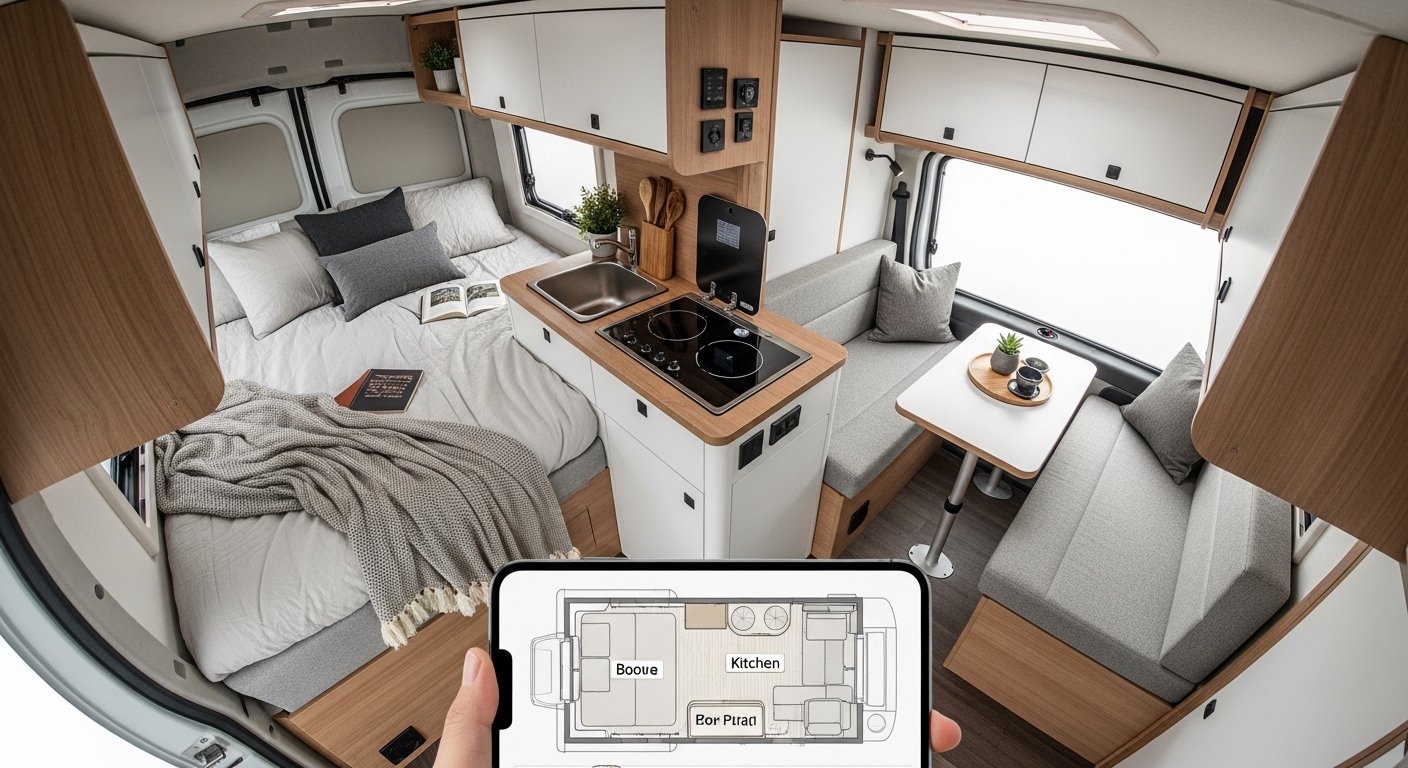
Planning your camper van is exciting. You dream about your new home on wheels. You want a cozy bed, a small kitchen, storage, and space to move. But how do you make sure everything fits? A good design app helps you see it all before you start building.
Many people search for the best free camper van design app. They want something simple for Android and iPhone. They need an easy layout planner that works on mobile. No hard tools. No big costs.
In this article, we look at the top free options. We focus on apps (or mobile-friendly tools) that are truly free or have strong free versions. We explain why they work well for van life. We share tips to use them. By the end, you can pick the right one and start planning your dream van.
Why Use a Free Camper Van Design App?
Building a camper van costs money and time. A bad layout means problems later. You might have no space for your fridge. Or your bed blocks the door.
A design app lets you:
- Draw the floor plan to scale.
- Add beds, seats, kitchen, bathroom.
- Move things around to test ideas.
- See in 2D or 3D.
- Avoid mistakes before buying wood or parts.
The best part? Many free apps work on your phone. You can plan while sitting in your van or at home. No need for a computer.
People often look for free camper van design app for Android or free camper van design app for iPhone. Good news: Some top tools work on both.
Top Free Options for Camper Van Layout Planning on Mobile
After looking at many tools and what van lifers say, here are the strongest free choices for phones.
1. Planner 5D – A Top Easy Choice for Phones
Planner 5D is one of the best free tools for van design on mobile. It has apps for both Android and iPhone.
Why it stands out:
- Very easy to use. Drag and drop furniture.
- Free version lets you make full plans.
- Works in 2D and 3D.
- Many items like beds, cabinets, sinks, tables.
- You can set custom room size for your van (like Mercedes Sprinter or Ford Transit).
- Save and share your plans.
- No big ads in free mode.
How to use it for camper van:
- Download the app.
- Start a new project.
- Choose “custom room” or blank floor.
- Set width and length to your van size (example: 6m long, 2m wide).
- Add walls if needed.
- Drag in furniture from the catalog.
- Switch to 3D to walk around your design.
Many van converters use it because it’s simple. No learning curve like big software.
It’s mobile-first. The app feels natural on phone or tablet. You can design on the go.
Downsides: It’s made for homes, so no pre-made van models. But custom size works great.
This is often called a best free camper van design app for its ease.
2. SketchUp Free (Web + Mobile Access)
SketchUp Free is a powerful 3D tool. It’s web-based but works well on phone browsers.
- Free with a Trimble account.
- Used by many van builders.
- Make exact models.
- Find free van templates in 3D Warehouse (search “Sprinter van” or “Transit van”).
- Draw from scratch or edit templates.
On phone: Open app.sketchup.com in your browser. It works on Android and iOS browsers.
Pros:
- Very accurate.
- Free 3D models of vans available.
- Export images.
Cons:
- Harder on small phone screen.
- Needs practice.
- Not a native app, so less smooth than Planner 5D.
If you want pro-level free design, this is good. Many tutorials show how to design camper vans in SketchUp.
3. HomeByMe – Mobile-Friendly 3D Planner
HomeByMe is another free online tool with mobile support.
- Free account gives good features.
- 2D and 3D views.
- Drag-drop furniture.
- Custom dimensions for van.
- Apps or mobile site for Android/iPhone.
It’s like Planner 5D but with nice realistic renders in free mode sometimes.
Good for beginners who want pretty pictures of their van.
Other Free Tools Worth a Look
- Floorplanner: Online, mobile browser. Simple drag-drop. Free basic plans.
- Roomstyler: Free, fun for small spaces. Good for ideas.
- Ignotus Gear: Has a free plan for camper conversion. Web-based, may work on mobile. Focuses on vans.
Note: Tools like VanSpace 3D are popular but not fully free (paid after trial or limited). We focus on truly free here.
Apps like iOverlander or Campendium are great for van life but not for design. They help find spots, not plan layouts.
Step-by-Step: How to Plan Your Camper Van Layout (Easy Way)

Use one of the apps above. Follow these simple steps.
- Know your van size. Measure inside length, width, height. Common vans: VW Crafter, Fiat Ducato, Ram ProMaster.
- List what you need:
- Bed (fixed or foldable?)
- Kitchen (sink, stove, fridge?)
- Seating or table?
- Storage (under bed, cabinets)?
- Bathroom (portable toilet or shower)?
- Windows, doors, solar?
- Open the app (like Planner 5D).
- Make the floor:
- Set exact size.
- Draw walls/curves if van has them.
- Add big items first:
- Bed takes most space.
- Place it, then see what’s left.
- Test ideas:
- Move things.
- Check walk space (at least 60cm paths).
- See if doors open.
- Think about weight balance.
- View in 3D:
- Walk through.
- Spot problems (like low headroom).
- Save and note measurements.
- Take screenshots.
- Use for shopping list.
Tips for success:
- Start simple. Don’t add everything at once.
- Think about daily use. Where do you cook? Sleep? Sit?
- For couples: Add space for two.
- For solo: More storage.
- Families: Bunk ideas.
- Use real sizes. Example: Standard bed 190cm x 135cm.
Benefits of Using These Free Apps
- Save money. No need to buy wood twice.
- Reduce stress. See if ideas work.
- Get inspired. Try many layouts fast.
- Share with friends or builders.
- Fun! Turn dreams into plans.
Van lifers say: “I used Planner 5D on my phone. It saved me from a bad bed placement.”
Another: “SketchUp free helped me model my Sprinter perfectly.”
Common Mistakes to Avoid
- Forgetting wheel wells or curves.
- Making bed too big – no room to move.
- Ignoring height (for standing or roof bed).
- No ventilation or window plan.
- Too much stuff – van gets crowded.
Always measure twice in app.
Final Thoughts: Which Is the Best Free Camper Van Design App?
For most people, Planner 5D is the best free camper van design app for Android and iPhone. It’s easy, mobile, free, and fun. You get quick results without hard learning.
If you want more power and don’t mind a bit of practice, try SketchUp Free on browser.
Both help you create an easy layout planner for your camper van.
Start today. Download one. Measure your van. Play with ideas. Your perfect camper van home is just a few drags away.
Happy planning and safe travels!
Disclaimer:
This article is only for information. We do not own or make any of the apps mentioned. We are not connected to them in any way. This is not a promotion or affiliate article. We do not earn money if you use the apps. App features or prices can change anytime. We are not responsible for any problems from using the apps or building your camper van.
Explore More
- Gosh App Download for Android & iPhone – Full Setup Guide
- Cove App – Download, Login & Explore Cove Eats, Cove Owners & My Cove Holiday Apps
- My Scotmid App – Login, Register & Download Guide (Android & iPhone)
About the Author








