Life moves fast. Work, family, studies, and daily tasks fill our days. Many people feel stressed because they run late or forget things. Poor time management causes problems like missed meetings, unfinished work, and feeling tired all the time.
Good time management changes that. When you manage time well, you finish tasks on time, feel calm, and have more free time for fun. In 2026, smart apps make this easy. They send reminders, track your day, and help you plan better.
One top choice is the Always On Time App. It is simple, fast, and made to keep you on time every day. Many users say it is the best time management app because it focuses on being punctual and organized without complicated steps.
What Makes the Always On Time App Special?
The Always On Time App stands out from other apps. Here are the main reasons:
It is built for real life. Many apps are too complex with too many buttons. This app keeps things easy. You open it, add tasks or events, set times, and get gentle reminders.
It helps you be punctual. The name says it all – “Always On Time.” It reminds you early so you leave on time. For example, if you have a meeting at 3 PM, it can alert you at 2:30 PM to prepare and at 2:45 PM to start moving.
It works for everyone. Students use it for classes and homework. Workers use it for meetings and deadlines. Parents use it for school pickups and doctor visits. Freelancers use it to track client work hours.
It is safe and private. Your data stays on your phone or secure cloud. No sharing without your permission.
It syncs across devices. Start on your phone, continue on your tablet or computer. Changes update everywhere.
In short, if you want an app that makes you feel in control of your day, this is a great pick.
Key Features of Always On Time App
The app has many helpful tools. All are easy to use.
Simple Task List Add tasks quickly. Write “Buy groceries” or “Call mom.” Set a time and date. The app shows them in order.
Smart Reminders Get notifications at the right moment. Choose how many minutes before – 5, 10, 30, or more. Sound or vibration alerts keep you on track.
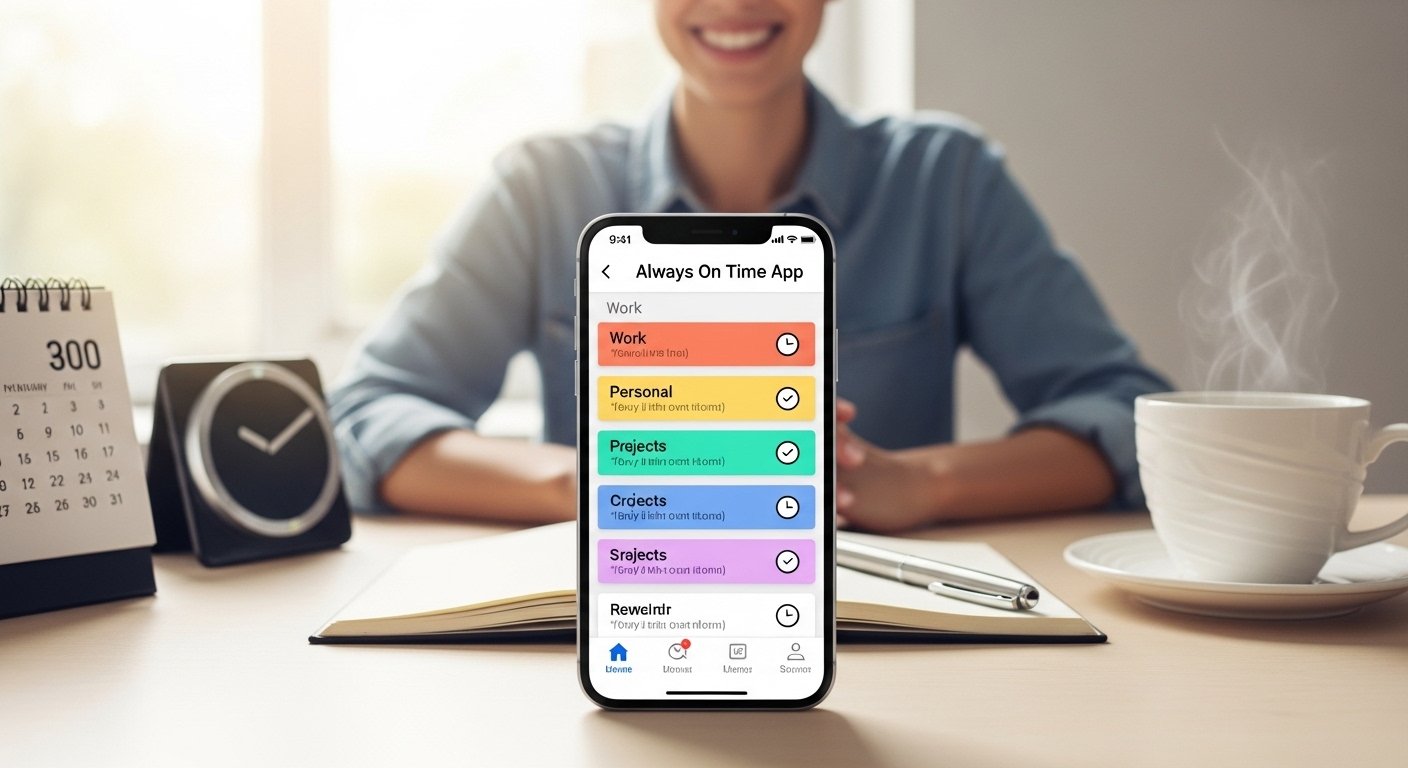
Daily Planner View See your whole day at a glance. Morning, afternoon, evening blocks show what comes next. Color codes make it fun and clear.
Punctuality Tracker The app notes if you start tasks on time. Over weeks, you see improvement. This motivates you to do better.
Quick Add Button One tap to add new events. Speak or type fast. No need to search menus.
Offline Mode Works without internet. Add tasks anywhere. Syncs when you connect again.
Custom Sounds and Themes Choose calm sounds for reminders. Change colors to match your style.
These features make the Always On Time App one of the easiest and most effective time management tools in 2026.
How the Always On Time App Helps in Daily Life
Imagine a normal day.
You wake up. The app reminds you: “Morning walk at 7 AM.” You get ready on time.
At work, it alerts: “Team meeting in 15 minutes.” You prepare and join early.
After lunch, “Finish report by 4 PM.” You focus and complete it.
Evening: “Pick up kids at 5:30 PM.” You leave early and arrive on time.
No rush. No stress. You feel proud.
For students: Reminders for study time, exam prep, and assignment due dates.
For busy parents: Schedule family dinners, sports practice, and shopping.
For professionals: Track billable hours, client calls, and project deadlines.
Many users say this app changed their life. They are no longer late. They achieve more. They enjoy free time without worry.
How to Download the Always On Time App Easily

Downloading is simple and safe. Follow these steps:
- Open your phone’s app store.
- For Android: Google Play Store
- For iPhone: Apple App Store
- Search for “Always On Time App” or “Always On Time time management.”
- Look for the official app. Check the developer name and read reviews. It has high ratings (4.5+ stars) from thousands of users.
- Tap “Install” or “Get.” It is free to download.
- Wait a few seconds. The app appears on your home screen.
- Open it. Sign up with email or phone number. Some versions allow guest mode to try first.
- Allow notifications. This is important for reminders.
That is all! You can start using it right away.
Always on time app download is quick – less than 2 minutes. No payment needed at start. Free version has all basic features.
Easy Tips to Get the Most from Always On Time App
To succeed fast, use these simple tips:
Start small. Add only 3-5 tasks per day at first. Do not overload.
Set reminders early. Give yourself buffer time to avoid being late.
Review your day every night. See what worked and what to improve.
Use colors. Mark work red, family blue, personal green.
Combine with habits. Link app reminders to phone alarm or daily routine.
Update regularly. New versions add better features.
Share with friends. They can see how it helps you.
These tips come from real users who improved a lot.
Why Choose Always On Time App Over Others in 2026?
Many time management apps exist. Todoist is good for tasks. TickTick has nice calendars. Toggl tracks hours well. Forest helps focus.
But Always On Time App wins for one big reason: it focuses on being on time. Other apps do many things, but this one makes punctuality easy and fun.
It is lighter on phone battery. Simple design loads fast.
Free version is powerful. No ads in basic use.
User support is friendly. Questions get quick answers.
In 2026 reviews, it ranks high for ease and real results.
If you want the best time management app that keeps you always on time, download this one.
Final Thoughts: Take Control of Your Time Today
Time is the most valuable thing we have. Once a minute passes, it never comes back. But with the right tool, you can use every minute well.
The Always On Time App is simple, powerful, and free to start. It helps students, workers, parents, and anyone who wants to stop being late.
Do not wait. Download it now. Search “always on time app download” in your app store.
Install it. Add your first task. Feel the difference from day one.
You will wonder why you did not start earlier. Your days will become calmer, more productive, and happier.
Be always on time. Start today!
Disclaimer:
This article is only for information. It is not a promotion or affiliate content. We are not paid by the app or its developers. The information here may change, and we do not guarantee that the app will work for everyone. Always check the app store and official sources for the latest details. Use the app at your own risk.
Explore More
- Gusto Gold Rewards App – Download Free & Enjoy Exclusive Rewards
- Mobile Worker App – Download the Best Mobile Worker App Easily
- Lift App – Easy Elevator & Fitness App for Smart Control and Tracking
About the Author








