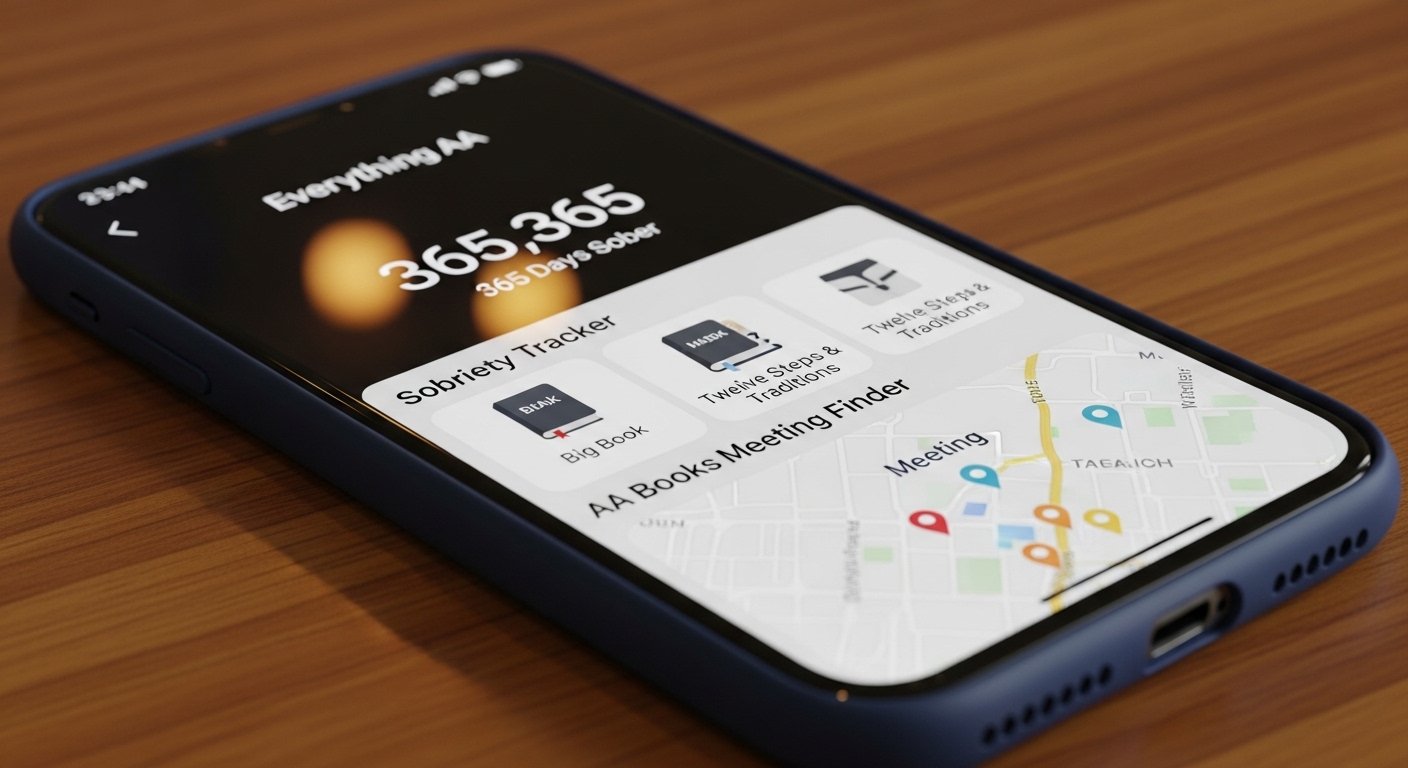
The Everything AA app is a free helper for people in Alcoholics Anonymous. It puts many important AA things in one simple place on your phone. You can read AA books, listen to talks, find meetings, and count your sober days. All of this is free with no ads to bother you.
This app helps anyone who wants to stay sober and follow the 12 steps of AA. AA is a group where people help each other stop drinking alcohol. They share stories and support one another. Many people say this app is the best free tool for recovery. It has high ratings—like 4.9 stars from over 40,000 reviews on the App Store and Google Play in 2026.
The app comes from Everything AA LLC. You can find it on the official website everythingaa.com. It works well on Android phones and iPhones. There is no special version for computers, but you can use it on a PC with a simple trick. This article explains everything in easy words—what the app does, how to get it safely, why people like it so much, and good tips to use it every day.
What Is the Everything AA App?
Everything AA is like having a full AA library and helper in your pocket. It gives you quick access to the most important AA materials. You do not need to carry heavy books or search many websites. Everything is right there on your phone.
The app started to make recovery easier. Developers keep adding new things because users ask for them. It stays completely free. There are no ads, and the main features never cost money. Some people choose to give a small one-time payment to support the makers, but you do not have to. The app still works fully for free.
People in recovery love it because it feels complete. One user in a 2026 review said, “All the materials I need are with me wherever I go.” Another shared, “The sobriety tracker keeps me motivated.” Many say it is like a daily friend for staying sober.
Main Features of the Everything AA App
This app has many helpful parts. You can use them every day to stay strong in your recovery.
It has a worldwide online meeting finder. You can search for AA meetings on Zoom or video from anywhere. This is very good when you travel or need a meeting late at night. It also shows in-person meetings if you want to go.
You get the full Big Book of Alcoholics Anonymous. Read the text or listen to the audio version. The same goes for the 12 Steps and 12 Traditions book. It explains the steps clearly with text and audio.
Every day, there is a short reading called Daily Reflections. Many people read it first thing in the morning to start the day right. There is also the book Living Sober with text and audio.
The app includes popular Joe and Charlie tapes. These are funny and wise talks by two well-known AA speakers. People listen to them often because they feel real and helpful.
You find short pamphlets on topics like working the steps or finding a sponsor. There is a sobriety counter too. It shows exactly how many days, months, or years you have been sober. Seeing the number grow feels very good and keeps you going.
The app has other nice tools like nightly reviews, gratitude lists, and prayers all in one easy spot. It keeps growing with new updates. Everything is simple to find and use, even if you are not good with phones.
How to Download the Everything AA App for Android
If you have an Android phone or tablet, getting the app is very easy and safe.
First, open the Google Play Store on your device. This is the official place for Android apps. In the search bar at the top, type “Everything AA”. Look for the app made by Everything AA. It has a 4.9 star rating and many good reviews.
Tap the Install button. The app is free and does not take much space. It downloads quickly. After it finishes, open the app and start looking around.
Always get Everything AA for Android from Google Play only. Other websites might have fake or bad versions that can harm your phone. The official app is safe and trusted. It works on most Android devices with recent updates. In 2026, users still say it runs smoothly and helps them daily.
How to Download the Everything AA App for iPhone

For iPhone or iPad users, the steps are just as simple.
Open the App Store on your phone. This is the safe place for iOS apps. Tap the search icon and type “Everything AA”. Find the one by Everything AA LLC. It shows as free, with optional supporter payments if you want to give.
Tap Get to download it. You may need to use Face ID, Touch ID, or your password. The app installs fast.
Everything AA for iPhone works great on iOS. The audio sounds clear, and the text is easy to read on the screen. Reviews from 2026 say things like “I am so grateful to have a full AA resource in one place” or “The prayers are all in one spot and easy to find.” Many people use it every day for meetings, readings, and tracking sobriety.
Everything AA App for PC – How to Use It on a Computer
There is no direct Everything AA app made just for PC, like Windows or Mac. The app is built for mobile phones.
You can still enjoy it on a computer. Use a free program called an Android emulator. This program makes your computer work like an Android phone.
Some popular free emulators are BlueStacks, NoxPlayer, or LDPlayer. Go to their official websites—like bluestacks.com—to download them safely.
After you install the emulator, open it and sign in with your Google account. Then open the Google Play Store inside the emulator. Search for “Everything AA” and install it the same way as on a phone.
Now you can use the app on your big computer screen. This is nice for reading long books or listening to audio while sitting at a desk. It uses more computer power, so the phone version is better for most people. You can carry your phone everywhere.
Why People Love the Everything AA App So Much
This app is very popular for many good reasons.
It is free forever with zero ads. Nothing pops up to distract you during important readings or talks.
All the main AA books, audio, pamphlets, meetings, and tools are in one app. You do not need to open different programs or search online.
The online meeting finder helps anytime. If you cannot go to a local meeting, you can join one from home or while traveling.
The sobriety counter is a big motivator. Seeing your sober days add up makes you proud and strong.
Audio features are perfect for listening while you walk, drive, or do chores. Joe and Charlie talks feel like talking to wise friends.
Users share happy stories everywhere. On the App Store in 2026, people write “This app is a must-have” or “It has everything for recovery.” One person said they reached 75 days sober thanks to the app. On Reddit and other places, people call it “awesome” and “a complete toolbox.”
Compared to the official AA Meeting Guide app from aa.org, Everything AA gives more. The official one is great for meetings only. This app adds full books, audio, and daily tools.
Simple Tips to Use the Everything AA App Well
Here are some easy ways to get the most from the app.
Always download from Google Play or the App Store. This keeps your phone safe.
Check for updates now and then. New versions fix small problems and add fresh content.
Listen to audio with earphones. It helps you focus better on talks.
Try to read Daily Reflections every morning. It sets a good start for the day.
Use the sobriety counter honestly. Watching your progress feels wonderful.
If the app helps you a lot and you want to say thank you, you can make a small supporter payment. But it is not needed—the app stays free for everyone.
Share the app with friends who need help. It can make a big difference for them too.
Final Words
The Everything AA app is a wonderful free tool for anyone in Alcoholics Anonymous or starting their journey to sobriety. It brings meetings, books, audio, daily readings, and tracking together in one easy place.
No matter if you want the Everything AA app download for Android, the Everything AA app for Android free download, the Everything AA app for iPhone, or even to use it on PC with an emulator—it is simple, safe, and from official stores only.
Recovery happens one day at a time. This app can be your helpful companion every day. You are never alone. Keep going strong.
If alcohol is a problem for you, reach out. Try a meeting or talk to someone. Tools like this make the path easier and brighter.
Disclaimer:
This article is only for information. It is not an ad or a promotion. We do not earn money if you use the app. The Everything AA App is made by its own creators. We are not responsible if something goes wrong. Always download the app from official stores like Google Play or App Store. If you have problems with alcohol, please talk to a doctor or AA group. Using the app is your choice.
Explore More
- Colchester Taxi App – Book Your Ride Fast & Easy in 2026
- MSR App Review 2026: Is the MSR App Legit? Insights from Reddit & Everything About The MSR App
- ESPC App Download – Get ESPC App for iPhone & Android Easily
About the Author








