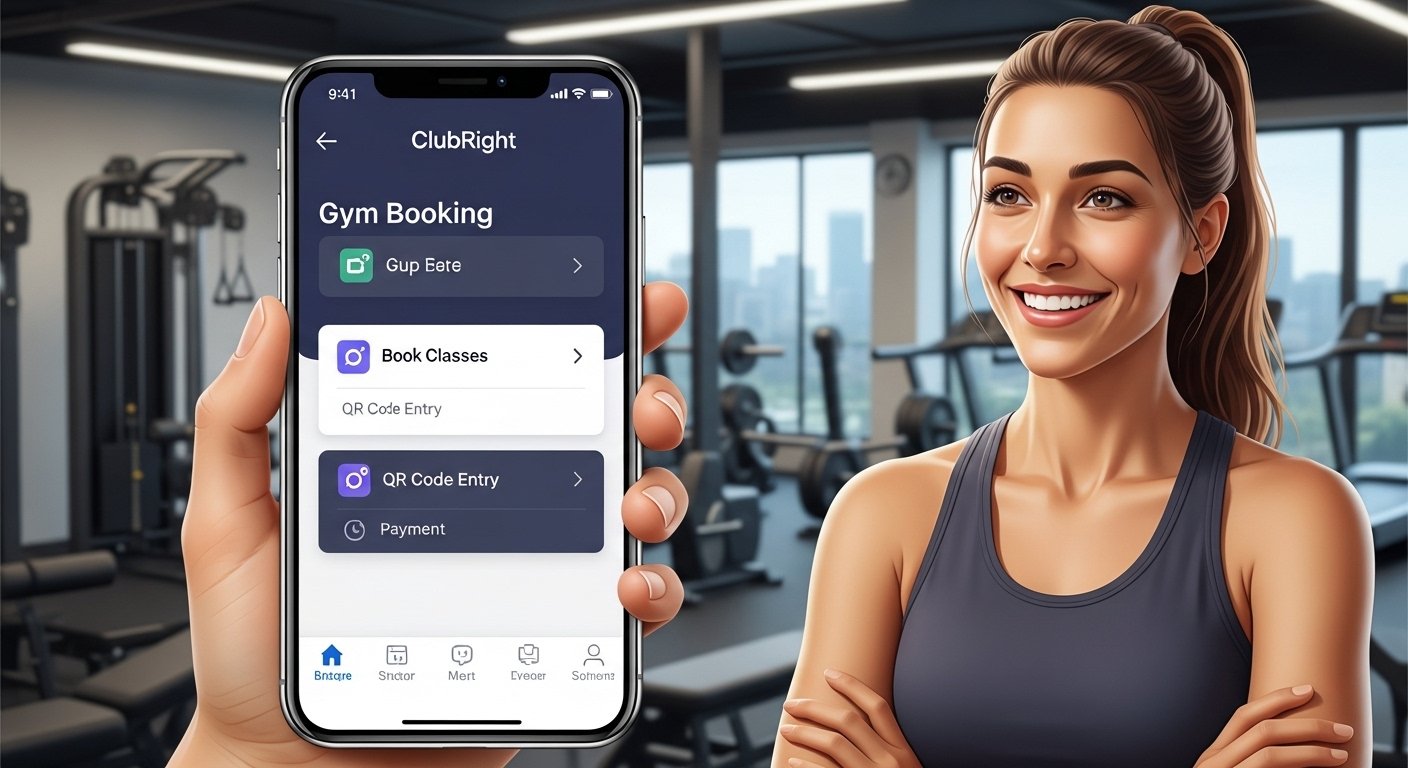
The ClubRight app is a helpful mobile tool made for members of gyms, fitness clubs, martial arts dojos, dance studios, and other similar places. It is the member app from ClubRight, which is a popular membership management software used by many clubs in the UK and other places. The app lets you handle your gym or club membership easily from your phone.
With the ClubRight app, you can do many things without going to the club desk. You can book classes or sessions, pay for your membership, check your schedule, update your details, see your progress, and even use a QR code or barcode to enter the club. It makes life simple for members and helps clubs run better.
This guide will show you everything step by step in very easy English. We cover how to download the ClubRight app, how to register, how to login, and what to do if the ClubRight app is not working or has problems. This article uses facts from the official ClubRight website, app stores, and help center to make sure all info is correct and up to date.
What is the ClubRight App?
ClubRight is a full system that clubs use to manage members, payments, bookings, and more. The ClubRight Member App is the part that members use on their phones (iOS or Android).
Key features of the app include:
- Book and cancel classes, events, or personal sessions online.
- Pay membership fees or buy products safely from your phone.
- Update your personal details like phone number or address.
- Upload one photo for your member profile.
- See a dynamic QR code or barcode to check in at the club.
- Search for activities and classes easily.
- Share club info with friends on social media.
The app is free to download and use if your club uses ClubRight software. But you must be a member of a club that uses ClubRight first. It is not a standalone app – it connects to your club’s system.
Many users say it helps them save time and stay active. Clubs like gyms and studios trust it because it is safe and easy.
How to Download the ClubRight App
Downloading the ClubRight app is very simple. It is available on both major app stores.
For iPhone or iPad users (iOS):
- Open the App Store on your Apple device.
- In the search bar, type “ClubRight” or “ClubRight App”.
- Look for the app named ClubRight by ClubRight (it has the official logo).
- Tap Get or the download button.
- Wait for it to install. It is free.
- Once done, the app icon will appear on your home screen.
For Android phone or tablet users:
- Open the Google Play Store.
- Search for “ClubRight”.
- Find the app called ClubRight (package like com.thecodeguy.clubright).
- Tap Install.
- It will download and install for free.
- Open the app from your apps list.
ClubRight app download is quick and takes only a minute or two with good internet. Make sure your phone has enough space and is updated to the latest OS version for best performance.
Note: Always download from the official App Store or Google Play Store. Do not use other sites to avoid fake apps.
How to Register on the ClubRight App
Many people search for ClubRight app register because the app needs setup first.
Important: You must be registered with your club first before the app works fully. The club adds you to their ClubRight system when you join or sign up at the gym.
To register or set up your account in the app:
- Open the ClubRight app after download.
- You will see a welcome screen. It may ask for your club or show a login page.
- If you are new, your club should give you a special link or invite email to create your online account. This is very important.
- If you did not get it, ask your club staff for the “register link” or confirmation email.
- Click the link from your club (it is usually sent to your email). It takes you to a page to create your password and confirm your email.
- Use the same email that your club has on file for you.
- Set a strong password.
- Verify your email if asked (check your inbox or spam folder).
- Once done, go back to the app and use your email and new password to log in.
After this, your account links to your membership. You can then upload a photo, update details, and start booking.
If your club has not set you up yet, the app may show errors. Contact your club to get registered in their system first.
How to Login to the ClubRight App

ClubRight app login is easy once registered.
- Open the ClubRight app.
- Enter the email address you used when registering (the one your club has).
- Type your password.
- Tap Login or Continue.
- If correct, you go to the main screen where you see your membership info, bookings, and options.
Forgot your password?
- On the login screen, tap Forgot Password?.
- Enter your email.
- Check your inbox for a reset link.
- Follow the link to make a new password.
- Then log in again.
Some clubs use a unique login link sent by email instead of normal login. If so, use that link first to set up.
After login, you can see your QR code for entry, book classes, pay bills, and more.
ClubRight App Not Working? Common Issues and Fixes
Many users face ClubRight app not working problems. Here are the most common issues and how to fix them based on official help and user reports.
- App will not open or crashes
- Force close the app and reopen it.
- Restart your phone.
- Update the app in the App Store or Play Store (check for updates often).
- Clear app cache (on Android: Settings > Apps > ClubRight > Storage > Clear Cache).
- If still bad, delete the app and download again.
- Login fails or says wrong details
- Make sure you use the exact email from your club record.
- Check if your account is verified (club can see this in their system).
- Reset password as above.
- If club changed your email, ask them to update it to match what you use.
- Some users say the app needs force close if it was open before.
- Can not book classes or see schedule
- Check your membership is active and allows bookings.
- Ensure internet is strong (Wi-Fi or mobile data).
- Search under the right location or category in the app.
- QR code or access not working at the club
- Make sure your membership plan gives access.
- Refresh the app to get a new QR code.
- Ask club staff if their side (like Welcome Screen) has issues.
- App shows disabled or no connection
- Check if your club enabled the app for members.
- Verify your online account is confirmed (green ticks in club system).
- Try on another phone to test.
- Other tips for fixes
- Update your phone OS.
- Use good internet – weak signal causes many problems.
- If recent update broke it, wait for next fix or contact club.
- Some Android users had forced updates from Google Play – update immediately.
If nothing works, contact your club first. They can check your account in ClubRight software. ClubRight support helps clubs, so your gym staff can talk to them.
Do not worry – most issues are small and fixed fast with these steps.
Why Use the ClubRight App?
The app makes your club life better. You can book a class at night from home, pay without cash, and avoid waiting at the desk. It helps you stay fit by easy access to your schedule.
Clubs like it because it reduces admin work and gets payments on time.
Users give good reviews for easy booking and payment. Some say the design could be better for scrolling classes, but overall it works well.
Final Tips for Best Experience
- Always use the latest app version.
- Keep your email and password safe.
- Contact your club for any account issues – they know your membership best.
- If you are new to the club, ask staff to show you the app setup.
With these steps, you can download, register, login, and fix most ClubRight app problems easily. Enjoy your gym or club time!
Disclaimer:
This article is only for information. It is not a promotion, advertisement, or affiliate link. We do not sell, recommend, or get paid for the ClubRight app. All steps and tips come from public information from the app, official website, and app stores. We are not responsible for any problems, errors, or issues you may have with the app. Always follow your club’s instructions and use the official app safely.
Explore More
- The Airmid App – Download for UK, PC, and Android Easily
- Thirdfort App – Download & Learn What It Is and What It’s Used For
- The Arenti App – Download for iPhone, PC & Windows Easily
About the Author







