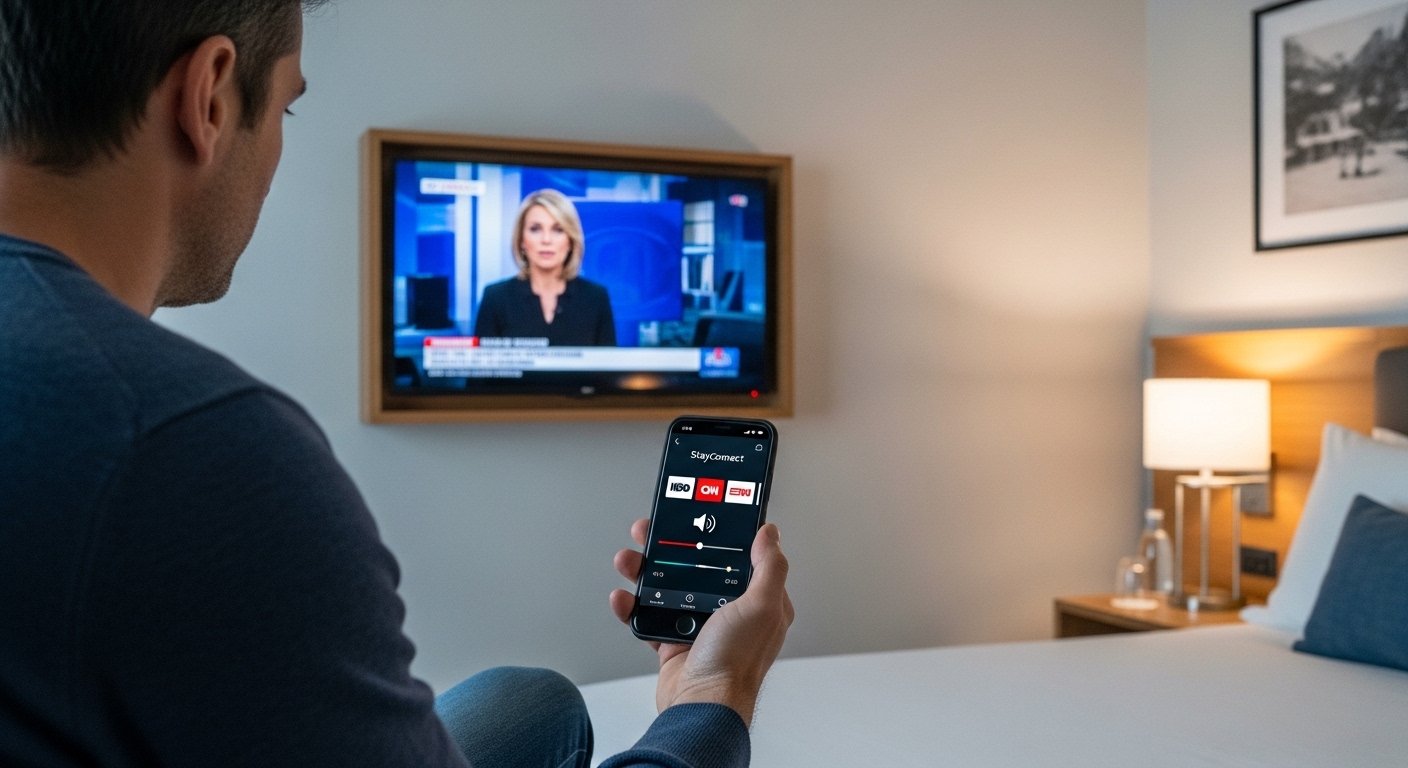
The StayConnect App is a helpful tool made by SONIFI Solutions Inc. It lets travelers use their phone as a remote control for the TV in their hotel room. This app is free to download and works in thousands of hotels across North America. Many big hotel brands support it, like Hilton, Marriott, Sheraton, Holiday Inn, and more.
People often search for the StayConnect app hotel feature because it makes watching TV easier when you travel. You do not need to touch the hotel remote (which many people find dirty). Instead, you use your own phone. This is clean, simple, and fast.
What Is StayConnect App?
The StayConnect app is a mobile tool that connects your smartphone to the hotel room TV. It turns your phone into a remote. You can turn the TV on or off, change the volume, mute sound, switch channels, and see a list of channels.
To use it, look at the hotel TV screen. It shows a code or menu when you turn on the TV. Open the app on your phone, enter that code, and connect. After that, your phone controls the TV. No wires or extra setup needed.
This app helps a lot during travel. Hotels have many channels, but finding them with the small remote is hard. The app shows a clear channel list on your big phone screen. Some older versions had extra paid features like a full program guide for $0.99 a year, but the basic remote control is free.
The app is safe because it only controls the TV in your room. It does not share your personal info with the hotel TV system in a way that risks your data. Many travelers like it for this reason.
StayConnect App Download: How to Get It on Android and iPhone
Downloading the StayConnect app is very easy and free.
For Android (stayconnect app android):
- Open the Google Play Store on your phone.
- Search for “stayconnect remote” or “stayconnect® remote”.
- The app is by SONIFI Solutions Inc.
- It has over 500,000 downloads.
- Click “Install”. It works on most Android phones.
For iPhone (stayconnect app for iphone or stayconnect app iphone):
- Open the App Store.
- Search for “stayconnect remote” or “stayconnect® remote”.
- The app is free.
- Click “Get” to download.
- It works on iOS devices like iPhone.
Always download from the official stores to stay safe. Do not use third-party sites for downloads. The app is updated often, like for new Android or iOS versions.
After download, keep the app on your phone when you travel. It is small and does not take much space.
How to Use StayConnect App in Hotels
Using the app is simple. Follow these steps:
- Turn on the hotel TV with the room remote or power button.
- The TV shows an interactive menu or a code (like a pairing code).
- Open the StayConnect app on your phone.
- The app asks for the code or shows nearby TVs.
- Enter the code from the TV screen.
- Your phone connects in seconds.
- Now use your phone to:
- Turn TV on/off
- Up/down volume or mute
- Change channels
- See channel names and numbers
It works in many hotels. If the hotel uses SONIFI systems, it connects fast.
Some hotels have extra features, but the main use is as a remote.
StayConnect App Netflix: Streaming Your Shows

Many people ask about stayconnect app netflix. The StayConnect app itself is not for streaming Netflix directly. It controls the hotel TV like a remote.
But in many hotels, you can watch Netflix on the room TV in other ways. Some hotels have built-in Netflix on smart TVs. Or they use systems like STAYCAST (also from SONIFI).
STAYCAST is a different tool from the same company. It lets you cast Netflix, YouTube, or other apps from your phone to the hotel TV safely. It keeps your account private—no need to log in on the shared TV.
With STAYCAST:
- You connect your phone to the TV.
- Stream your Netflix account.
- Only your room TV gets the content.
- No one else sees your watch list.
Some hotels use website pairing for STAYCAST—no app needed, just visit a link in your browser.
If your hotel TV has Netflix built-in (common in Hilton and others), use the remote or app to open it. Log in with your Netflix details. But for safety, many prefer casting from phone.
The StayConnect app helps by controlling the TV to open apps or change inputs if needed.
StayConnect App Hilton: Works Great with Hilton Hotels
Hilton hotels often support the stayconnect app hilton. Hilton has “Connected Rooms” in many places. They partner with Netflix and other services.
In Hilton:
- Many rooms let you log into Netflix on the TV.
- Use the Hilton Honors app or remote.
- The StayConnect app works as an extra remote for channel surfing or basic control.
Travelers say it is easy in Hilton brands like Hampton Inn, DoubleTree, Embassy Suites, Homewood Suites, and more.
If the TV shows the StayConnect code, it works. Hilton uses SONIFI in many properties.
StayConnect App Cast: Casting and More
The stayconnect app cast idea comes from how people use it with casting. The basic StayConnect is for remote control, not full casting like Chromecast.
But SONIFI’s STAYCAST does casting:
- Cast Netflix, Disney+, Hulu, etc.
- Secure and private.
- Works in supported hotels.
Some people mix them up, but StayConnect is mainly the remote app. For full stayconnect app cast, check if your hotel has STAYCAST or Chromecast built-in.
Hotels like Hyatt, Wyndham, and others have Chromecast in rooms. You cast from your phone apps.
StayConnect App MacBook: Using on Laptop?
The stayconnect app macbook is a common search, but there is no official MacBook app. The app is only for mobile—Android and iPhone.
On a MacBook, you cannot download the StayConnect remote app. It is made for phones.
But you can still enjoy hotel TV:
- Use HDMI cable from MacBook to TV (if ports available).
- Or use hotel Wi-Fi and cast if the TV supports AirPlay or Chromecast (for Mac, AirPlay to Apple TV if present, but rare in hotels).
- For Netflix on MacBook, watch on your laptop screen.
The app is phone-only for hotel TV control.
Why Travelers Love StayConnect App
Here are some reasons:
- Avoid dirty remotes—use your clean phone.
- Easy channel guide on phone screen.
- Quick connect with code.
- Free to use.
- Works in thousands of hotels.
- Good for families—kids can use phone to change channels.
- Helps when remote batteries are low or lost.
Users give good feedback. It does what it promises—simple TV control.
Some reviews say it replaces the remote well. You see channels clearly.
Tips for Best Use
- Download before travel.
- Turn on phone Wi-Fi (hotel Wi-Fi needed sometimes).
- If code does not work, ask front desk—some hotels use different systems.
- Update the app for best performance.
- For streaming, check hotel TV for built-in apps or casting options.
- In Hilton or big chains, expect good support.
Other Ways to Enjoy TV and Streaming in Hotels
If StayConnect does not work:
- Use hotel smart TV apps.
- Bring HDMI cable for phone/laptop.
- Ask for Chromecast or streaming device.
- Use mobile data for phone hotspot if Wi-Fi slow.
Many hotels improve streaming. Hilton added Netflix years ago. Others follow.
Final Thoughts
The StayConnect app makes hotel stays better. It is simple, free, and useful for Android and iPhone users. Download it today from Google Play or App Store. Next hotel trip, pair your phone and enjoy easy TV control.
Whether you want basic remote functions or check for Netflix/Hilton features, this app helps. Travel smart and stay entertained!
Disclaimer:
This is just information about the StayConnect app. We do not promote or sell it. We are not connected to the app or any hotel. The app may change, and we are not responsible if it does not work. Always check official sources before using it.
Explore More
- Runna App Review 2026: Cost, Pricing, Free Trial, Strava Integration & Discount Codes Explained
- BetAnySports Login App: Download for Android, Account Access, Lottery Login & Reviews + Phone Support
- OnStream App: Download, Safety, Firestick & Android Guide + Fix Not Working Issues
About the Author







