Zelle is a very popular way to send and receive money fast in the United States. Many people used it to pay friends, family, or even small businesses. But in 2025, big changes happened with the Zelle app. If you are searching for terms like “Zelle app shutting down,” “Zelle app shutdown,” or “Zelle app going away,” you are not alone. Lots of users want clear answers.
In this guide, we explain everything in simple, easy English. We cover what happened to the standalone Zelle app, why it shut down, if you can still download it, how to use Zelle on iPhone and Android now, and what the Zelle app looked like before the change. All facts come from official sources and trusted news to keep things accurate and helpful. No misleading info here.
What Is the Zelle App?
Zelle is a fast, safe payment service. It lets you send money directly from your bank account to another person’s bank account. Usually, the money arrives in minutes. You only need the other person’s email or U.S. mobile phone number.
What does Zelle app do? It was made for person-to-person (P2P) transfers. No fees for most users. It worked between almost any U.S. banks. Over 2,200 banks and credit unions support Zelle. In 2024, people sent over $1 trillion using Zelle. That shows how big and trusted it is.
Many people ask: Is there a Zelle app? Yes, there was a standalone one, but things changed.
Why Did the Zelle App Shut Down?
The standalone Zelle app (the one you download separately from app stores) stopped working for sending and receiving money on April 1, 2025. This is the “Zelle app discontinued” or “Zelle app shutdown” news you may have seen.
Zelle’s company (Early Warning Services) said most users (about 98%) already used Zelle inside their bank’s own app or website. Only about 2% used the separate Zelle app. So, they decided to stop the standalone version. This makes things simpler and safer because bank apps have extra security.
Important: Zelle the service is not shutting down. It is still active and growing. You can still send and receive money. The change only affects the separate app.
News from places like CNN, CNET, USA Today, and Zelle’s own site confirm this. As of 2026, Zelle works fine through banks. No outages stop the whole service.
Can You Still Download the Zelle App for iPhone or Android?
After the shutdown, the standalone Zelle app is no longer useful for payments. It may still show in some searches or old links, but:
- New downloads do not let you send or receive money.
- If you had it before April 2025, you can log in to see old history until around August 2025 (but no new transfers).
- App stores (Apple App Store for iPhone and Google Play for Android) removed or limited the official Zelle app for new users.
Zelle app download links from the official site (like enroll.zellepay.com/mobile) now redirect or say to use your bank’s app.
Zelle app for iPhone — No more standalone. Use your bank’s iOS app. Download Zelle app for Android — Same story. No standalone payments anymore.
Do not download fake or old versions from unknown sites. They can be unsafe or scams.
To check if your bank has Zelle: Go to zellepay.com and search for your bank. Or open your bank’s app and look for “Zelle” or “Send Money.”
How to Use Zelle Now on iPhone and Android (Step-by-Step Guide)
Good news: Using Zelle is still easy. Just do it inside your bank’s app. Here is how:
- Open your bank’s mobile app (like Chase, Bank of America, Wells Fargo, or any participating bank).
- Sign in with your username and password.
- Look for sections like “Pay & Transfer,” “Transfers,” “Send Money,” or “Zelle.”
- Enroll if you have not already — add your email or phone number.
- Choose a contact or enter an email/phone.
- Type the amount and send. Money goes directly to their bank.
For Zelle app en español (in Spanish): Many bank apps have Spanish options. Change language in settings. Zelle’s site has some Spanish help too.
Tips for success:
- Both people need banks that support Zelle.
- Only send to people you trust — treat it like cash.
- If your bank does not have Zelle, switch to one that does or try other apps like Venmo or Cash App.
This way is often safer because bank apps use fingerprint, face ID, or strong login.
What Does the Zelle App Look Like?

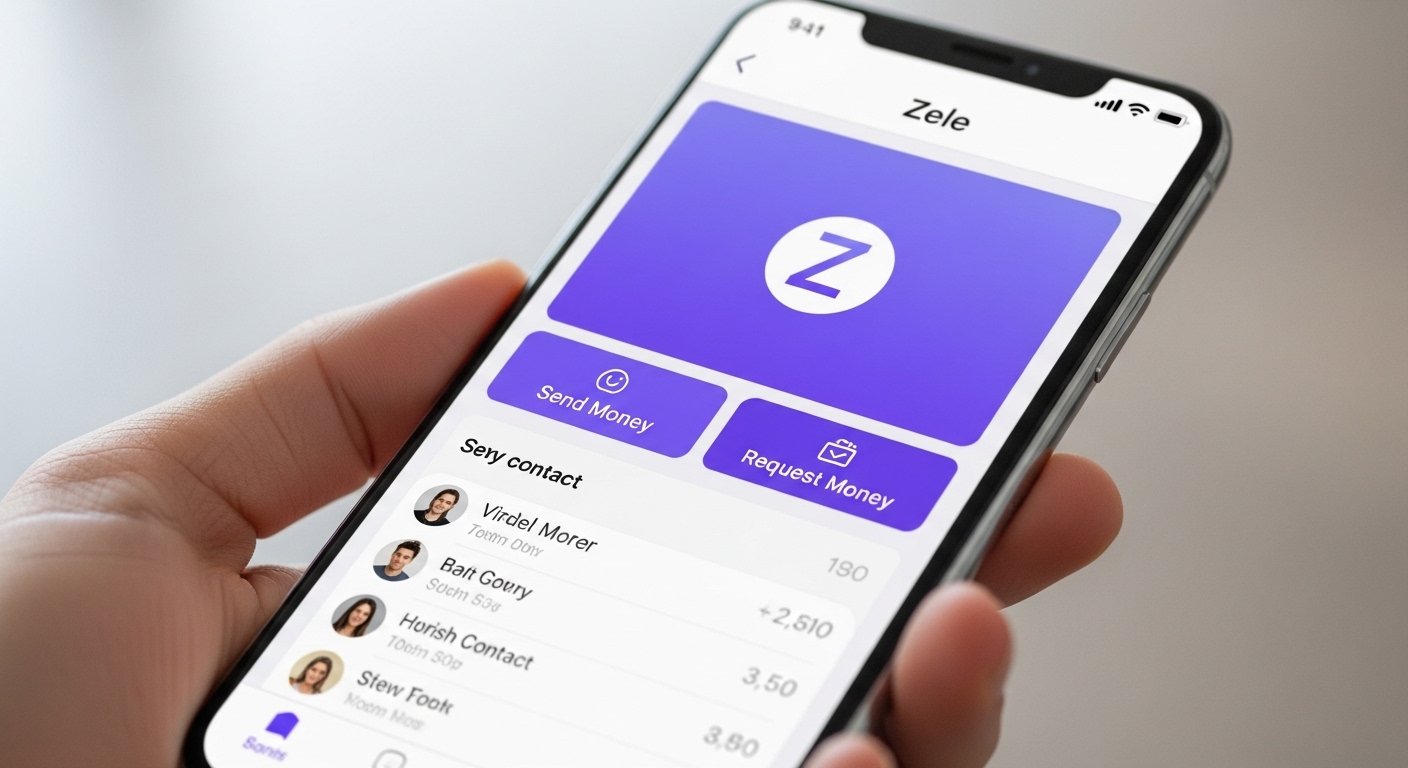
Before the shutdown, the standalone Zelle app had a clean, simple design. People often search “what does Zelle app look like” or “what does the Zelle app look like.”
The main screen showed:
- A purple and white color theme (Zelle’s logo is a purple “Z”).
- Big buttons for “Send,” “Request,” and “Activity” (to see past transfers).
- Easy search for contacts by name, email, or phone.
- A home page with your balance or recent activity.
- Settings to add banks, manage enrolled emails/phones.
Screenshots from back then showed:
- Top bar with the Zelle logo.
- Simple forms to enter amount and note (like “Thanks for lunch”).
- Confirmation screens with “Money Sent” in green.
- Activity list showing sent and received payments with dates and amounts.
It looked modern and user-friendly — not too many ads or extra features. Just fast payments.
Now, inside bank apps, Zelle looks a bit different for each bank. For example:
- In Bank of America, it is under “Pay & Transfer” with a purple Z icon.
- In Chase, it shows contacts with a purple Z next to names who use Zelle.
- You see the same fast transfer but with your bank’s colors and menus.
The core is the same: Enter amount, send, done.
Why This Change Helps Users
Zelle moved to bank apps for good reasons:
- Better security — banks have fraud protection.
- No need for extra app — everything in one place.
- More people can use it — over 2,200 banks now.
- Faster help if issues — contact your bank directly.
If you liked the old Zelle app, you may miss the simple look. But bank apps are getting better every year.
Alternatives If You Miss the Standalone App
If your bank does not support Zelle or you want options:
- Venmo — Fun app with social feed.
- Cash App — Easy, with debit card option.
- PayPal — Good for online too.
- Apple Cash (on iPhone) or Google Pay.
But Zelle is still one of the fastest for direct bank transfers.
Final Thoughts
The Zelle app shutdown in April 2025 was just about the standalone version. Zelle service is alive and strong in 2026. Use your bank’s app for the best experience on iPhone or Android.
If you have questions, visit zellepay.com/help-center or your bank’s support. Stay safe — only send to trusted people.
Disclaimer:
This is only information. We are not selling, promoting, or making money from Zelle or any app. Always check your bank or Zelle for correct info. Use apps carefully. We are not responsible for any problems or losses.
Explore More
- VeryFit App: Download, Review, Safety, Android & iPhone Guide + Fix Issues & Alternatives
- Steady App: Download, Reviews, Login Guide, Safety & Reddit Insights
- StayConnect App: Download for Android & iPhone, Hotels, Netflix, MacBook, Hilton & More
About the Author







