
An InstaPV IG viewer lets you open a public Instagram profile in your browser without creating an Instagram account or signing in. You enter a username, and the viewer shows the public profile picture, bio, recent posts, reels, stories and highlights in one place. This guide explains how an IG viewer works, what it can show, and where its limits are.
What Is an IG Viewer?
IG viewer is a short name for an Instagram profile viewer. It is a web-based tool, not an Instagram feature, and it is designed for public accounts. Instead of asking you to log in, follow an account, or install an app, it requests the public information Instagram already publishes for that profile and displays it in a clean browser view.
People use the term IG viewer in a few different ways. Sometimes they mean a story viewer, sometimes a profile viewer, and sometimes a general Instagram viewer. The useful distinction is what you want to see: a full profile, a story, a reel, or a highlight. A good viewer brings those together, but it still works only with public content.
How an IG Viewer Works
The process is usually short, and it helps to know it before you trust a tool.
First, you type a public username, with or without the @ symbol. Some viewers also accept a full public profile link. Second, the viewer fetches the public profile data, including the profile picture, bio, follower and post counts, and the recent media grid. Third, you browse that result, switching between posts, reels, stories and highlights where available.
Because the viewer never signs in as you, your own Instagram account is not part of the request. That is why your name does not appear in a story viewer list when you view a story through a no-login viewer. For ordinary profile visits, remember that Instagram does not publish a profile-visitor list at all, so the main benefit there is convenience, not a hidden visit.
What Can You See With an IG Viewer?
Profile Picture, Bio and Counts
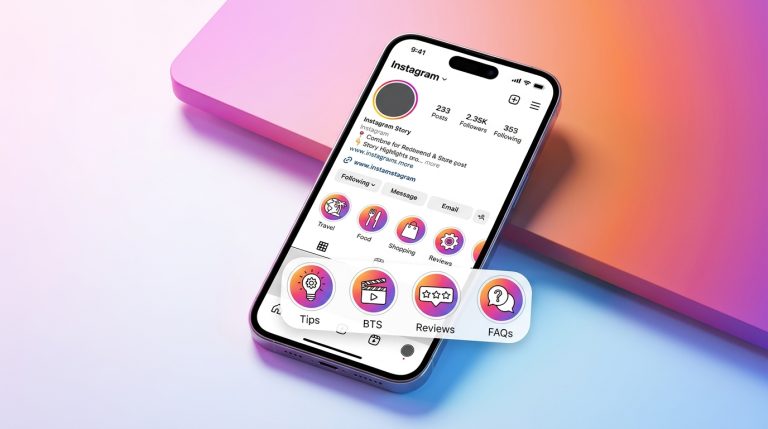
The first thing an IG viewer shows is the profile card: a larger profile picture, the name and username, the bio, and the post, follower and following counts. Instagram itself shows the profile picture only as a small round thumbnail, so a viewer that requests the high-resolution version is useful when you need a clearer look.
Posts and Reels Grid
Next comes the media grid, usually recent posts and reels in one scrollable view. This is helpful for checking a creator’s recent work, comparing public profiles, or finding a specific post without opening the Instagram app. It shows a current snapshot, not a complete archive, and the grid changes as the account posts or deletes content.
Stories and Highlights
Stories are the time-sensitive part of a profile. A public account’s current stories, normally live for 24 hours, can be viewed through a viewer without your account appearing in the viewer list. Highlights extend that window, because they keep selected stories pinned on the profile. If no story is live, highlights are the best place to check next.
Downloads
Many viewers also offer downloads for public stories, reels, photos and videos. That can be useful for offline reference, but it does not change ownership. Downloaded content should not be reposted or sold without the creator’s permission.
What an IG Viewer Cannot Do
A clear limit list protects you from misleading claims.
- It cannot open private accounts or show private posts, stories, or close-friends content.
- It cannot tell you who viewed your profile, because Instagram does not expose that list to anyone.
- It cannot show deleted content reliably, and it cannot guarantee that every post will load every time.
- It cannot replace Instagram for following, liking, commenting, or messaging.
Any site that promises private access, asks for your Instagram password, or claims to reveal profile visitors is not a legitimate viewer. Do not enter your credentials there.
How to Use an IG Viewer Step by Step
Using an IG viewer is straightforward, but following the steps in order avoids the most common errors.
First, copy the exact public username from Instagram, including any dots or underscores, and leave out the @ symbol if the tool prefers it that way. Second, paste that username into the viewer’s search box and submit it. Third, wait for the profile card to load, and check that the name, bio, and picture match the account you intended. Fourth, switch between posts, reels, stories, and highlights to find the content you need. Finally, if you want to save something for reference, use the download option only for public content, and keep the creator’s rights in mind.
If the result looks wrong, the username is usually the cause. A misspelled handle, a changed username, or a private account will all produce an empty or incomplete result.
IG Viewer for Creators, Marketers and Researchers
For creators, an IG viewer is a fast way to study public profiles in the same niche: posting frequency, reel formats, bio wording, and highlight structure. For marketers, it helps to review competitors’ public campaigns without logging in and out of multiple accounts. For researchers, it provides a no-account way to check publicly available profiles, which is useful when an account is not needed for the work itself.
The common thread is public data only. A viewer does not give you private analytics, follower lists, or engagement data that Instagram keeps behind a login. Treat its numbers as a public snapshot, not as a complete analytics report.
Frequently Asked Questions
Do I need an Instagram account to use an IG viewer?
No. An IG viewer is designed for public profiles and works in a browser without an account, a login, or an app installation.
Can an IG viewer show private Instagram profiles?
No. It can show only what Instagram already publishes for a public profile. A private profile will return a private notice or an empty result, and no legitimate tool can change that.
Will the profile owner know I viewed their profile?
Instagram does not publish a list of profile visitors, so profile viewing is not recorded in the way story viewing is. With a no-login viewer, your account is also not part of the request at all.
Can I download posts, reels and stories with an IG viewer?
Many viewers offer downloads for public content, including stories, reels, photos, and videos. Downloading does not transfer ownership, so do not repost or sell downloaded content without the creator’s permission.
Why is an IG viewer sometimes slow or incomplete?
Public data changes constantly, and Instagram updates how it serves that data. A viewer can therefore be slow, miss a recent post, or be temporarily unavailable. Refreshing the page or trying again later usually helps, and highlights are worth checking when a story has expired.
Conclusion
An IG viewer is a practical shortcut for public Instagram profiles: one username, one browser page, and a clear view of the profile, posts, reels, stories and highlights, without an account. Its value comes from convenience and no-login viewing, not from breaking privacy rules. Used for public accounts only, and never with your Instagram password, it is a simple and useful research and browsing tool.
You may also like
About the Author





1 thought on “IG Viewer: View Instagram Profiles Without an Account”