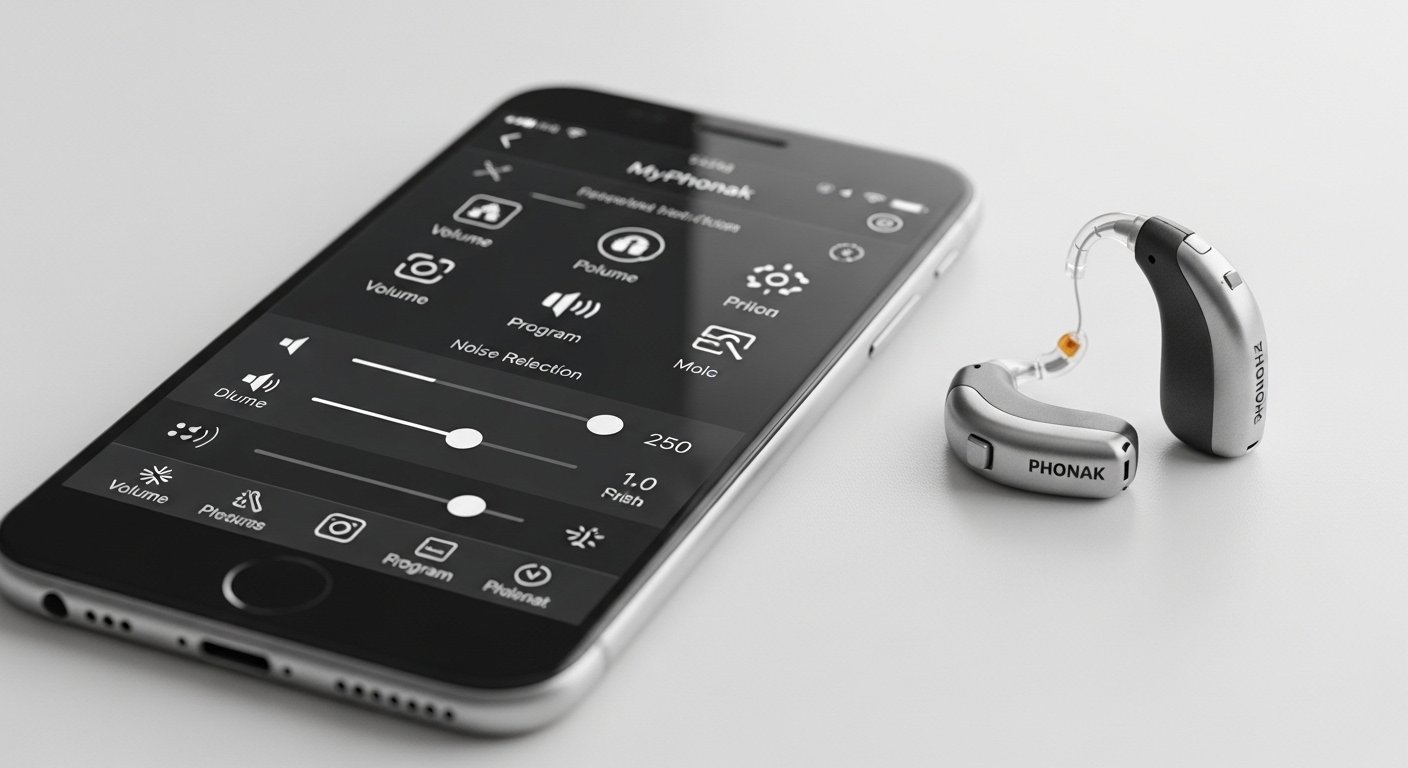
The MyPhonak App: Smart Hearing Support on Your Phone is a helpful tool for people who use Phonak hearing aids. This app makes life easier by letting you control your hearing aids right from your smartphone. It is free to download and very simple to use. Many users love it because it gives them more power over their hearing every day.
Phonak is a well-known company that makes high-quality hearing aids. They have been helping people hear better for many years. The myPhonak app is made by Phonak to work perfectly with their wireless hearing aids. It connects directly to your devices using Bluetooth. This means no extra wires or complicated setup. The app is available on both iPhone (iOS) and Android phones. Thousands of people rate it highly because it is easy and full of useful features.
Why Use the MyPhonak App?
Hearing aids are great, but sometimes you need small changes during the day. Maybe a room is too noisy, or you want clearer voices. The myPhonak app lets you fix these things quickly without touching your hearing aids or going to the doctor every time.
Here are some key benefits:
- You feel more in control of your hearing.
- It helps you enjoy conversations, music, and TV more.
- It tracks how you use your hearing aids to keep your ears and body healthy.
- You can get help from your hearing care professional without leaving home.
The app is designed for all ages, but mostly for adults. (There is a special version called myPhonak Junior for kids.)
How to Get Started with the MyPhonak App
Getting the app is very easy. Follow these simple steps:
- Go to the App Store on your iPhone or Google Play Store on your Android phone.
- Search for “myPhonak” (it is one word).
- Download it for free.
- Open the app and create an account. This lets you save your settings and get more features.
- Turn on Bluetooth on your phone.
- Put your Phonak hearing aids in pairing mode (your hearing care professional can show you how, or follow the app’s guide).
- The app will find and connect to your hearing aids.
Once connected, the app shows your hearing aids’ status right away. You see battery level, connection, and more. The app has been updated many times to make it even simpler. In recent versions (like 2025 and 2026 updates), the home screen is cleaner, and key controls are easy to reach.
Main Features of the MyPhonak App
The app has many tools to make your hearing better. Let’s look at the most important ones in simple words.
Remote Control for Your Hearing Aids You can change things on your hearing aids from your phone.
- Adjust volume up or down for each ear or both together.
- Switch programs. For example, choose “Speech in Noise” for busy places, “Music” for songs, or “TV” for watching shows.
- Use the equalizer to change bass (low sounds), middle, or treble (high sounds). Pick presets like “Comfort” (softer sounds) or “Clarity” (sharper voices), or move sliders yourself for custom fit.
- Control noise reduction to make background sounds quieter.
- Change microphone direction to focus on the person in front of you.
These changes happen in real time. You can test them right away and see what works best.
Health and Wearing Tracker The app keeps track of your hearing health in a gentle way.
- It shows how many hours you wear your hearing aids each day.
- It counts your daily steps (using the phone’s sensors).
- It logs sound exposure so you know if you are in very loud places too long.
- There is a hearing diary where you can note how your day went with hearing.
This information helps you and your hearing care professional understand your needs better. Wearing hearing aids more often improves your brain’s ability to process sounds.
Remote Support from Your Hearing Professional One of the best parts is remote help. If you have a problem, your audiologist or hearing specialist can connect through the app.
- They use video call to talk to you.
- They see your hearing aids’ settings.
- They make small adjustments live while you are at home.
No need to drive to the clinic for every fine-tune. This saves time and is great if you live far away or can’t travel easily.
Find My Hearing Aids Feature Have you ever lost a hearing aid under the couch or in a bag? The app helps find them (for newer models like Phonak Infinio).
- It shows the last place your phone saw the hearing aids (using location).
- When you are close, it gives a “hot and cold” signal – stronger when near, weaker when far.
- You need to turn on location permission when setting up.
This feature is very useful and gives peace of mind.
Other Helpful Tools
- Widgets on your phone home screen (on iOS and Android) for quick checks: see battery, change volume, or mute without opening the full app.
- Battery status for each hearing aid.
- Mute option (especially easy on Android).
- Updates for your hearing aids right in the app (in newer versions, you can install firmware updates over the internet).
- Tips and reminders to care for your devices.
The app keeps getting better with updates. In 2025 and 2026, Phonak added simpler design, better remote updates, and more support for new hearing aid models.
Who Can Use the MyPhonak App?

The app works with most wireless Phonak hearing aids that have Bluetooth. This includes popular lines like:
- Phonak Audéo (including Infinio and Sphere)
- Phonak Paradise
- Phonak Lumity
- Phonak CROS (for single-sided deafness)
- Some Phonak Sky models (for older kids and teens)
Always check compatibility on the official Phonak website or ask your hearing care professional. Not all old models work, but most new ones do.
The app is for adults mainly. For young children, there is myPhonak Junior, which has simpler controls and parent features.
Tips for Best Use
To get the most from the app:
- Keep your phone’s Bluetooth on and the app updated.
- Charge your phone and hearing aids regularly.
- Talk to your hearing professional first about custom programs. Some changes need their approval.
- Use the app daily to track wearing time – aim for full days to get the best benefit.
- If you have trouble connecting, restart your phone or hearing aids. The app has a help section too.
Many users say the app makes hearing aids feel like part of their phone – always ready to adjust.
Final Thoughts
The myPhonak app turns your smartphone into a smart hearing helper. It gives you easy control, health tracking, remote expert help, and even helps find lost devices. Phonak built this app with real user needs in mind, and updates keep making it better.
If you have Phonak hearing aids, download myPhonak today. It is free, safe, and can change how you enjoy sounds every day. Better hearing is now just a tap away on your phone.
Talk to your hearing care professional to learn more or set it up. They know your hearing best and can guide you.
Disclaimer:
This article is for information only. It is not a promotion, advertisement, or affiliate content. We do not sell or earn money from the MyPhonak app. Always follow your hearing care professional’s advice. We are not responsible for any problems, issues, or damages caused by using the app. Use it at your own risk.
Explore More
- Oticon Companion App: Smart Hearing Support at Your Fingertips
- The Best Corporate Travel App for Companies & Employees
About the Author








