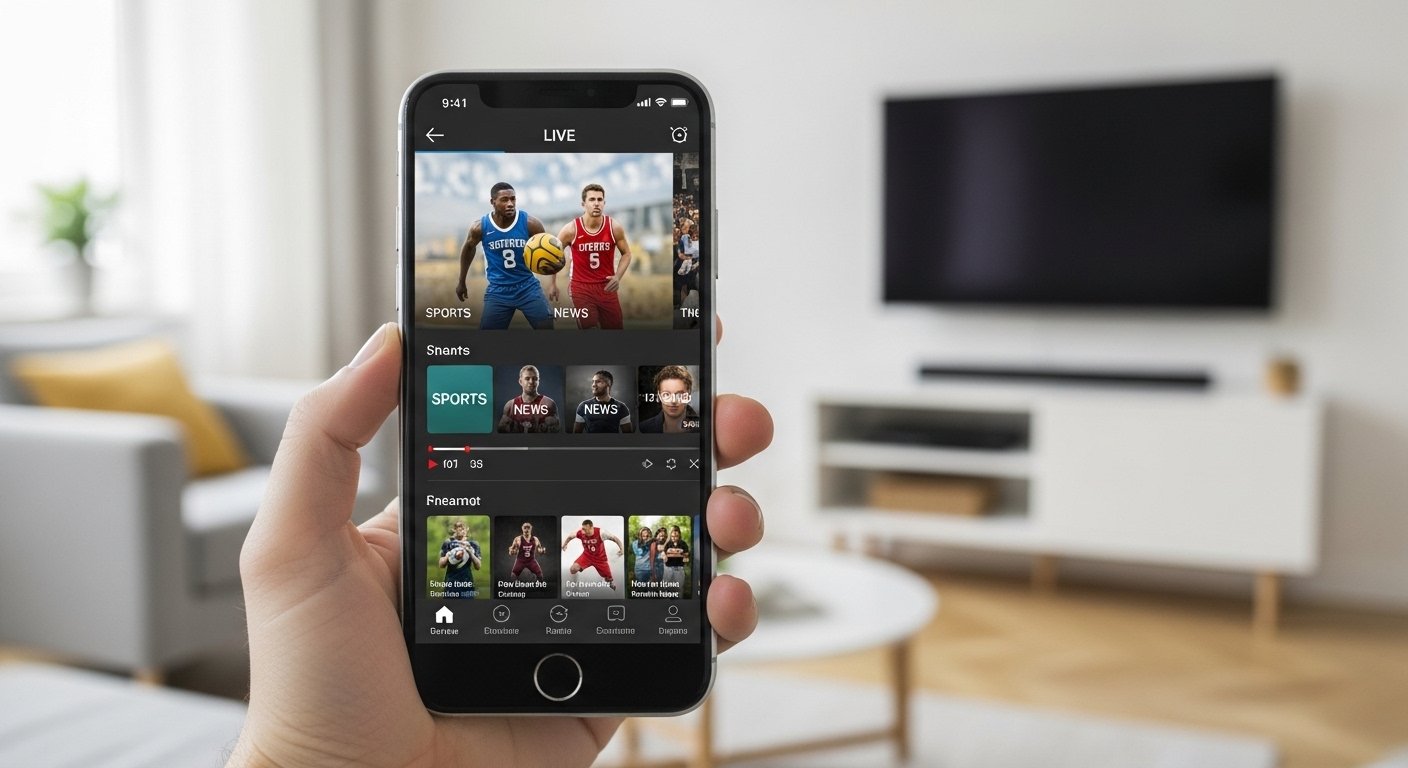
Watching live TV on your phone is now very easy. No need for big cables or heavy boxes. Just use a good app on your Android or iOS device, and you can enjoy news, sports, movies, shows, and more anytime. One app that makes this simple is the Live Player app. It helps you stream live TV without trouble.
In this article, we explain why Live Player is great for beginners and how it makes live TV easy. We talk about its features, how to use it, benefits, and tips for the best experience. Whether you live in a city like Karachi or anywhere else, this app can bring fun TV to your hand.
What Is Live Player App?
Live Player is a streaming media player app for smartphones. It works on both Android phones and iOS devices like iPhone and iPad. The main goal of this app is to play live streams from the internet in a simple way.
Many people use it to watch live TV channels. It supports popular streaming types like HTTP, HTTPS, HLS, RTSP, RTMP, and more. This means it can handle almost any live video link you find online.
The app is professional but easy for normal users. You do not need to be a tech expert. Just open the app, search or add a link, and start watching. It also lets you cast to bigger screens like TV using Chromecast or AirPlay.
Live Player stands out because it has a search tool inside the app. You can look for community-shared live streams. This helps you find many TV channels from around the world, like sports, news, entertainment, and more.
Why Live TV on Mobile Is So Popular Now
People today want TV on their phones. Why? Because life is busy. You may travel, wait in line, or relax at home. A phone is always with you.
Old cable TV needs wires and fixed time. Live streaming apps change that. You watch what you want, when you want. No waiting for shows.
In 2026, many people cut cable and use apps. Services like YouTube TV, Hulu Live, Sling TV, and free options are popular. But some users want even simpler tools like Live Player for direct streams.
Apps like this are good for sports fans who want live matches, news lovers for updates, or families for cartoons and shows.
Key Features of Live Player App

Live Player has many helpful features that make it simple and powerful.
Supports Many Formats and Protocols The app plays most video types like MP4, MKV, AVI, MOV, and more. It works with audio too. Codecs like H264, AAC, VP9 are supported. This means clear picture and sound.
Easy Search for Live Streams One best thing is the built-in search. You type what you want, like “news channel” or “sports live”. It shows community links. You find almost any channel fast.
Cast to Big Screen Watch on phone but want bigger view? Use Chromecast for Android TV or Google Cast. On iOS, use AirPlay for Apple TV. Send video to your living room TV easily.
Favorites and History Save your favorite channels. The app remembers what you watched. Go back quick.
Play in Background or Full Screen Listen to radio or news while doing other work. Or go full screen for movies.
No Complicated Setup Many live TV apps need M3U playlists or codes. Live Player is simpler. Search and play. For advanced users, add your own links.
Works on Many Devices Android phones, tablets, iOS iPhone, iPad. Some versions work on smart TVs too.
These features make live TV simple. No hard menus or confusing buttons.
How to Download and Install Live Player
Getting the app is easy.
For Android: Go to a trusted site or app store if available. Some versions are on sites like mdcgate.com or other APK sources. Download the APK file. Allow install from unknown sources in settings. Install and open.
For iOS: Check App Store or trusted links. Some versions may be from developer sites. Follow safe download steps.
Always download from real sources to avoid bad files. The app is free to start, but some features may need premium.
After install, open the app. It looks clean. You see search bar and options.
How to Use Live Player Step by Step
Using the app is very simple. Follow these easy steps.
- Open the Live Player app on your phone.
- See the main screen. There is a search box.
- Type the channel or show name. For example, “BBC News” or “cricket live”.
- Press search. The app shows links from community.
- Pick one link. It starts playing fast.
- If needed, add your own stream link. Go to add section, paste URL, save.
- To cast, tap the cast icon. Choose your TV.
- Enjoy! Change volume, full screen, or pause anytime.
If a link does not work, try another. Many options appear.
For sports, search “live football” or “IPL live”. For news, “CNN live” or local channels.
Benefits of Using Live Player for Live TV
Here are the main benefits.
Very Simple to Use No need to learn hard things. Search and watch. Perfect for beginners, old people, or kids.
Free or Low Cost Basic use is free. Find many free streams. Premium may unlock more, but not always needed.
Watch Anywhere At home, bus, or work break. Use Wi-Fi or mobile data.
Many Channels From world news to local shows, sports events, music channels. Find almost anything.
Good Quality If your internet is good, watch in HD. Clear sound too.
Save Data and Time No need to open many apps. One app does it all.
Compared to big services like YouTube TV or Hulu, Live Player is lighter and direct. No monthly bill for basic watching (but check legal streams).
Tips for Best Experience with Live Player
To enjoy more, follow these tips.
Use good internet. Wi-Fi is best for no buffering. Keep app updated for new features and fixes. Save favorites so you find channels fast next time. Cast to TV for family watching. If one stream stops, try next link. Many are available. Use VPN if needed for some channels (but follow rules in your country). Charge your phone well for long watching.
These small tips make watching smooth.
Is Live Player Safe and Legal?
Safety first. Download only from trusted places to avoid viruses. Read reviews before install.
For legal part, the app plays streams. Many free streams are public. But some channels need permission or subscription. Always use legal sources. Do not use for bad things. Watch official channels or free public ones.
The app itself is a player. Like VLC or other media players. What you play is your choice.
In places like Pakistan, many use apps for news, cricket, dramas. Choose safe and legal ways.
Live Player vs Other Live TV Apps
Many apps exist. Here is quick look.
YouTube TV or Hulu Live: Paid, many official channels, DVR. But cost money monthly.
Pluto TV or Tubi: Free with ads, some live channels. Easy but limited.
IPTV apps like GSE Smart IPTV: Need playlist. More work.
Live Player: Simple search, no need playlist always, cast easy.
If you want simple and free, Live Player wins for many users.
Final Thoughts
Live TV does not need to be hard. Live Player app makes it simple for Android and iOS users. With easy search, good formats, casting, and clean design, you watch what you love fast.
Try it today. Search your favorite channel. Enjoy news while eating, sports on break, or shows at night. Life is busy, but TV can be easy and fun.
Live Player helps you stay connected to the world from your phone. Simple, fast, and ready for you.
Disclaimer:
This article is only for information. It is not a promotion and not an affiliate post. We are not linked to the Live Player app or its owners. We do not provide TV channels or streaming links. The app is only a media player. Users must watch legal content and follow the laws of their country. Please download apps from trusted sources and use them at your own risk.
Explore More
- England Golf App: Easy Booking, Scores & Club Info
- Sky Remote App: Control Your TV Easily from Your Phone
- The Xbox Accessories App Explained: Features, Tips & Setup
About the Author








