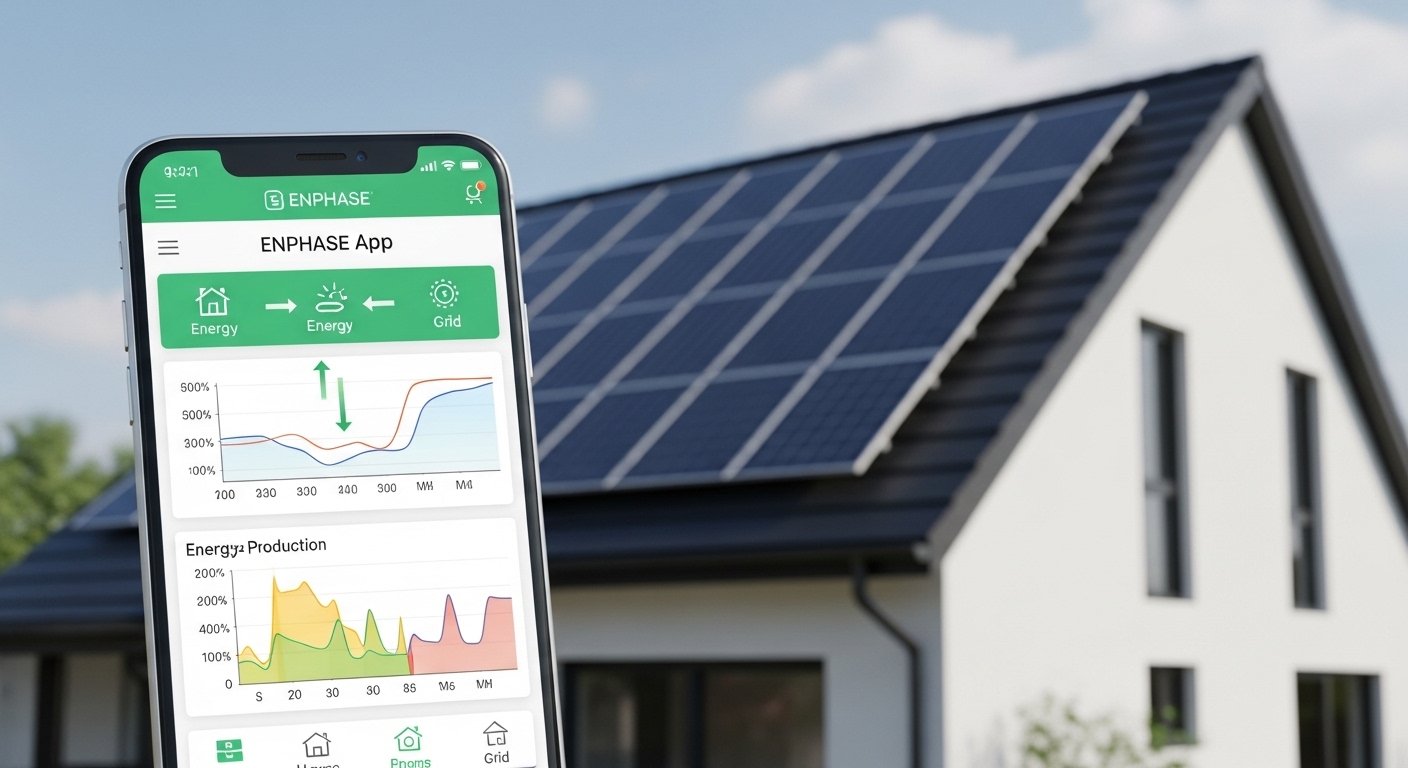
The Enphase App is a simple and powerful tool made by Enphase Energy. It helps people with solar systems watch and control their solar power right from their phone. This article explains everything about the Enphase App in very easy English. It shows why it is so good for homeowners who want to make, use, save, and even sell their own clean energy.
What Is the Enphase App?
The Enphase App (sometimes called Enphase Enlighten in older versions) is the main mobile app for anyone who has an Enphase solar energy system. Enphase makes microinverters — small devices that go on each solar panel. These make your solar power safe and efficient. The app connects to your system through the internet. It gives you a clear picture of how your solar panels, batteries (if you have them), and home energy work together.
You can download it for free on your phone from the Apple App Store or Google Play Store. It works on iPhone and Android. You can also use a web version on your computer at the Enphase Enlighten site. Once you sign in with your account (set up when your solar system is installed), you see all your data in one place.
Many people say this app is one of the best parts of having Enphase solar. It is easy to use, even if you are not good with technology. The screens are clean, with nice colors, graphs, and pictures that make hard information simple to understand.
Why Monitoring Your Solar System Matters
Solar power is great because it gives you free energy from the sun. But to get the most from it, you need to know what is happening. Is your system making as much power as it should? Are any panels not working well? How much energy is your home using? Are you saving money on your electricity bill?
Without good monitoring, you might not notice small problems. A dirty panel or a small fault can lose you power and money. The Enphase App fixes this. It watches everything for you 24/7. It sends alerts if something needs attention. This helps you fix issues fast and keep your system running at top performance.
Homeowners who use the app often save more money. They see patterns — like using more power in the evening — and change habits to use solar energy better. If you have batteries, the app helps you store extra solar power for night or cloudy days.
Key Features of the Enphase App
The app has many useful parts. Here are the main ones explained simply.
Real-Time Status Check
Open the app and go to the Status tab (often the first screen). This shows what is happening right now.
- See live energy flow: Solar production (how much power your panels make), home use, battery charge (if you have one), and grid power (if you take or give power to the utility company).
- Colorful arrows and numbers make it easy to see if your home runs on solar, battery, or grid.
- It shows current weather impact — sun or clouds affect production.
- System health: Green means good. Yellow or red means check something.
This tab is like a quick health report for your whole solar setup.
Energy History and Trends
The Energy tab lets you look back in time.
- View production, consumption, imports (from grid), and exports (to grid) by day, week, month, or year.
- Beautiful graphs and charts show trends. For example, see how much more power you make in summer.
- Compare days or months to see improvements.
- See savings — how much money you saved by using solar instead of grid power.
These reports help you understand your energy use better. You can share them with family or show friends how solar works.
Panel-Level Details (Array View)
Enphase microinverters let the app show each solar panel separately.
- In the Array or Devices section, see a map of your roof with each panel.
- Check production for every single panel.
- If one panel makes less power (maybe shade or dirt), you see it right away.
- This is better than many other systems that only show total production.
Spotting problems early saves money on repairs.
Battery Management (If You Have Enphase Batteries)
If your system has Enphase IQ Batteries, the app gives extra control.
- See battery charge level in real time.
- Choose modes: Self-consumption (use your solar first), Savings (store for high-price times), or Backup (keep power for outages).
- During storms, use Storm Guard to charge batteries fully for safety.
- Control which loads (appliances) get backup power.
This makes your home more independent from the grid.
Alerts and Notifications
The app watches for issues and sends push notifications to your phone.
- Low production alerts.
- System faults or microinverter problems.
- Battery issues.
- You can set what alerts you want.
Quick alerts mean fast fixes. Your installer can often check remotely too.

Reports and Insights
Generate easy reports.
- Daily, monthly, or yearly summaries.
- Include production, usage, and savings.
- Export as PDF to share or keep records.
Some users use these for tax credits or to show energy savings.
Other Helpful Tools
- Load control: Manage big appliances if you have smart features.
- Community tips and support links.
- Software updates: The app gets better over time with new features.
How to Get Started with the Enphase App
- Download the App: Search “Enphase App” in your phone’s store.
- Create or Sign In: Use the email from your solar installation. If new, follow the link from your installer to activate.
- Connect: It links to your system automatically if online.
- Explore: Start with Status tab. Tap around to learn.
- Set Notifications: Go to settings to turn on alerts.
It takes just a few minutes. Many installers help during setup.
Benefits of Using the Enphase App
Using this app brings many good things.
- Save More Money: See where you waste energy and fix it. Use solar when it’s free.
- Peace of Mind: Know your system is okay even when away from home.
- Better Performance: Fix small issues before they become big.
- Eco-Friendly Living: Track how much clean energy you make and CO2 you save.
- Control During Outages: With batteries, manage backup power smartly.
- Easy Sharing: Show family or friends your solar success.
Users love how it makes solar feel simple and fun, not complicated.
Tips to Get the Most from the App
- Check it daily at first to learn patterns.
- Compare sunny and cloudy days.
- Use reports to plan home changes (like adding more panels).
- Keep the app updated for new features.
- If you see red alerts, contact your installer fast.
- Share data with friends to encourage them to go solar.
Why Enphase App Stands Out
Many solar systems have monitoring, but Enphase does it best.
- Panel-level detail is rare and very helpful.
- Real-time and historical data are clear and beautiful.
- Works with batteries and grid sell-back perfectly.
- Regular updates add new tools (like better connectivity in recent versions).
- Trusted by millions — Enphase is a leader in microinverters.
Homeowners who switch to Enphase often say the app is a big reason. It gives real control and understanding.
Final Thoughts
The Enphase App makes owning a solar system easy and enjoyable. It turns complex energy data into simple pictures and numbers on your phone. You monitor production, manage usage, catch problems early, and save money — all from anywhere.
If you have or plan to get an Enphase solar system, download the app today. It is your best friend for clean, smart energy. With it, you truly make, use, save, and sell your own power.
Disclaimer:
This article is only for information. It is not an ad or affiliate post. We do not sell or earn from the Enphase App. Always follow official instructions. We are not responsible for any problems from using the app.
Explore More
- Cardinal App: Simple Tools for Everyday Life
- eTrueSports iOS App: Fast Scores, News & Match Alerts
- ImethStream App: Stream, Watch, and Enjoy Live Content
About the Author








