
Signature: fvI/5Gp1RTernQDU81Vs/3aYPD0D8kZtC8WhS1JBoZW4OMGAQSTVnVkV3YwDOUGQvDj5yv0OAiPhhRWUj/wR9UmNnN53ajbuEbseZPLJSTzg3B/MDh2SldGqBgErYoC2voH63U3NfpRXo0DXa7sLvnXbH5oEwc4FYOEY/U6vebkRfvOg7O225IrajvM3rKk4
Imagine coming home after a long day and your lights turn on just the way you like them, soft and warm, without you touching a single switch. That kind of simple comfort is what many people dream about when they start thinking about smart lights for their home. In 2026, the sengled app makes this possible for lots of families. This friendly review will walk you through everything you need to know about the sengled app. It will help you decide if it fits your life, especially if you are new to smart home gadgets. You will learn the good parts, the tricky spots, and practical ways to get started.
What Is the Sengled App?
The sengled app, sometimes called the iSengled app in older notes, serves as your main helper for managing smart lights and other devices from Sengled. It lets you control everything from your phone, whether you are at home or far away. Families use it to turn lights on and off, change their brightness, and even set them to match different times of the day.
This app took the place of the older Element Home app. It works nicely on both Android phones and iPhones. People like how it brings all their Sengled smart bulbs and gadgets together in one spot. You can watch how your lights are doing and make small changes that make daily life feel smoother and more fun. Many beginners find it a gentle way to step into the world of smart homes because it focuses on lighting first.
Key Features of the Sengled App in 2026
One of the nicest things about the sengled app is how much control it gives you over your lights. You can adjust brightness to just the right level for reading or relaxing. Color changing bulbs let you pick fun shades that match your mood or the time of year. For example, soft blue light in the morning can help you wake up gently.
You can also group lights by room so the whole living area turns on together with one tap. Creating routines and schedules feels natural, like telling the app to dim the kids’ room lights at bedtime. Voice helpers such as Alexa or Google Home work well with it too, so you can just speak your wishes out loud. In 2026, updates have made the app run smoother with fewer delays and better support for new bulb models. This means your lights respond faster when you need them.
Another helpful part is energy monitoring. The app shows you how much power your lights use, which helps families save money over time. You can set scenes for movie nights or dinner parties that bring the perfect light without extra work. These tools come together to make your home feel smarter and more caring toward your daily needs.

Easy Setup Guide: Step-by-Step
Getting started with the sengled app is easier than many people expect. First, go to your phone’s app store and download the Sengled Home app. It is free and quick to install. Once it opens, create a new account using your email. Make sure to pick a strong password that you will remember.
Next, screw in your Sengled smart bulb and turn on the light switch. The app will guide you to connect it. For Wi-Fi bulbs, it usually finds your home network right away. Just enter your Wi-Fi password when asked. Bluetooth or Zigbee models might need a quick extra step, such as pressing a button on the bulb or using a hub. Take your time and follow the pictures on screen. Most people finish the first bulb in just a few minutes.
If you add more bulbs later, the app makes it simple to include them in the same setup. A good tip is to stay close to your router during the first connection so the signal stays strong. Many new users feel proud once their first light responds to the app. That happy moment makes the whole process worthwhile.
How to Use the Sengled App Daily
Once everything connects, daily use becomes part of your natural routine. You can turn lights on or off from anywhere, which feels like magic when you are still at work but want the porch light ready for evening. Setting scenes helps create different feelings in your home. A cozy warm glow for reading time or brighter light for cleaning brings joy without effort.
Timers work well for things like hallway lights that turn off after everyone goes to bed. You can organize devices into rooms or groups so one command lights up the kitchen while keeping the bedroom dark and quiet. Over time, these small habits save steps and make evenings more peaceful. Families often share the app so everyone can help manage the lights in ways that fit their needs.

Honest Pros and Cons
The sengled app shines in several ways that matter to everyday people. It offers reliable control for a good price, and setup feels friendly for beginners. Many users enjoy the grouping options and voice support that make life simpler. Updates in 2026 have improved speed and added better widget support on phones.
On the other side, some people notice connection hiccups during busy times or after big updates. The app can feel less polished than some other choices, and a few users wish for more advanced color options. Occasional outages have happened in the past, which can leave lights stuck until things come back online. These moments can frustrate families who count on steady performance.
Real experiences show both sides. One family loved how easy it was to set bedtime routines but felt annoyed when a Wi-Fi glitch stopped their lights from working for a short while. Knowing these honest points helps you plan ahead and enjoy the good parts more fully.
iSengled App Troubleshooting: Common Problems & Fixes
Even with a helpful app like this, small problems can pop up. Connection errors often happen when the Wi-Fi signal is weak. Try moving closer to your router or restarting it to refresh the link. Login troubles usually clear up after checking your internet or reinstalling the app.
If bulbs stop responding, turn the light switch off and on a few times to reset them. For app crashes, clearing the cache or updating to the newest version often solves it. Many 2026 issues with local network permission on newer phones get fixed by allowing the right settings in your phone’s privacy options.
Take a deep breath and try one step at a time. Most troubles have simple home fixes that bring your lights back quickly. Reaching out to Sengled support can help too when needed.
Sengled App vs Other Smart Lighting Apps
When you look at the sengled app next to others, it stands out for its straightforward approach. Compared to Philips Hue, it usually costs less and works well without always needing an extra hub. Hue offers more fancy color choices and a smoother app feel, but many people find Sengled plenty good for basic home needs.
The Smart Life app handles many different brands, which appeals to folks who mix gadgets. Yet the sengled app stays focused on Sengled devices, making it simpler for those who want one clear place to control their lights. Each choice fits different homes, so think about your budget and how many lights you plan to add before deciding.
Is the Sengled App Worth It in 2026?
After looking at all the pieces, the sengled app is worth considering if you want easy smart lighting without big spending. It brings real comfort to daily routines and works especially well for families or small apartments starting their smart home journey. The value feels strong when you use the scheduling and grouping tools often.
It may not be the fanciest option, but its honest reliability and simple ways make it a kind friend for beginners. If your main goal is practical light control that saves time and energy, this app can be a nice fit. Start small with a few bulbs and see how it feels in your own space.
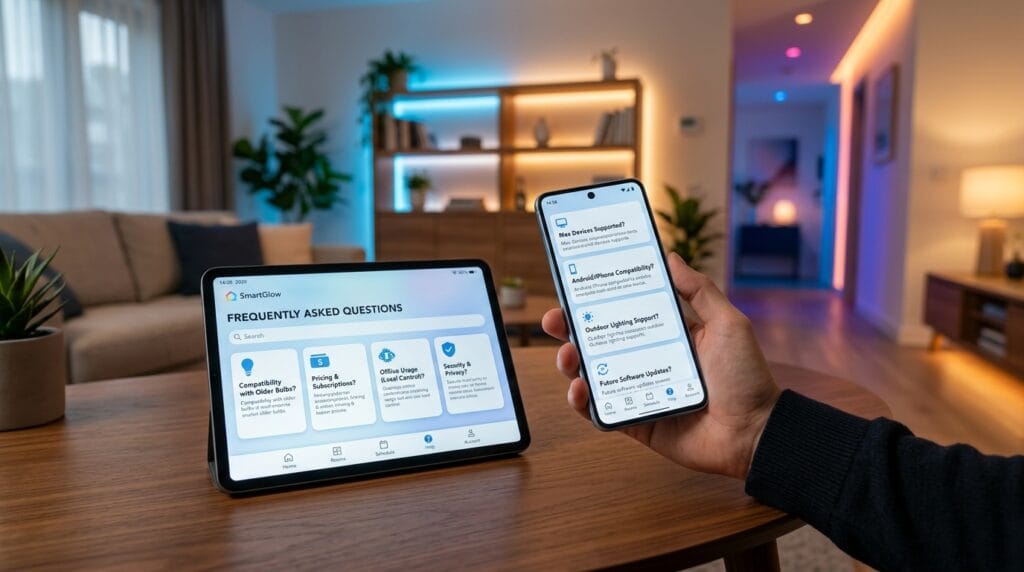
Frequently Asked Questions
How much does the sengled app cost to use?
The app itself is completely free to download and use. You only pay for the smart bulbs and any hubs you might need.
Does the sengled app work with older Sengled bulbs?
Many older models still connect nicely, though newer 2026 bulbs get the best performance and latest features.
Can I use the app without internet after setup?
Some local control works without internet, but full remote access and voice helpers need a steady connection.
Is the sengled app safe for my family’s home?
It uses standard security steps, and keeping the app updated helps protect your information.
How many lights can one account control?
You can add quite a few bulbs and devices, making it great for growing homes.
What if my phone is Android and my partner uses iPhone?
Both can use the same account and see the same lights without any trouble.
Does it support outdoor lights too?
Yes, many outdoor Sengled options work through the app for full yard control.
Will future updates keep improving the app?
The company continues to release improvements, especially for speed and new device suppo
Conclusion
Taking care of your home lights should feel easy and even a little fun. The sengled app offers a warm way to bring smart lighting into your life with its clear controls, helpful schedules, and simple setup. While it has a few areas that could grow, its strengths make it a solid choice for many families in 2026. Think about your needs, try a couple of bulbs, and enjoy how much nicer your evenings can feel. Go ahead and give the sengled app a chance. You might discover a new favorite way to light up your days and nights. Start today and see the difference for yourself.
Disclaimer
This friendly review of the sengled app shares honest thoughts and helpful tips based on real experiences in 2026, but it is not official advice for your home. Every family is different, so please check the latest information straight from the Sengled website or app before you buy anything. We may earn a small amount if you click some links and make a purchase, but this does not change our true opinions at all. Always do your own research to stay safe and happy with your smart home choices. Thank you for reading!
Explore More
- ScoreStream App Download & Full Guide: Stay Updated on High School Sports
- Rode Central App: Complete Guide to Setup, Features, and Best Settings (2026)
- What to Expect When Performing Umrah in the First Weeks After Hajj Reopens
About the Author







