
Many people who love spending time outdoors still reach for their older Garmin inReach devices in 2026. These tools help them stay safe and connected even when phones have no signal. The Earthmate app remains a helpful free companion that works with those devices. It turns your smartphone into a strong partner for navigation and messaging. This guide is perfect for anyone who owns a compatible inReach unit and wants clear answers about setup, daily use, real performance, and choices for service plans. You will learn simple ways to make the most of it on your adventures.
What Is the Earthmate App?
The Earthmate app serves as the official mobile helper made by Garmin for older inReach satellite communicators. It connects through Bluetooth so you can send and receive text messages or emails from far away places. You can also share your live location with friends and family or call for help with an SOS signal. Even without a satellite plan, the app works well as a standalone GPS tool with detailed maps you download ahead of time. This makes it easy for hikers, campers, or boaters to find their way when cell service is gone. The app feels like a helpful friend that quietly supports your journey in the wild.
Earthmate App Compatibility in 2026: Which inReach Devices Still Work?
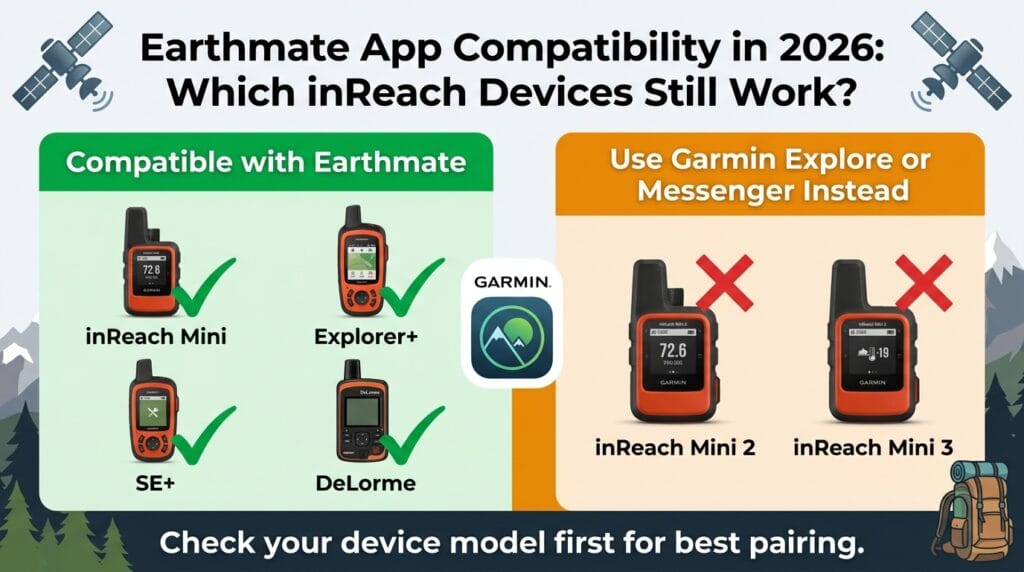
One question many people ask today is which devices still pair nicely with the Earthmate app. It works fully with older models such as the original inReach Mini, the Explorer+, the SE+, and some legacy DeLorme units. These devices continue to deliver reliable performance when connected to the app. However, newer ones like the inReach Mini 2 or Mini 3 need different Garmin apps such as Explore or Messenger instead. Checking your device model first saves time and avoids confusion. This way, you know right away if the Earthmate app is the right match for your gear.
How to Download the Earthmate App on Android and iOS
Getting the app is quick and free. On an Android phone, open the Google Play Store and search for “Garmin Earthmate.” On an iPhone or iPad, go to the Apple App Store and use the same search words. The app size is small, so it downloads fast even on slower connections. Always choose the official version from Garmin to stay safe. Watch out for copycat apps that sometimes show up in search results when people look for how to download Earthmate app. Stick with the real one so everything works smoothly with your device.
Earthmate App for Android: Installation and First Launch
Once you have the app on your Android device, open it and follow the easy steps on screen. You will need to allow permissions for location and Bluetooth so the app can work its best. After that, accept the basic terms and get ready to connect. Many people find the first launch feels simple and welcoming. Turn on Bluetooth on your phone and make sure your inReach device is close by and powered on. This preparation helps the pairing go without extra trouble later. The app gently guides you through these early moments so you feel confident right away.
Earthmate App Tutorial: Pairing Your inReach Device Step by Step
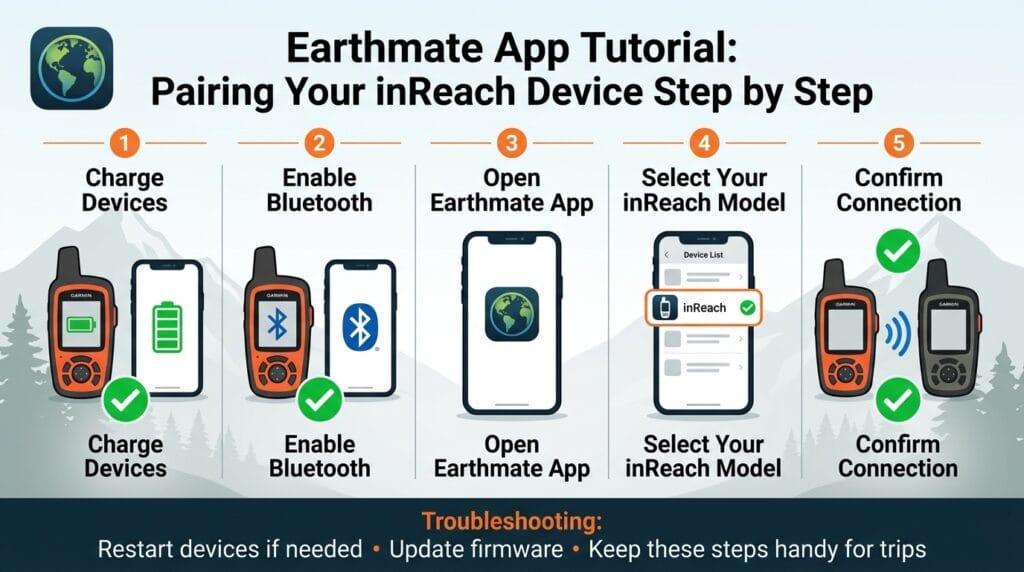
Pairing your inReach device with the app is straightforward when you take it one step at a time. First, make sure both devices have fresh batteries and Bluetooth turned on. Open the Earthmate app and look for the pairing option. Select your inReach model when it appears. The devices should connect quickly through Bluetooth. If the connection does not happen right away, restart both the phone and the inReach unit, then try again. Check that your inReach has the latest firmware for the best results. Many users keep a simple note of these steps in their phone for quick reminders on future trips. This reliable pairing turns your phone into a bigger, easier window into your satellite tool.
Core Features of the inReach Earthmate App
After pairing, wonderful tools become available to you. You can send and receive text messages or emails even with no cell signal because the satellite network handles everything. Live tracking lets loved ones see your progress on a map from home. The SOS button brings fast help when you really need it. All these features work well in remote spots where regular phones cannot reach. The app makes these powerful options feel simple and close at hand, like having a trusted guide always with you.
Navigation, Offline Maps, and Route Planning in the Earthmate App
The mapping tools in the Earthmate app are one of its strongest parts. You can download unlimited topographic maps, aerial views, and hybrid options before you leave home. These maps stay on your phone for use without any internet. Create waypoints to mark special spots or build routes that guide you safely. The app works great as a full offline GPS navigator on both Android and iOS, even if you do not have an inReach device or active subscription with you. Many outdoor friends say these cached maps give them peace of mind because they never feel lost.
Earthmate App Subscription and inReach Service Plans
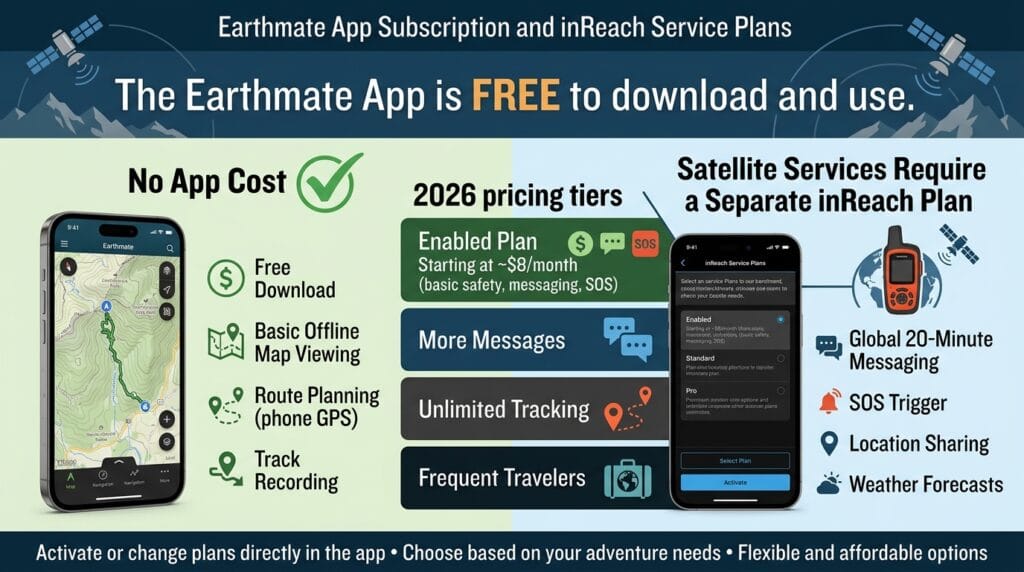
The Earthmate app itself costs nothing to use. Satellite messaging, tracking, and SOS features need a separate inReach service plan. In 2026, options include an affordable Enabled plan that starts around eight dollars each month for basic safety. Other plans offer more messages or extra features for people who travel often. You can activate or change your plan directly inside the app. Think about how much you go outside and choose the plan that fits your life best. This flexible setup helps many people enjoy the device without spending more than they need.
Garmin Earthmate App Review: Real User Experiences and Ratings
People who have used the Earthmate app for years often share warm stories about its reliability during long hikes or remote trips. They appreciate the clear offline maps and steady messaging when cell service disappears. Recent ratings across stores show a mix of views, with many longtime users still happy with the core tools. Others mention that the look feels a bit older compared to brand new Garmin apps. These honest experiences help you know what to expect before you start your own journey with it.
Pros and Cons of the Earthmate App in 2026
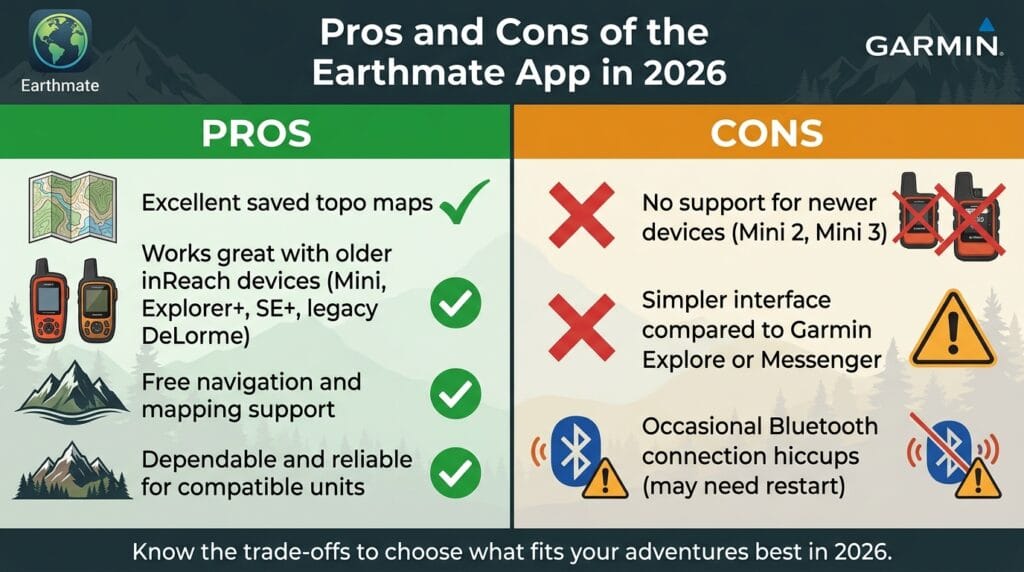
The Earthmate app shines with its excellent saved topo maps and proven work with older devices. It feels dependable for people who already own compatible inReach units and want free navigation support. On the other side, it does not support newer hardware, and the interface looks simpler than current options like Garmin Explore or Messenger. Bluetooth connections can sometimes need gentle restarts during long days out. Knowing these points lets you decide if it matches your needs perfectly in 2026.
Common Issues and Troubleshooting Guide for the Earthmate App
Even helpful tools can have small hiccups. Some users notice Bluetooth drops while walking, which stops tracking for a moment. On iPhones, the screen might go dark and pause things, so adjusting sleep settings helps. Map downloads sometimes slow down if you use mobile data instead of Wi-Fi. For messaging delays, moving to a clear sky view often fixes the issue quickly. Restarting both devices or checking for app updates solves many problems. These simple fixes keep your adventures moving forward without big worries.
Earthmate App Alternatives: Garmin Explore, Messenger, and Other Options
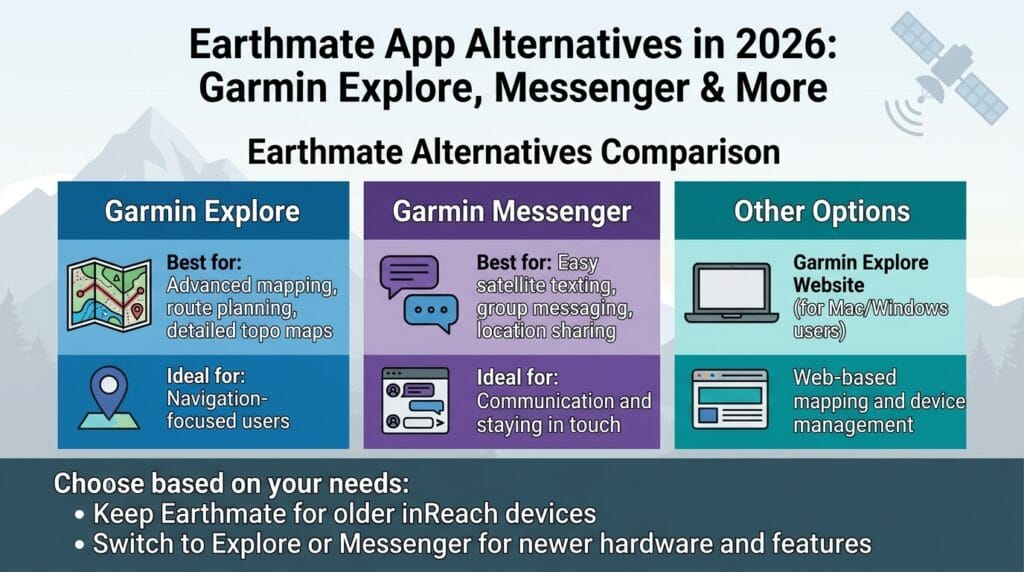
If you wonder whether to stay with Earthmate or try something new, Garmin offers Explore for stronger mapping and route planning. The Messenger app focuses on easier texting and group chats. People searching for Earthmate app for Mac or Windows 10 can use the Garmin Explore website instead of looking for a full desktop program. Each choice fits different needs, so thinking about your main activities helps you pick the best one. Many users keep Earthmate for their older devices while exploring newer apps for future trips.
Final Verdict: Is the Earthmate App Worth Using in 2026?
For anyone who still uses an older compatible inReach device, the Earthmate app remains a solid and free choice. It delivers dependable navigation and messaging without extra cost for the software. If you have a newer inReach model, switching to Explore or Messenger makes more sense for fresh features. Consider your device, how often you adventure, and your budget. This guide gives you the clear picture you need to feel ready and excited about your next outdoor steps.
Frequently Asked Questions
Can I use the Earthmate app without buying a satellite plan?
Yes, you can enjoy full offline maps and GPS navigation for free. Satellite messaging and SOS only work with an active plan.
Does the app work on both Android and iOS devices?
It does, and the steps feel very similar on both. Just download from your usual store and grant the needed permissions.
How big are the offline maps I can download?
You can save as many as your phone storage allows. Many people download maps for entire regions or countries ahead of time.
What should I do if pairing fails several times?
Restart your phone and inReach device, make sure they are close, and check for updates. This simple step fixes most connection troubles.
Is the Earthmate app still getting new updates in 2026?
It receives occasional fixes, but newer Garmin apps get more frequent improvements for recent devices.
Can I share my location with many people at once?
Yes, live tracking lets selected contacts follow your journey safely from anywhere with internet.
How do I manage my subscription inside the app?
Open the settings area to view plans, make changes, or pause service when you need a break.
Will my old inReach Explorer+ keep working well with the app?
Many users report good results with older models like the Explorer+ even now, as long as you keep firmware current.
Conclusion
You now have a full, friendly picture of the Earthmate app and how it can support your outdoor life in 2026. Take your time to download it, pair your device, and explore the maps in your own backyard first. Small practice runs build confidence for bigger adventures ahead. Whether you hike quiet trails or travel far, this tool can add comfort and connection. Go enjoy the fresh air and beautiful places waiting for you, and stay safe out there, my friend.
Disclaimer:
This article shares general information based on publicly available details about the Earthmate app and related Garmin tools. It is not official advice from Garmin. Technology, features, compatibility, and service plans can change over time, so always check the latest details directly in the app stores or on Garmin’s website before making decisions. Outdoor safety depends on many factors including weather, preparation, and personal skills. Consult professionals when needed and never rely on any single device in place of good judgment.
Explore More
- How to Use the ButterflyMX App: Complete Guide to Opening Doors & Letting Guests In
- Big Lots App: Your Complete Guide to Shopping Deals, Coupons, and Easy In-Store Pickup (2026)
- BidFTA Mobile App: Shop Customer Returns and Overstock at Up to 90% Off
About the Author







