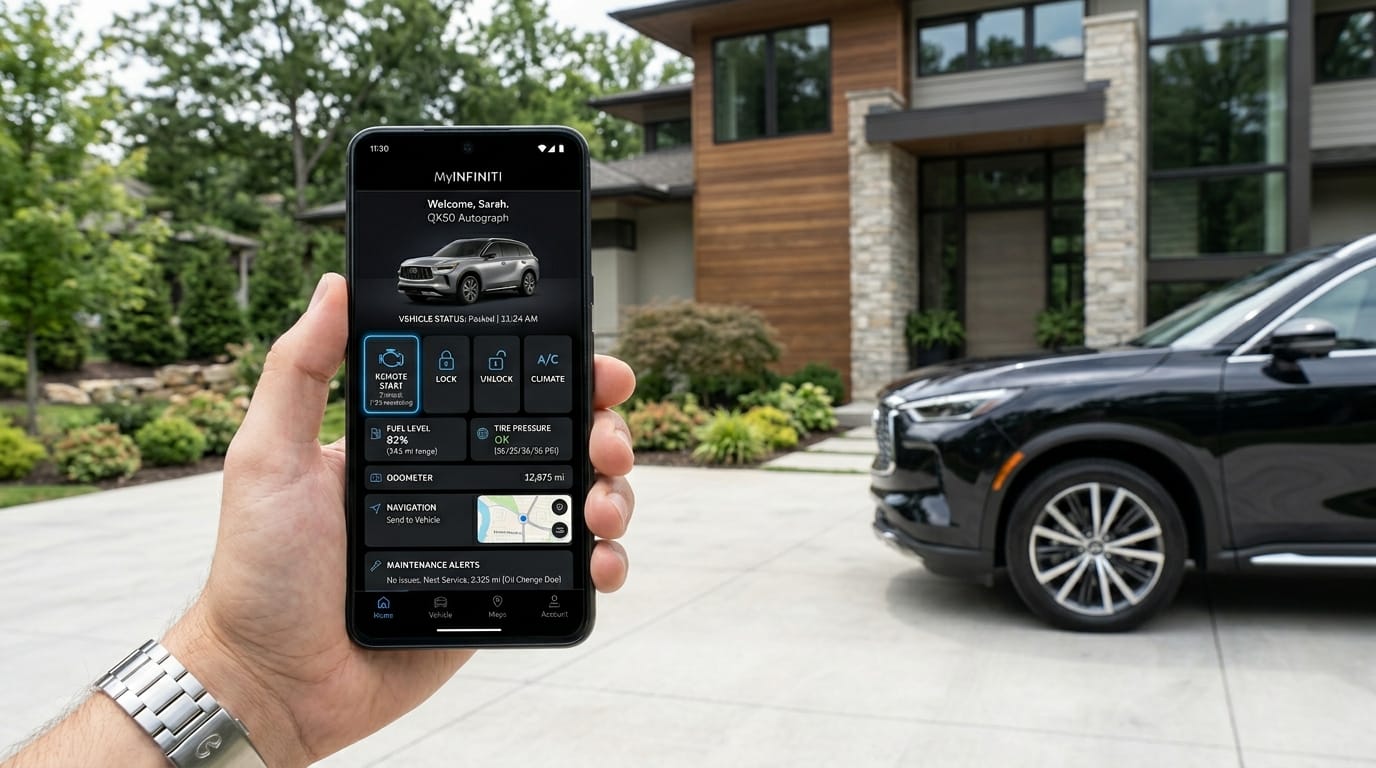
Hello there, friend. If you own an Infiniti or you are thinking about getting one, you will love learning about this helpful tool. The my infiniti app makes life with your car so much easier in 2026. It connects your phone right to your vehicle so you can check things, control some parts from far away, and stay on top of everything without any extra stress. Many owners say it feels like having a smart friend always looking out for your car. That is why so many people now use it every day.
What Is the My Infiniti App?
The my infiniti app is the official app made by Infiniti just for their car owners. It works on your smartphone and helps you stay close to your vehicle even when you are not sitting inside it. The app is made for people who drive Infiniti cars from 2014 and newer models, though newer ones get the best experience. Its main job is to bring together remote control, safety checks, and easy ways to manage your car all in one friendly place.
You can think of it like a bridge between your phone and your Infiniti. It uses your phone’s internet and the car’s built-in connection to share information safely. Beginners find it simple because the pictures and buttons are clear and easy to tap. Whether you have a QX80, QX60, or another model, the app helps you feel more in control and relaxed about your driving life.
Key Features of the My Infiniti App
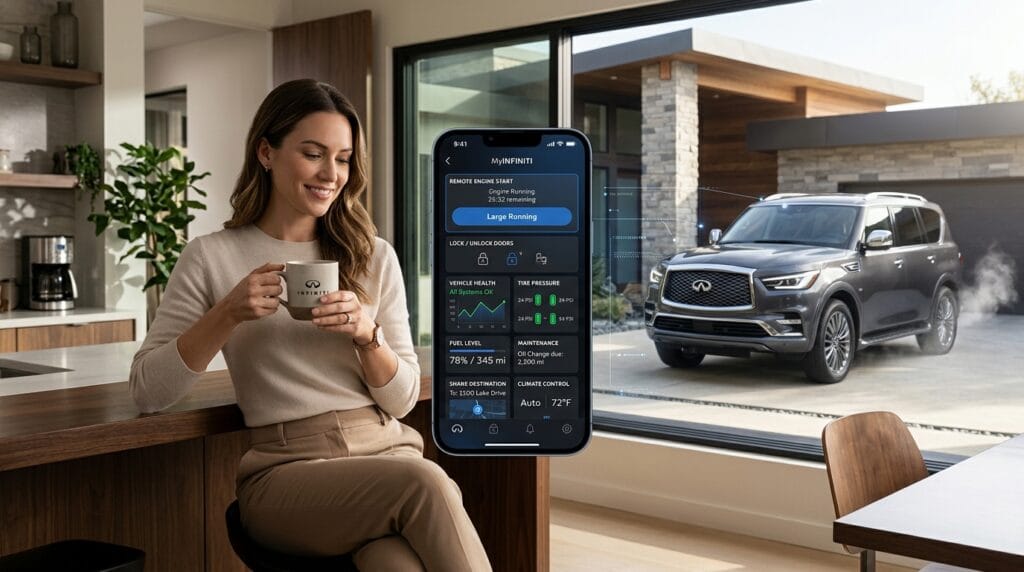
In 2026 the my infiniti app comes with many useful tools that make daily driving better. One favorite part is remote services. You can start your car from inside your house so it warms up or cools down before you even step outside. You can also lock or unlock the doors from far away, which is great if you forgot your keys or want to let someone in safely.
Another nice thing is vehicle monitoring. The app shows you important details like how much fuel or charge is left, tire pressure, and if any doors are open. Service reminders pop up at the right time so you never miss an oil change or checkup. Navigation help lets you search for places on your phone and send them straight to your car’s screen. Newer updates also let you control climate settings and even heated or cooled seats from the app on some models.
These features work together to make ownership feel smoother. For example, on a cold morning you can warm the car and seats while you finish your coffee. Over time, this small help adds up and saves you time and worry.
How to Download and Set Up the My Infiniti App
Getting started with the my infiniti app is quick and friendly. First, open the App Store on your iPhone or the Google Play Store on your Android phone. Search for “MyINFINITI” and tap the button to download it for free. Once it is on your phone, open the app and create an account using your email. Make sure to use the same email you plan to connect with your car.
Next, you will need your car’s 17-digit VIN number, which you can find on the dashboard or your registration papers. Enter it to link your vehicle. If your car has the InTouch system, you may also sign in on the car’s screen with the same account. This step makes everything talk nicely together.
Here are some tips for smooth setup. Do this when you have good internet so nothing gets stuck. If you run into any trouble, restart your phone and try again. Most people finish in just a few minutes and feel excited once it is ready.
My Infiniti App Cost and Subscription Options
Many people wonder about my infiniti app cost. The good news is that you can download the app itself for free. Basic features like viewing some vehicle info are often available without paying extra. But the full remote services need a subscription through Infiniti InTouch.
New cars usually come with a trial period of several months or even up to three years of premium connectivity, depending on the model and year. After the trial, you can choose plans that fit your needs. Prices change over time, so it is smart to check the latest details in the app or on the official owner site. Some plans cost around ten to twenty-five dollars each month, giving you different levels of access.
This clear pricing helps you decide what works best for your family and budget without any surprises.
How to Use the My Infiniti App – Main Functions
Once everything is set up, using the my infiniti app becomes a natural part of your day. The most popular things include remote start, which lets your car get ready for you. Locking and unlocking doors is just a tap away, perfect when you are carrying groceries or helping kids. You can check fuel or battery level so you know when to stop at the station.
Scheduling service is another easy part. The app shows your car’s history and lets you book appointments at your favorite dealer. In-app navigation sends directions straight to your vehicle so you stay focused on the road. Many owners enjoy the peace of mind from seeing their car’s location if they ever need to find it in a big parking lot.
These everyday uses turn the app into a helpful companion that fits right into your busy life.

My Infiniti App Not Working – Common Problems and Fixes
Sometimes the my infiniti app not working happens to even careful users. Do not worry. Most issues have simple fixes you can try at home. One common problem is login trouble. If you cannot sign in, check your internet, restart the app, or make sure your password is correct. Updating the app to the newest version often solves connection problems.
App crashes can come from old phone software, so keeping your phone updated helps a lot. If the car does not respond, try a soft reset by turning the car off and waiting a minute before starting again. For bigger issues, check that your subscription is still active and the vehicle is properly linked.
Many people find that clearing the app cache or reinstalling it brings everything back to normal quickly. These steps save time and get you back on the road feeling good.
My Infiniti App Customer Service Number and Support
When you need extra help, Infiniti makes it easy to reach kind people. The my infiniti app customer service number is 1-855-444-7244. You can call them Monday through Friday during business hours. They also offer text support at 1-615-675-9331, which many people like because it feels faster.
Inside the app you will often find chat options and helpful guides. Email support is another way if you prefer writing things down. The fastest help usually comes from having your VIN number ready when you contact them. Their team knows the app well and can walk you through any tricky spots with patience.
My Infiniti App Subscription – What You Get and Is It Worth It?
A subscription to the my infiniti app unlocks more advanced help that many owners really enjoy. With it you get full remote start and stop, door control, and detailed vehicle reports. You also receive alerts for speed, location boundaries, and maintenance needs that keep your family safer.
Is it worth the money? For people who travel a lot or live in places with extreme weather, the comfort and time savings feel valuable. Others who only drive short distances might stick with basic free features. Think about how you use your car and choose what fits your real life. Many drivers say the peace of mind alone makes the subscription a smart choice over time.
Pros and Cons of the My Infiniti App
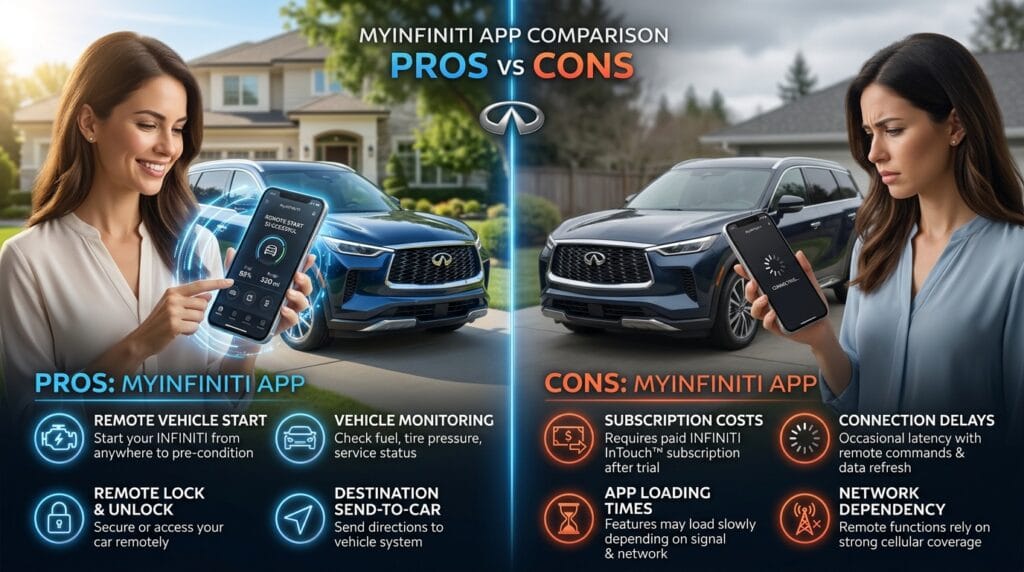
Like any tool, the my infiniti app has strengths and some areas to watch. On the good side, it offers real convenience with remote features, clear information, and regular updates that improve over the years. Owners love how it makes them feel more connected and prepared. The interface is friendly for most people once they get used to it.
On the other side, some users notice that full features need a paid plan after the trial ends. Occasional connection delays can happen if the signal is weak. A few people mention the app can feel slow during busy times. Still, these small things are often fixed with updates and good troubleshooting.
Overall the pros usually win for active drivers who want modern help with their Infiniti.
Tips and Best Practices for Getting the Most Out of My Infiniti App
To enjoy the my infiniti app even more, try these smart ideas that many users miss at first. Keep the app updated so you always have the newest improvements. Turn on notifications for service reminders and alerts, but choose which ones matter to you so your phone stays calm.
Save battery by closing the app completely when you are not using it and checking settings for power-saving options. Combine the app with your Infiniti dealer visits for the best care. Practice using features like sending destinations a few times at home until they feel natural. Small habits like these help the app become a true daily friend instead of something you only open once in a while.
Frequently Asked Questions (FAQ)
Here are answers to questions many people ask about the my infiniti app.
Is the my infiniti app free to download and use?
Yes, you can download and start with basic features at no cost. Extra remote tools need a subscription after any trial period.
What should I do first if my infiniti app not working?
Restart your phone and the app, check for updates, and make sure your car is linked properly. These steps fix most small problems.
How much does my infiniti app subscription cost?
Prices vary by plan and time, but they usually range from about ten to twenty-five dollars a month after trials. Check inside the app for your exact options.
Can I use the app on both iPhone and Android?
Yes, it works well on both. Some features also support watches and other wearables, though not every device.
Is my personal information safe in the app?
Infiniti uses strong protection for your data. Always use a good password and keep the app updated to stay safe.
What if I change phones or get a new car?
You can update your account and add the new vehicle using its VIN. Customer support helps make the switch smooth.
Does the app work without good phone signal?
Some basic info shows offline, but remote controls need a strong connection for safety and speed.
How do I find my infiniti app customer service number quickly?
Look inside the app or call 1-855-444-7244 for owner support during business hours.
Conclusion
The my infiniti app brings so many helpful tools together in one simple place. It makes owning your Infiniti feel easier, safer, and more fun because you stay connected without extra work. From remote comfort on busy mornings to quick service reminders, it truly supports your driving days.
Why not give it a try today? Download the app, link your car, and see how it fits into your life. You might be surprised at how much you enjoy the extra peace it brings. Drive safe and happy, my friend.
Disclaimer:
This article is for general information and helpful guidance only. Details about features, pricing, and availability can change over time. Always check the official Infiniti website, the my infiniti app, or contact their support team for the most current and accurate information for your specific vehicle and location. We are not connected to Infiniti and do not provide official advice.
Explore More
- The Importance of Legionella Training in Workplace Safety
- Gonzay Com Services: Complete Guide to Digital Marketing Solutions in 2026
- RevolverTech Gaming: The Ultimate Guide to Next-Level Gaming in 2026
About the Author








