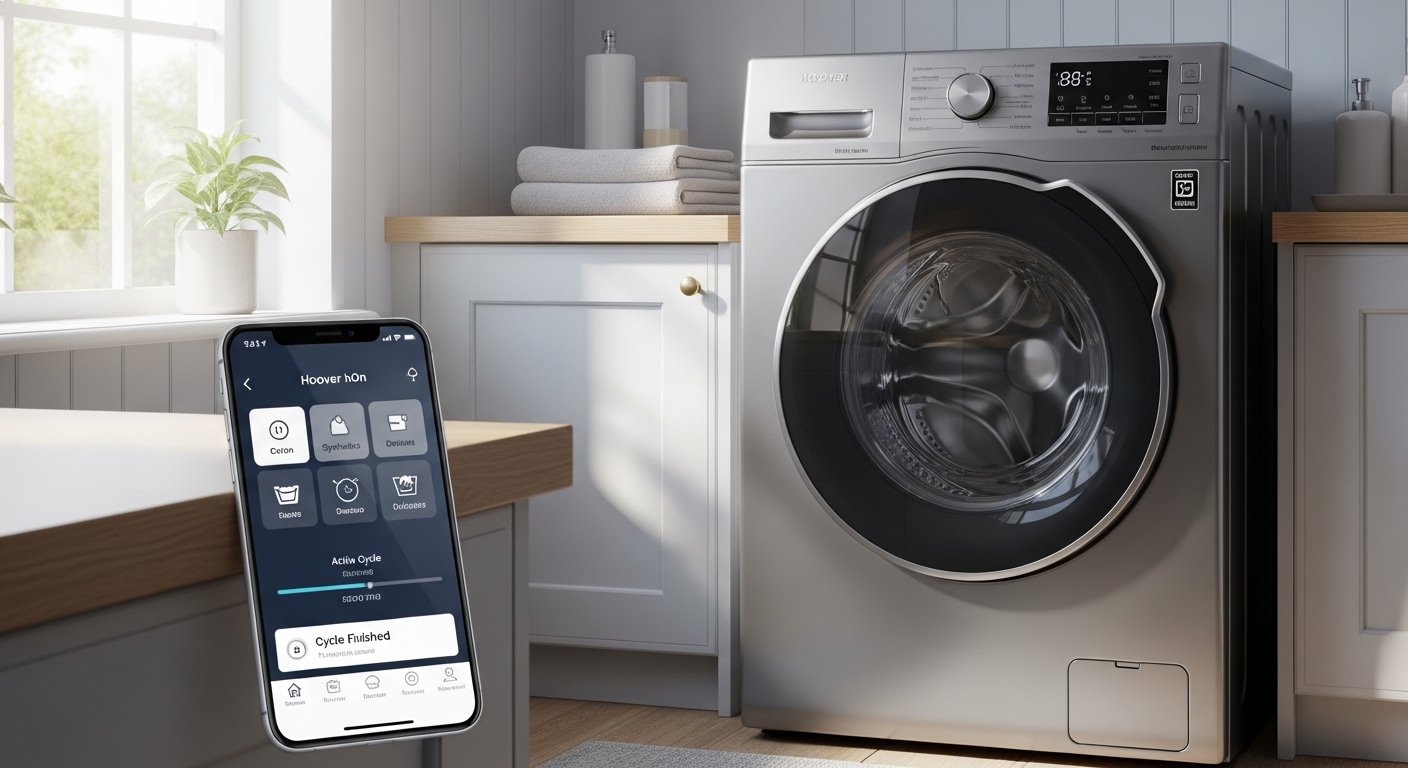
Laundry day can feel like a big task. You sort clothes, choose the right cycle, wait for the machine to finish, and sometimes forget about it. But what if you could control everything from your phone? That’s where the Hoover washing machine app comes in. It makes laundry simple, smart, and fun.
Hoover is a trusted brand in home appliances. They make washing machines that are reliable and full of good features. Many newer Hoover models connect to the internet. This lets you use a special app on your phone. The main app today is called hOn. Some older models use the Hoover Wizard app or One Touch features. But the hOn app is the modern one for most smart Hoover washing machines.
This app turns your washing machine into a smart helper. You can start washes from far away, get tips on what cycle to use, save energy, and never forget your clothes in the machine again. In this article, we will look at everything about the Hoover washing machine app in simple words. We will explain how it works, its best parts, how to set it up, and why it makes life easier.
What Is the Hoover Washing Machine App?
The Hoover washing machine app is a free tool you download on your phone. It connects your Hoover washing machine to your smartphone. Once connected, you can control the machine without touching it.
The current main app is hOn. Hoover made this app to work with their smart appliances like washing machines, dryers, dishwashers, and more. It is made by the same company group as Hoover (Haier Europe). You can find it on the Google Play Store for Android or the Apple App Store for iPhone.
For some older Hoover machines, there is the Wizard app. This one uses Wi-Fi or NFC (a quick touch feature on Android phones). But Hoover now pushes the hOn app for new models like H-WASH 500, H-WASH 300, and others. It gives more features and better support.
The app is safe and easy. It helps you wash clothes better while saving time and money.
Why Use the Hoover App for Your Laundry?
Many people ask: Do I really need an app for my washing machine? The answer is yes if you want things easier.
Here are some big reasons:
- You can start or stop the wash from anywhere. Imagine you are at work or shopping. You remember you left clothes in the machine. With the app, you start the cycle right away or delay it.
- You get alerts when the wash is done. No more smelly clothes left wet for hours.
- The app gives smart tips. It looks at your clothes and suggests the best cycle.
- You save energy and water. The app shows how much energy you use and helps you pick cheaper times to wash.
- It keeps your machine healthy. It tells you when to clean filters or fix small problems.
These things make laundry less stress and more smart.
Key Features of the hOn App for Hoover Washing Machines
The hOn app has many helpful tools. Let’s look at the main ones in easy steps.
Remote Control You can turn on your washing machine from your phone. Start a cycle, pause it, or change settings. This is great if you are not home. You need your machine connected to Wi-Fi first.
End-of-Cycle Notifications The app sends a message to your phone when the wash finishes. This stops you from forgetting laundry. Your clothes stay fresh.
Smart Cycle Suggestions The app helps pick the right program. Some versions let you take a photo of your dirty clothes. It sees the amount and type of dirt. Then it suggests the best cycle for clean results.
Many Extra Cycles Normal machines have 10-15 programs. With the app, you get over 60 special cycles. There are ones for baby clothes, sports wear, wool, quick washes, and more. You get better care for every fabric.
Scan to Care or Virtual Wardrobe Take a photo of the care label on your clothes. The app saves the info. It builds a list of your clothes. Next time, it tells you the perfect wash for that shirt or dress.
Energy Monitoring See how much power and water your washes use. The app gives tips to wash at low-cost times. It helps lower your bills and be kind to the planet.
Dryer Sync (If You Have One) If you have a Hoover dryer, the app connects them. It sees what wash you did and picks the right dry cycle. No guesswork.
Maintenance Alerts The app watches your machine. It tells you when to clean the filter, descale, or check for issues. This keeps your machine working long.
Statistics and Reports See your wash history. How many loads per week? How much energy? This helps you improve habits.
These features come from Hoover’s official info and user guides. They make the app very useful.
How to Set Up the Hoover App

Setting up is simple. Follow these steps:
- Buy a smart Hoover washing machine (like H-WASH series with Wi-Fi).
- Download the hOn app from your phone store.
- Make an account. Use your email and a password.
- Turn on your washing machine and put it in pairing mode (check the manual – often hold a button until a light flashes).
- In the app, add a new device. It looks for your machine.
- Connect to your home Wi-Fi. Enter your password.
- Follow the steps on screen. It may use Bluetooth first, then Wi-Fi.
For older models with Wizard app:
- Download Hoover Wizard.
- For One Touch (NFC): Put your Android phone on the machine’s tag to connect.
It takes 5-10 minutes. If you have problems, check signal strength or restart things.
Benefits of Using the App Every Day
Using the app changes laundry for the better.
First, you save time. Schedule washes when you want. Come home to clean clothes.
Second, clothes last longer. Special cycles are gentle. Colors stay bright, fabrics soft.
Third, you save money. Wash at off-peak hours for lower electricity.
Fourth, less worry. Alerts mean no forgotten loads.
Fifth, better for family. Easy for everyone to use – even kids or older people.
Many users say it feels like having a laundry helper.
Is the App Right for Everyone?
The app works best with newer Hoover models that have Wi-Fi. Check your machine manual or the box.
You need a good internet connection at home.
The app is free. No extra cost.
If your machine is old and not smart, you can’t use these features. But Hoover makes great non-smart machines too.
Tips to Get the Most from Your Hoover App
- Update the app often for new features.
- Keep your machine firmware updated through the app.
- Use the photo scan for clothes to build your wardrobe.
- Check energy stats each month to improve.
- Pair with a Hoover dryer if you have one.
- Read tips in the app for better washing.
Final Thoughts
The Hoover washing machine app (mostly hOn now) makes laundry easy and smart. It gives you control from your phone, smart suggestions, energy savings, and peace of mind. No more guessing cycles or forgetting loads.
If you have a compatible Hoover machine, download the app today. It is simple to set up and use. Your laundry will thank you.
Hoover cares about making home life better. Their app shows that. Try it and see how easy laundry can be.
Disclaimer:
This article is only for information. It is not an ad. We are not connected to Hoover. We try to give correct info, but we are not responsible if something goes wrong. Always check your machine and the official app.
Explore More
- CPOMS App: Easy Safeguarding & School Management Tool
- BowlsNet UK App: Easy Scores, News & Updates for Bowls Fans
- The GeniePoint App: Easy Payments and Smart Rewards on Your Phone
About the Author








