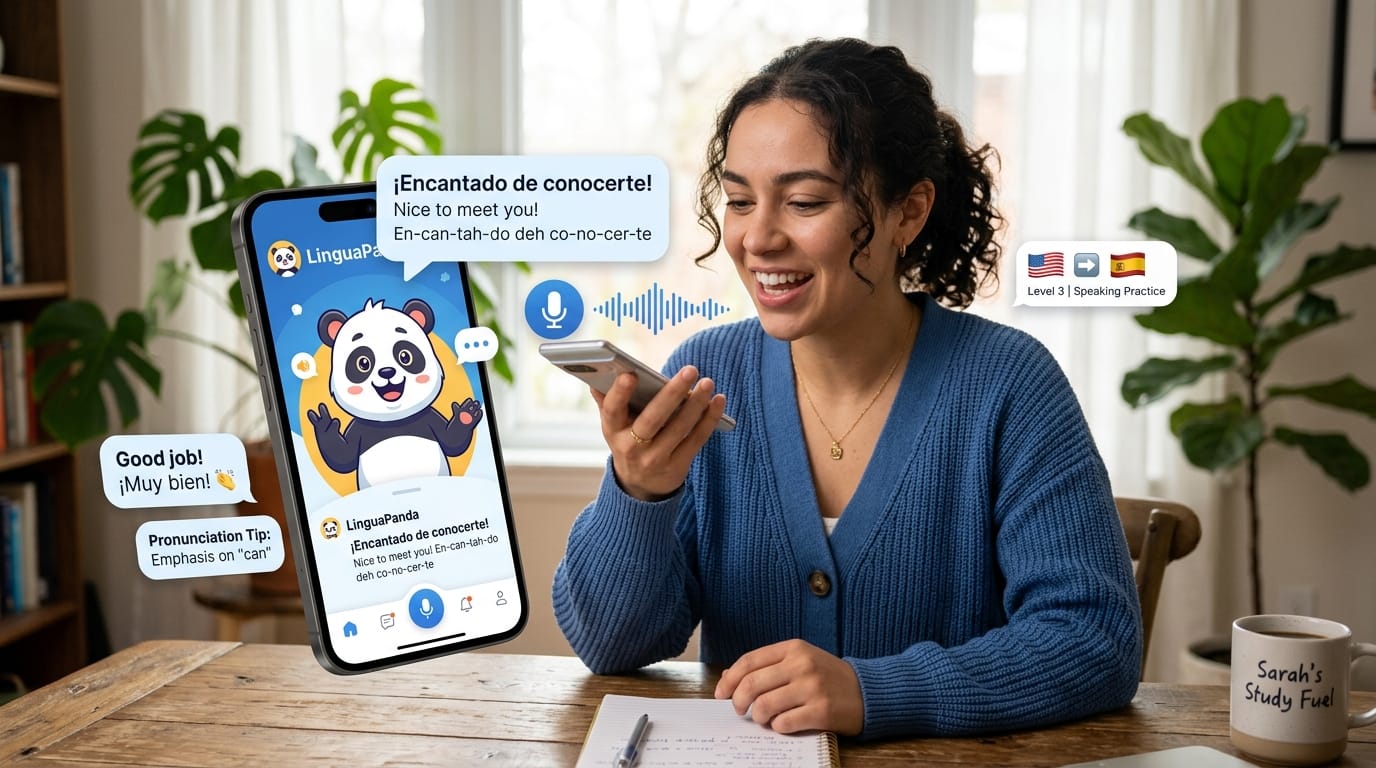
Learning a new language opens doors to new friends, jobs, and adventures. Yet the biggest worry for most students is speaking. Many apps teach reading and listening well, but they do not give enough chances to talk. The lingopanda app solves this by focusing on speaking practice with smart AI. You can chat, role-play, and get helpful tips right away.
This makes the lingopanda app a great choice for English and Spanish learners in 2026. It mixes lessons made by real native speakers with modern AI technology. Beginners feel safe to try new words, while others build smooth talking skills. Families, students, workers, and travelers all find something useful here. The app is easy to start and grows with you over time.
What is Lingopanda App?
The lingopanda app is a fun language learning platform that uses AI to help you speak better. It used to be called PingoLearn, and now it carries the friendly panda name that kids and adults both like. The main idea is simple. You learn by talking instead of just reading screens.
Native speakers created the lessons so everything sounds natural. The AI listens to your voice and gives quick, clear help. Right now, the app supports English and Spanish fully. This mix of real human lessons and smart computer help makes practice feel like talking with a patient teacher anytime you want.
Because the lessons cover real life, you learn phrases you can use at work, on trips, or with new friends. This practical focus helps your brain remember faster and makes speaking less scary.
Key Features of Lingopanda App
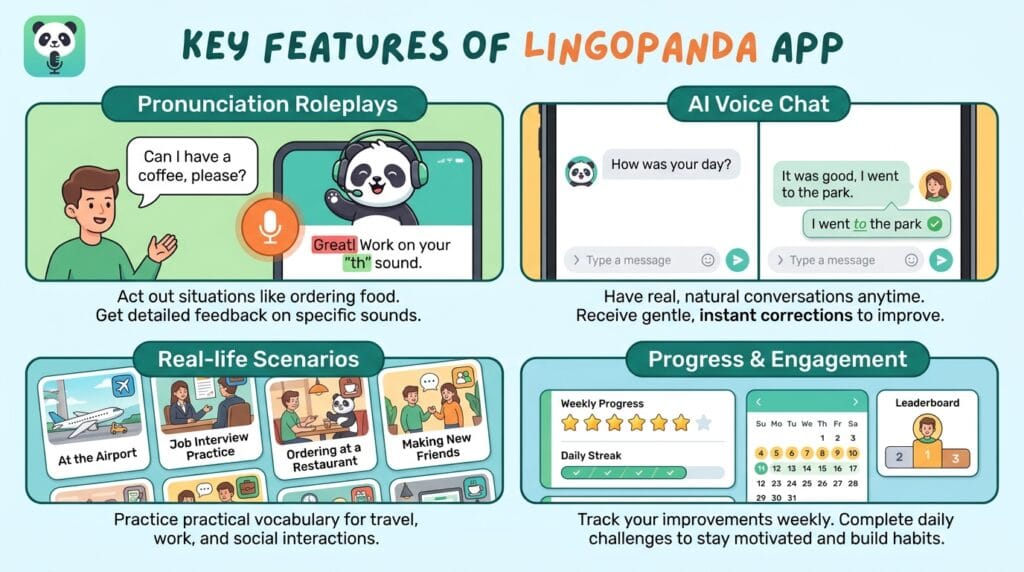
One favorite part is pronunciation roleplays. You act out everyday situations like ordering food or meeting someone new. The AI listens carefully and shows exactly which sounds need work.
Another strong tool is AI voice chat. You can have real conversations whenever you like. The AI answers you like a real person and gently corrects mistakes. This instant feedback system helps you fix problems before they become habits.
The app also has real-life conversation scenarios. These feel like actual talks you might have on a trip or at a job. Daily challenges keep learning exciting, and progress tracking shows how much you improve each week. All these parts work together so you grow speaking skills in a natural way.
Lingopanda App Free Activities and Free Download
Good news for everyone who wants to try first. You can download the lingopanda app for free on Android and iOS phones. Just go to your app store and search for it. The download takes only a minute, and you start right away.
Free activities include daily lessons, some roleplays, and basic AI practice chats. You also get a few pronunciation exercises each day. These free parts let you test the app and see if you like the style. Many people begin with lingopanda app free activities and enjoy them enough to keep coming back.
Of course, the free version has limits. You cannot do unlimited chats or unlock every lesson. But these starting activities give a real taste of the app and help you build a small daily habit.
Lingopanda App Pricing and Subscription Options
When you are ready for more, the lingopanda app pricing offers clear choices. The free plan stays available forever. Paid subscriptions open unlimited access, more advanced roleplays, and an ad-free experience.
Plans usually include monthly and yearly options. Monthly costs are friendly for most families, while yearly saves money if you plan to learn for a long time. Premium unlocks everything so you never run out of practice time.
Comparing lingopanda app free activities with the full subscription shows good value. Free gives you a solid start, but paid lets you practice deeply every single day. Many users say the extra features help them reach goals faster.
Lingopanda App Free or Paid: Which Should You Choose?
Choosing between free and paid depends on your goals. If you just want to try speaking and build basic confidence, lingopanda app free activities work well. You can learn quite a bit without spending money.
Students on a tight budget or people testing the waters often stay with free at first. When you notice you want longer chats or special lessons, that is the perfect time to check lingopanda app pricing and upgrade.
A smart tip is to use every free part fully before you decide. Track your progress for two or three weeks. If you feel excited and want more, the subscription feels like a natural next step. This way you make a good choice that fits your life.
How to Use Lingopanda App: Step-by-Step Guide
Starting is easy and fun. First, download the app and make a quick account with your email. Next, pick English or Spanish as your target language. The dashboard welcomes you with bright colors and clear buttons.
Begin with a short roleplay or AI chat session. Speak clearly into your phone microphone. After you finish, listen to the feedback. The app highlights good parts and shows gentle ways to improve.
Make it a habit by practicing at the same time each day, even for ten minutes. Over time, these small sessions add up to big confidence. Many learners keep a simple notebook to write new phrases they liked. This extra step helps memory grow stronger.
Who Should Use Lingopanda App?
Beginners who need speaking confidence love this app because it feels safe. Intermediate learners use it to become more fluent and natural. Professionals who want practical skills for meetings or travel find the real-life scenarios very helpful.
Travelers and students preparing for trips enjoy the conversation practice that matches real situations. Even parents who want to learn with their kids can have fun together. The lingopanda app language learning approach works for many different people who simply want to talk better.
Pros and Cons of Lingopanda App
The biggest strength is realistic speaking practice with kind AI feedback. Users say they feel more brave after just a few weeks. The native-speaker lessons sound real, and progress tracking keeps motivation high.
On the other side, the free plan has limits that might feel small after some time. Some people wish for even more languages in the future. Still, the team adds new content often, so the app keeps getting better.
These points give a balanced picture so you know what to expect.
Lingopanda App Results: Real User Experiences
Most users notice clearer pronunciation after two or three weeks of regular practice. In one or two months, many can hold short conversations without freezing. Confidence grows because the AI helps in a patient way.
People share stories about ordering food successfully on trips or feeling comfortable in job interviews. Those who practice daily see the best changes. The key is consistency and using the feedback to repeat tricky sounds.
Lingopanda App vs Other Language Apps
Many popular apps like Duolingo focus on games and quick lessons. They are fun but do not always give enough speaking time. The lingopanda app stands out because it puts real conversations first.
Other AI speaking tools exist, yet Lingopanda mixes human-made roleplays with smart feedback in a simple package. It performs better when your main goal is brave, natural talking instead of just collecting points. This different approach helps many learners who felt stuck with other methods.
Tips to Get Maximum Results from Lingopanda App
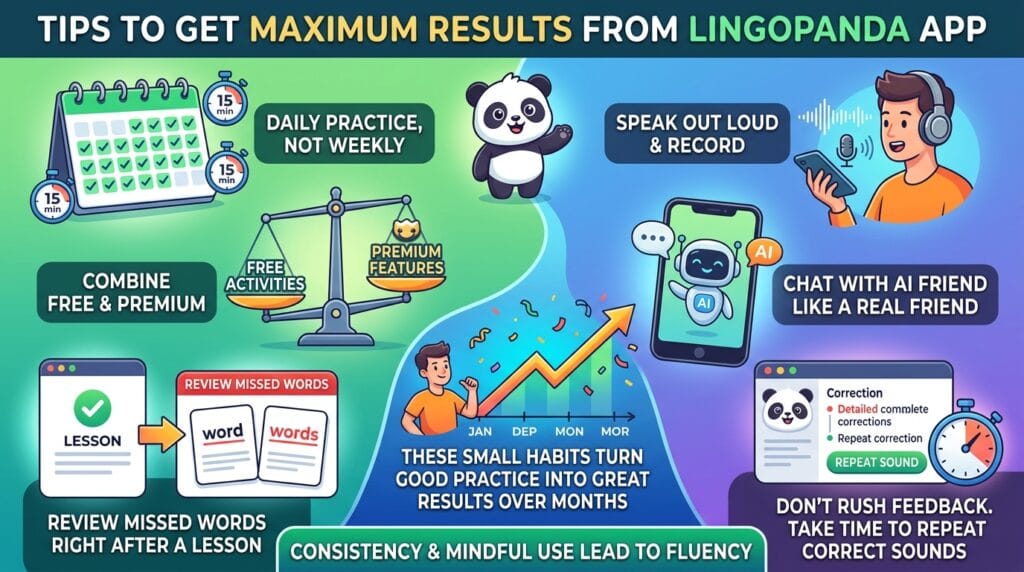
Practice a little every day instead of long sessions once a week. Speak out loud clearly and record yourself sometimes to hear your own progress. Combine free activities with premium features when you can.
Use AI chat to ask questions like a real friend would. Review missed words right after a lesson so they stay fresh. Avoid rushing through feedback. Take time to repeat the correct sounds.
These small habits turn good practice into great results over months.
FAQ
Is the lingopanda app good for complete beginners?
Yes. It starts with very basic phrases and grows slowly so you never feel lost. The AI explains things in easy ways.
Can I learn both English and Spanish at the same time?
You can switch between them, but most people focus on one language first for faster progress.
How much time do I need each day?
Ten to twenty minutes works well. Short daily practice helps more than long rare sessions.
Does it work without internet?
Some lessons download for offline use, but AI chat needs connection for best results.
What if I have a strong accent?
The app is made to help exactly with that. It gives kind, clear tips for every sound.
Are there activities for kids?
Many families use it together. The fun roleplays and games keep children interested.
How do I cancel a subscription?
Go to your phone settings and manage app purchases. It is simple and quick.
Will my progress save if I change phones?
Yes, your account keeps everything safe in the cloud.
Conclusion
The lingopanda app makes learning English and Spanish feel friendly and possible. By focusing on speaking with AI, it helps you turn quiet knowledge into confident talking. Start with the free download and enjoy the lingopanda app free activities. When you are ready for more, the subscription options give extra power.
Give it a try today. You might be surprised how quickly your voice grows stronger. Download the lingopanda app now and begin your speaking journey with a smile.
Disclamer
This article is for informational and educational purposes only. All details about pricing, features, and experiences are based on public information available in 2026 and may change over time. Please check the official Lingopanda website or app store for the latest updates before making any decisions. The author does not have any business relationship with the app. Always do your own research.
Explore More
- Klarna App: How to Use It in 2026 (Complete Guide)
- 5 and Below App – Best Learning & Fun Games for Kids Under 5
- Uconnect App Login, Registration & Remote Start Guide
About the Author