
The Section 12 app helps mental health professionals work together more smoothly during important assessments. Many people in mental health care know how busy things can get, especially when someone needs urgent help under the Mental Health Act. That is why the Section 12 app was created. It makes the process of finding the right doctors and completing paperwork much easier.
Because of this app, Approved Mental Health Professionals, also called AMHPs, and Section 12 approved doctors can connect quickly. They spend less time on phone calls and forms. Instead, they focus more on supporting the person who needs care. Over time, this tool has grown to support thousands of users across many mental health trusts. In 2026, the app continues to add small improvements that make daily work feel simpler and safer. This guide will walk you through everything in a clear way, so you can feel confident using it.
What Is the Section 12 App?
The Section 12 app is a special tool for people who work in mental health crisis care. It runs on phones and also works on computers through a website. The main job of the app is to help organize teams for Mental Health Act assessments. These assessments decide if a person needs to stay in hospital for their safety and care.
For example, imagine an AMHP gets a call about someone in crisis late at night. In the past, the AMHP might spend a long time calling different doctors to find one who is free and has the right skills. With the Section 12 app, everything happens in one place. Doctors can show when they are available. AMHPs can search for nearby doctors who match what the assessment needs. This means faster team building and better care for the person.
Another thing is that the app keeps information safe and up to date. Only verified users can join. This helps everyone follow the rules carefully. That is why many professionals now use it as part of their normal workday.
Why the Section 12 App Matters in Mental Health Work
Mental health work often involves quick decisions and lots of coordination. Without a good system, delays can happen. These delays affect how soon a person gets the help they need. The Section 12 app reduces those delays because it puts availability and communication in one easy spot.
In addition, doctors used to get calls at any time, even on their days off. Now they can update their diary in the app to show clearly when they can work. This respect for personal time helps doctors feel less stressed. At the same time, AMHPs save hours because they no longer need to make many phone calls.
Over time, this leads to smoother crisis pathways. Assessments happen with the best matching team, which might include doctors who know about children’s mental health or other special areas. Because the process feels more organized, everyone can focus on the rights and needs of the service user.
How to Get Started with the Section 12 App
Getting started is straightforward. First, you need to check if the app is available in your area through your mental health trust. Most areas now support it, but it is always good to ask your team.
Next, download the app from the Apple App Store if you have an iPhone, or from Google Play if you have an Android phone. Make sure your phone has recent software so everything runs well. After you download it, open the app on your phone.
To begin, you will need an account. Only approved users like AMHPs and Section 12 doctors can sign up. Usually, your organization helps with this step. They send a welcome email with a temporary password. Use that to log in for the first time. After that, you can create your own strong password.
This step-by-step way keeps things secure. For instance, if you forget your password later, you can reset it right from the login screen. Just enter your email, and a new link comes to help you. That is why the login feels safe and simple at the same time.
Easy Login Process in the Section 12 App
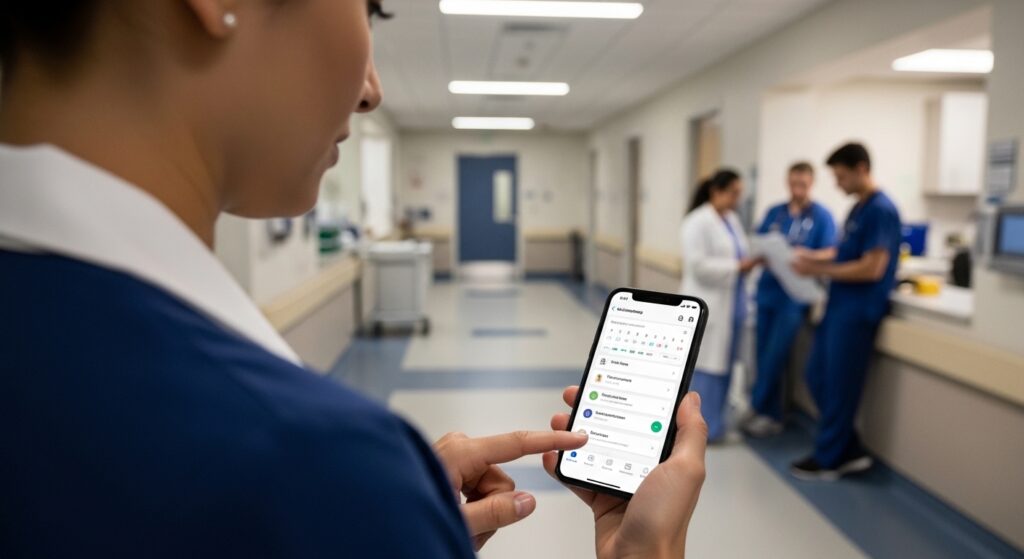
Logging in should take only a few moments. Open the app and look for the login button. You can choose to log in with your password. Type your email and the password you set. Some versions let you save your username so next time is even faster.
After you enter your details, the app may ask for extra steps like a pin code for added safety. This is normal and helps protect sensitive information. Once you are in, you land on the main screen where you can see your options right away.
If you use the website instead of the phone app, the steps are similar. Go to the official site, enter your details, and you are ready. Many people like the phone app because they can check it while they are out on calls. Because the login is quick, it fits easily into a busy schedule.
One helpful tip is to keep your email linked to the account updated. This way, any reset messages reach you fast. In 2026, the app has made session management smoother, so you stay logged in longer without problems.
Main Features of the Section 12 App
The Section 12 app has several useful features that work together nicely. One big feature is the diary for doctors. Section 12 approved doctors can add their availability for different days and times. They choose if they work for a trust, as an independent doctor, or on call. They can also add when they are away on leave.
This diary updates in real time. That means when an AMHP searches, they see fresh information. For example, a doctor might set their starting postcode so the app knows their location even if they travel. They can also list special skills, like experience with young people in mental health services.
Another key feature is team organization. AMHPs can search for available doctors based on location, time, and needed skills. They send a request through the app. Doctors get an alert and can reply quickly. This replaces long phone chains and makes matching better.
In addition, the app supports digital forms. Where it is allowed, users can create, share, and sign Mental Health Act forms electronically. This cuts down on paper and reduces mistakes. After an assessment, doctors can complete digital claim forms for their payment. They submit them directly and check the status later. Claim processors also use the system to handle payments more smoothly.
These features connect because one action, like booking a doctor, can lead straight to form completion. Over time, this saves many hours and lowers stress for the whole team.
Step-by-Step User Guide for Doctors
If you are a Section 12 doctor, the app helps you control your schedule. After you log in, go to your profile section. Update your contact details and any special expertise. Next, open your diary. Add blocks of time when you are available for assessments.
For instance, you might add morning hours on weekdays as trust work. You can edit or delete entries anytime. Also, set your current postcode if you move around. This helps AMHPs find you when you are nearby.
When a request comes in, you get a clear alert. It shows the place, time, and any special needs for the assessment. You can accept or decline through the app. After you complete an assessment, go to the claims area. Fill in the details digitally and submit. Later, check if the claim is being processed.
This flow feels natural because each part builds on the last. Many doctors say it gives them more peace because they no longer get unexpected calls on rest days.
Step-by-Step User Guide for AMHPs
For Approved Mental Health Professionals, the app shines when you need to build an assessment team fast. After login, look for the search or request section. Enter details like the needed time, location, and any specialist skills required.
The app shows a list of nearby available doctors. You can contact them through the app with a message or call option. Once a doctor accepts, the team is set. This means the assessment can start sooner.
After the assessment, use the digital forms if your area supports them. Share the forms with the team for signing. Everything stays in one secure place. Later, you can check team details or past requests.
Because the app saves your team choices between logins, it feels consistent. For example, if you often work with the same group, the system remembers that and makes future searches quicker.
Tips to Use the Section 12 App Better
Here are some practical ways to get the most from the app. Always keep your availability up to date. Even small changes help the whole system work well. Check the app regularly for new requests so you can respond in good time.
Another tip is to add clear notes in your profile about your skills. This helps AMHPs choose the right doctor for each person’s needs. For safety, never share your login details with others.
If you travel for work, remember to update your postcode. This small step improves matching. In busy times, use the search filters to find doctors quickly. Over time, these habits make your day flow more easily.
Avoid waiting until the last minute to update your diary. Early updates give everyone better planning time. Also, explore all menu options after login so you discover useful tools you might have missed.
Common Mistakes to Avoid
Some users make small mistakes at first. One common one is forgetting to update availability after a change in plans. This can lead to wrong matches or extra calls. Always double-check your diary before you finish.
Another mistake is skipping profile updates. If your contact information is old, AMHPs might not reach you easily. Take a few minutes every month to review it.
Sometimes people try to use the app without the latest phone software. This can cause login troubles or slow performance. Keep your device updated for the best experience.
Do not ignore alerts. Quick replies help keep the crisis pathway moving. In addition, avoid using weak passwords. Strong ones protect everyone’s information.
By watching out for these points, you can enjoy smoother use from the start.
FAQ About the Section 12 App
Here are answers to some questions people often ask.
How do I reset my password in the Section 12 app?
Open the app and go to the login screen. Scroll down and choose the reset password option. Enter your email and send the request. A new message will come with help to set a fresh password.
Can I use the Section 12 app on both phone and computer?
Yes. The app works on Android and iOS phones. You can also log in through the website on a computer when you prefer a bigger screen.
Who can join the Section 12 app?
Only verified Approved Mental Health Professionals, Section 12 approved doctors, and claim processors in supported areas. Your organization usually arranges access.
Does the app help with digital forms?
In many places, yes. You can create, share, and sign Mental Health Act forms electronically where this feature is turned on.
What if I need help while using the app?
Most organizations have support contacts. The app also has simple menus that guide you through main tasks.
Is my information safe in the Section 12 app?
The system uses secure steps like extra pin codes and verified access. Only the right people can see sensitive details.
Can doctors control when they get requests?
Yes. By updating your diary and availability, you decide when you are open for assessments.
Final Thoughts on the Section 12 App
The Section 12 app brings together many helpful tools in one place. From easy login to clear features like diaries, team search, digital forms, and claims, it supports better teamwork in mental health care. Because it saves time and reduces confusion, professionals can give more attention to the people they support.
As you use the app more, you will find your own favorite ways to make it fit your work. Keep learning the small steps, update your details often, and enjoy the smoother flow it brings. In the end, tools like this remind us that good systems help caring people do their important job even better.
Disclaimer:
This article provides general information based on publicly available details about the Section 12 app (S12 Solutions platform) as of 2026. It is for educational purposes only and does not replace official training, user manuals, or advice from your organization. Features may vary by region and over time. Always follow your local policies, data protection rules, and professional guidelines when using any digital tool in mental health work. For specific support, contact your trust or the app provider directly. This content does not constitute medical, legal, or technical advice.
Explore More
- Oviva App 2026: Download, NHS Access, Login, Reviews, Cost & Fix Not Working Issues
- My Marsden App Login & Download Guide 2026: Easy Access, Features & Setup
- Katepritchard96 Explained: Meaning, Online Identity, and Full Details in 2026
About the Author








