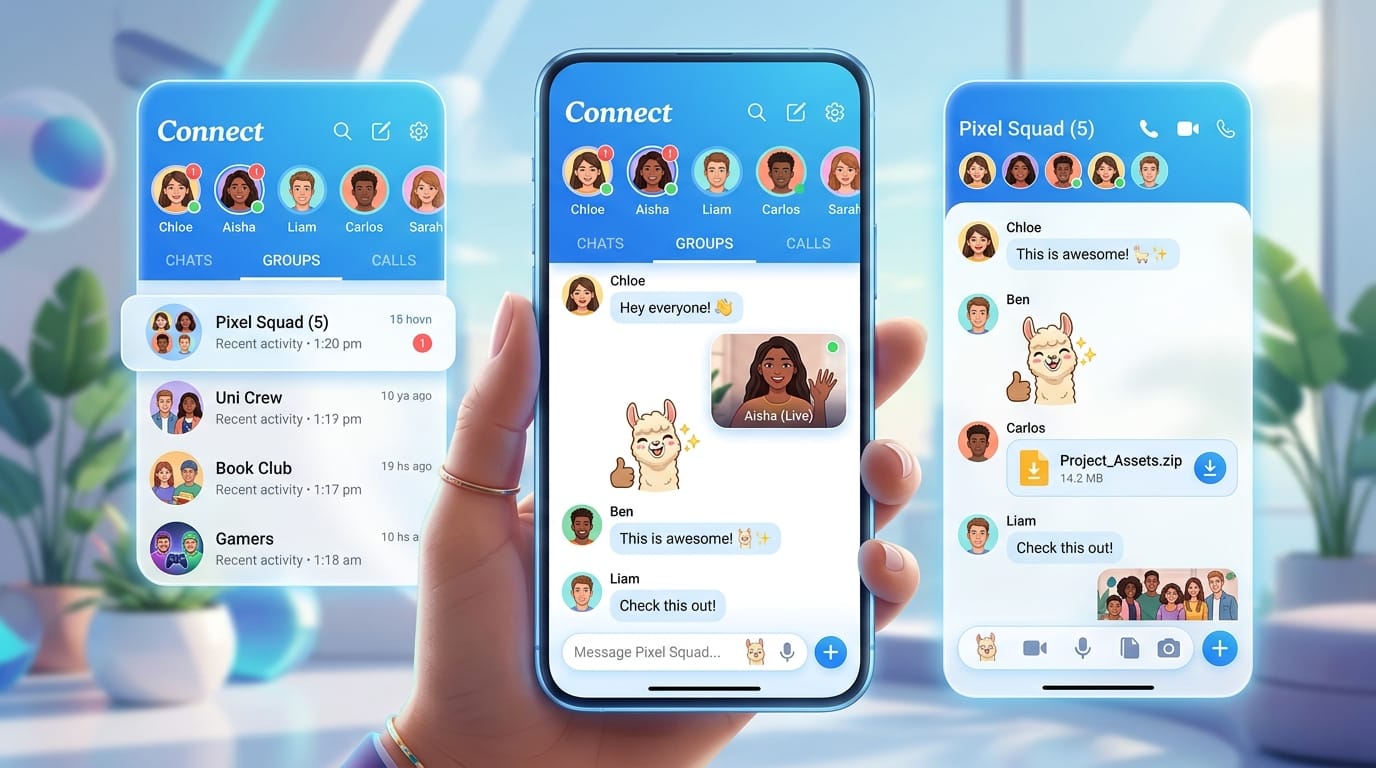
Have you ever wanted a place to chat with lots of friends at once, share fun pictures and videos, and make calls that feel like you are all in the same room? In 2026, the tam tam app gives you exactly that kind of happy space. It mixes easy messaging with fun ways to connect and play together. People love it because it feels fresh, safe, and full of joy for everyday talks or big group fun. Whether you want to chat with family, plan with school friends, or join big communities, this app makes everything simple and exciting.
What is Tam Tam App?
The tam tam app is a friendly messenger that started back in 2017 from a big company in Russia. It grew quickly because it focuses on fast chats and strong safety without too many annoying ads. You can use it on your phone or computer, and it works well on Android, iOS, Windows, Mac, and even Linux.
What makes it special is how it brings together regular messaging and fun social discovery. You meet new people in channels or big groups while keeping your close friends in private chats. It feels like a big playground where everyone can talk, laugh, and share without trouble. Many users say it runs smoothly even when lots of people join at the same time.
Key Features of Tam Tam App in 2026
One of the best parts is how big your groups can get. You can invite up to twenty thousand people into one chat, and up to fifty helpers can manage it. That means school clubs, family gatherings, or big hobby groups all fit nicely. You also get channels where one person shares news or fun ideas with many others.
Voice and video calls feel clear and easy. You can talk with up to one hundred friends in a group video call and even share your screen from a computer. Sending pictures, videos, music, stickers, and GIFs is quick, and each file can be as big as two gigabytes. The app also has geolocation so you can share where you are right now in a safe way.
In 2026, the app feels even smoother. Messages load fast, calls stay steady, and new tools help everyone stay close. For example, live location sharing helps friends meet up without confusion. Stickers and GIFs make every chat more colorful and full of laughs.

Tam Tam App Review: Pros and Cons
Many people give the tam tam app high marks for its huge group sizes and clear calls. Users enjoy how free it feels with almost no ads and plenty of space for files. Privacy tools help you control who sees what, and it works well even with weaker internet.
On the other side, some users wish it reached more countries easily or had every language ready. A few say they sometimes need help finding certain settings at first. Still, most reviews show it beats others when you want big, lively communities for fun and social times. It shines for groups that need room to grow.
How to Download Tam Tam App for Free
Getting the tam tam app free download is safe and simple when you go to the right places. On your Android phone, open the Google Play Store and search for TamTam. For iPhone, check the Apple App Store. Tap the official one made by Odnoklassniki Ltd and press Get or Install. It takes just a minute.
If you prefer the web, visit the safe official site for direct links. For Android users who like APK files, only use trusted sources and turn on safe downloads in your settings. Always check the app name and maker before installing to stay away from fake copies. After download, open the app and sign up with your phone number or other easy options. That’s it—you are ready to chat!
Tam Tam App for PC: Complete Setup Guide
Using the tam tam app for pc gives you a bigger screen and easier typing. Go to the official download page and pick the version for Windows, Mac, or Linux. The file is small and installs fast.
Once it is on your computer, log in with the same account you use on your phone. Everything syncs right away so your chats and calls follow you. On the big screen, you can type longer messages, watch videos clearly, and join group calls while doing other work. Many people say the PC version helps them stay organized and enjoy longer talks without holding a small phone the whole time.
How to Use Tam Tam App: Step-by-Step Beginner Tutorial
Starting is fun and quick. Open the app and make your profile by adding a nice picture and a short name. Next, find friends by searching their numbers or usernames.
To create a chat, tap the new message button and pick people. For a big group, choose the option to make it public or private. Joining channels is easy too—just search for topics you like and tap join.
Making a call is simple. Open a chat, press the call button, and choose voice or video. You can share pictures by tapping the plus sign and picking from your gallery. Try stickers and GIFs to make messages more happy.
New users should explore the menu at the bottom. Spend a little time each day trying one new thing, like sharing location or forwarding a funny message. Soon you will move around the app like a pro and have tons of fun.
Advanced Tips and Tricks for Tam Tam App
Once you feel comfortable, try these smart ideas. In big groups, use mentions to call out one person so they notice your message. Set custom notifications so you only hear important pings and stay peaceful the rest of the time.
Bots and special channels can bring games, news, or music right into your chats. Play with privacy settings to hide your last seen time or limit who can add you to groups. Creative users make theme nights where everyone shares pictures around one fun idea. These small tricks turn good chats into wonderful daily adventures.

Is Tam Tam App Safe and Private?
Safety matters a lot when you chat with others. The tam tam app uses strong protection so your messages stay private. It offers secret chats and ways to control who sees your information. You can delete messages for everyone and report anything that feels wrong.
Always use a strong password or lock, and be careful about sharing personal details with strangers. Turn on two-step verification if the app offers it. Most users feel safe because the team works hard to keep bad things away. Like any social app, smart choices keep your experience happy and worry-free.
Tam Tam App vs Competitors (WhatsApp, Telegram, etc.)
Compared to other popular apps, tam tam app stands out with its huge group limit of twenty thousand people. Many other messengers stop at a few hundred. Video calls with one hundred friends also feel bigger and more lively here.
It moves fast and gives lots of free space for files. While some apps focus only on private talks, this one mixes private chats with public channels for more social fun. It works great for big communities, school projects, or hobby groups where everyone wants to join in. Choose it when you need room to grow and share joy with many friends at once.
Common Problems and Solutions in Tam Tam App
Sometimes new users have small troubles, but fixes are easy. If you cannot log in, check your internet or try again after a short wait. For blurry calls, move closer to your Wi-Fi or switch to voice only.
Notifications not coming? Look in your phone settings and make sure the app has permission. On older phones, the app might run a bit slower, so keep it updated. Most issues disappear with a quick restart or fresh install. The support team also answers questions inside the app.

Future of Tam Tam App: Updates and Roadmap
In 2026, the makers keep adding nice touches like better call quality and more fun stickers. They listen to users and improve speed and safety all the time. Future plans likely include easier ways to connect across devices and new tools for creative sharing.
Staying with the app means you will enjoy fresh surprises that make chats even better. Many people feel excited about the long journey because the team cares about fun and friendly connections.
FAQ
Is the tam tam app really free to use every day?
Yes, you can chat, call, and share without paying. Some special stickers might cost a little, but the main parts stay free forever.
Can kids use the tam tam app safely?
With parent help and careful settings, yes. Teach children to only chat with known friends and use privacy options.
Does it work without internet?
You need internet for new messages and calls, but you can read old chats offline.
How many languages does it support?
It works in many languages, and more get added over time to help people around the world.
Can I use the same account on phone and computer?
Absolutely. Log in with the same details and everything syncs nicely.
What if I forget my password?
Use the forgot password button and follow the easy steps to get back in.
Are there any limits on daily messages?
No daily limits, so you can send as many happy notes as you want.
How do I leave a big group quietly?
Go into the group settings and choose exit. No one gets a big notice unless the group is very small.
Conclusion
The tam tam app brings people together in the best way possible. With big groups, clear calls, fun stickers, and safe tools, it creates the ultimate social and fun chat experience. Whether you want quick talks with family or lively spaces with hundreds of friends, this app delivers joy every day.
Why wait? Try the tam tam app free download today on your phone or computer. Set up your profile, invite some friends, and start making wonderful memories. You will soon see why so many people love it in 2026. Have fun chatting and connecting!
Disclaimer:
This article is for information and friendly guidance only. Always download apps from official stores and check the latest details yourself. App features can change over time, so visit the official Tam Tam site for the newest information. Stay safe and enjoy your chats!
Explore More
- Doujen Moe: The Ultimate Anime Doujin Collection
- RelayRides App: Rent Cars from Locals Near You
- AR Zone App: Best Augmented Reality App for Android & iOS (2026)
About the Author








